Operation
Operation
24 25
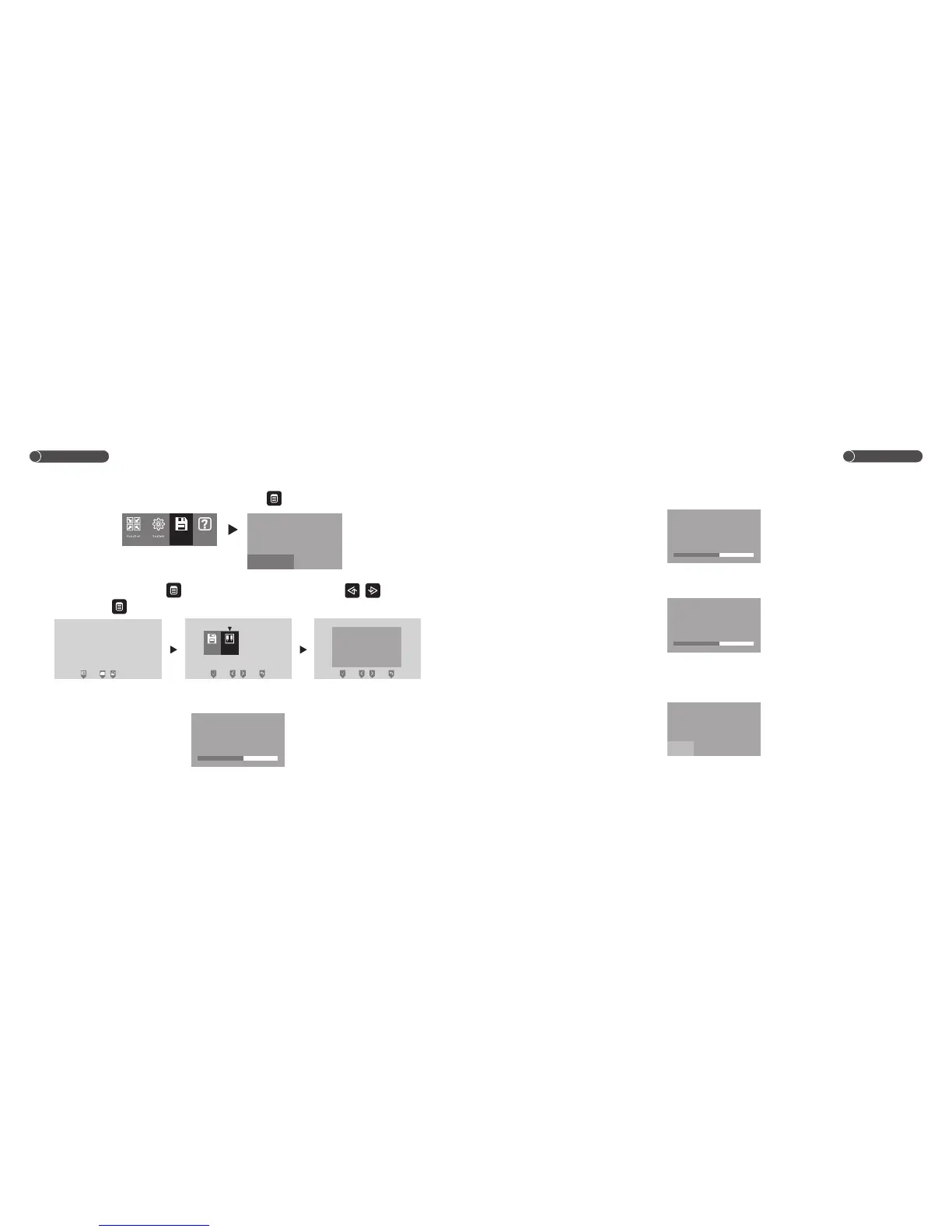
11.3 Delete Picture
Under image memory interface, choose DEL ALL, touch to confirm, all of the pictures will be
Deleted.
12.Image Adjustment
Under monitor/talk mode, touch enter into the select interface, and touch / to choose
image, then touch enter into the image adjustment interface.
12.1 Brightness
Under image adjustment interface, choose BRIGHT to adjust the brightness, you are able to adjust in
100 levels.
.
Storage
CH1 20XX/XX/XX 12:00
Image
BRIGHT
CONTRAST
CHROMA
IMPACT
58
58
58
MANUAL
BRIGHT
CONTRAST
CHROMA
IMPACT
58
58
58
MANUAL
12.2 Contrast
Under image adjustment interface, choose CONTRAST to adjust the contrast, you are able to adjust
in 100 levels.
12.3 Color
Under image adjustment interface, choose CHROMA to adjust the color, you are able to adjust in 100
levels.
12.4 Picture Effect
Under image adjustment interface, choose IMPACT to adjust the picture effect between
MANUAL/STAND/SOFT/BRIGHT.
BRIGHT
CHROMA
IMPACT
CONTRAST
58
58
MANUAL
58
BRIGHT
CONTRAST
IMPACT
CHROMA
58
58
MANUAL
58
BRIGHT
CONTRAST
CHROMA
IMPACT
58
58
58
MANUAL
MANUAL
STAND
SOFT BRIGHT
Storage Help
VIEW
DEL ALL
OK CANCEL


 To Next Page