9.1 Away Setup (Only available for W100)
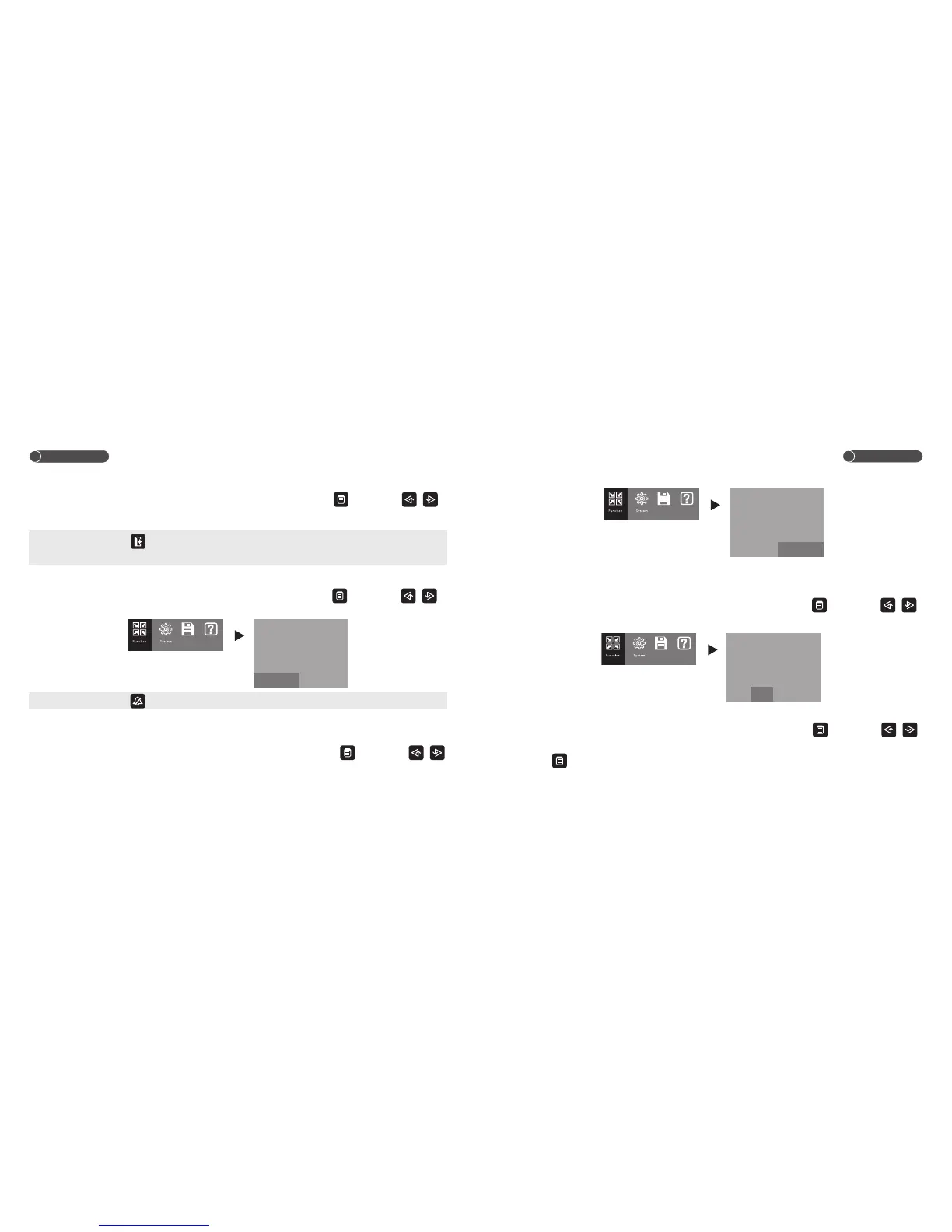
Under function setup interface, choose the “AWAY SET” item by touching , then touch /
to turn ON/OFF away mode.
Note: Under away mode, keeps lighting. When door station rings, the unit will automatically record one
picture if nobody answer the call after 5s.
9.2 Mute Setup
Under function setup interface, choose the “MUTE SET” item by touching , then touch /
to turn ON/OFF mute mode.
Note: Under mute mode, LED keeps lighting. When door station rings, the unit will not sound the ring.
9.3 Keytone
Under function setup interface, choose the “KEY SOUND” item by touching , then touch /
Operation
Operation
14
15
AWAY
KEY
OPEN
CCTV
AUX.
MUTE
SET
SOUND
TIME
TIME
TIME
SET
OFF
ON
3S
MANUAL
3S
OFF
OFF ON
Storage Help
to turn ON/OFF keytone.
9.4 Unlock Time
Under function setup interface, choose the “OPEN TIME” item by touching , then touch /
to setup the unlock time between 1/3/5/10secs. The unit is default to 3s.
9.5 CCTV Surveillance Duration (Optional)
Under function setup interface, choose the “CCTV TIME” item by touching , then touch /
to setup, the monitoring period of CCTV camera between 10m, 12h and manually off, and save
by touch .
AWAY
MUTE
OPEN
CCTV
AUX.
KEY
SET
SET
TIME
TIME
TIME
SOUND
OFF
OFF
3S
MANUAL
3S
ON
OFF ON
Storage Help
Storage Help
AWAY
MUTE
KEY
CCTV
AUX.
OPEN
SET
SET
SOUND
TIME
TIME
TIME
OFF
OFF
ON
MANUAL
3S
3S
1S
3S
5S 10S


 To Next Page