Controlling Audio
21English
Controlling Audio
You can adjust various settings such as audio
balance or subwoofer level.
1
Press the [HOME]/[ ] button.
2
Touch [ ].
3
Touch [Audio].
Ñ Controlling General Audio
1
Touch [FAD / BAL / Zone].
2
Set each parameter as follows.
[C] and [D] adjust the left and right volume
balance.
[R] and [S] adjust the front and rear volume
balance.
■ [Center]
Clear the adjustment.
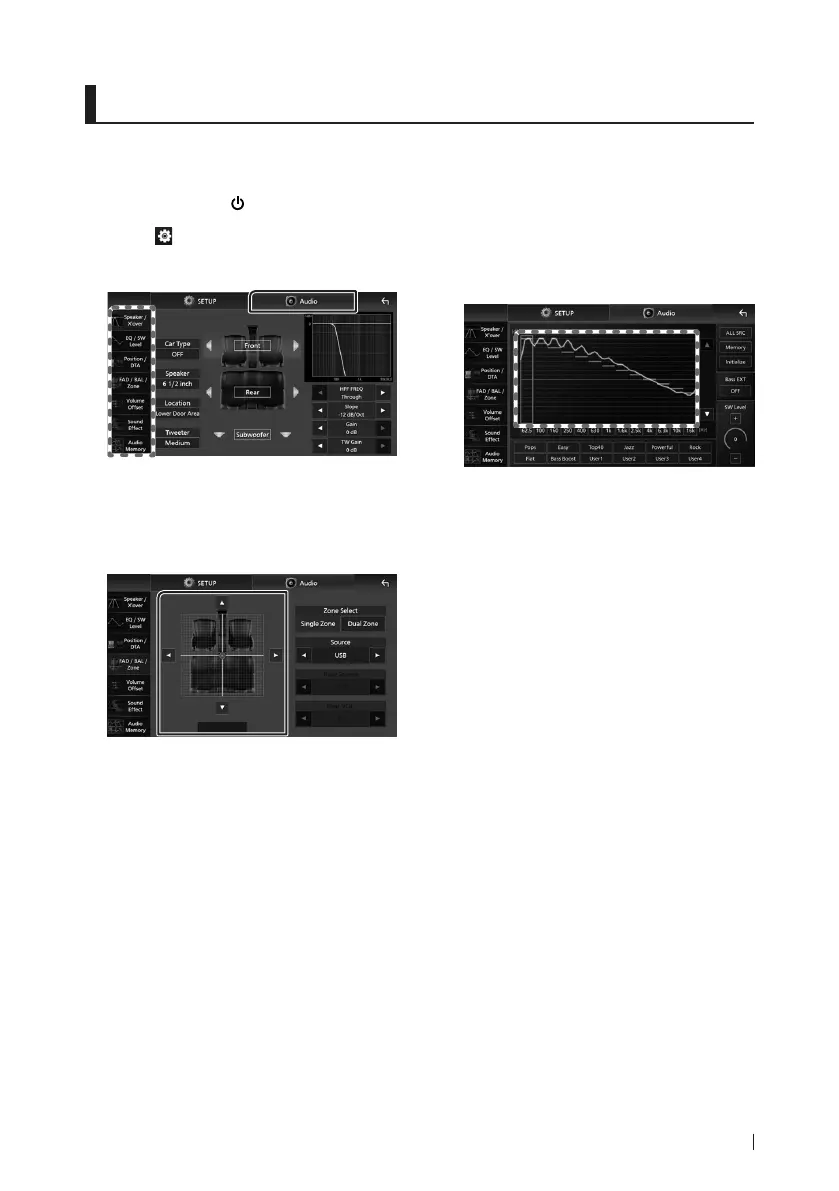
Ñ Equalizer Control
You can adjust equalizer by selecting the
optimized setting for each category.
1
Touch [EQ / SW Level].
2
Touch the screen and set the Graphic
Equalizer as desired.
■ Gain level (area in dotted frame)
Adjust the gain level by touching each
frequency bar.
You can select a frequency bar and adjust its
level by [R], [S].
■ [ALL SRC]
Apply the adjusted equalizer curve to all
sources. Touch [ALL SRC] and then touch
[OK] on the confirmation screen.
■ [Memory]
Saves the adjusted equalizer curve as “User1”
to “User4”.
■ [Initialize]
Initialize (flatten) the current EQ curve.
■ [Bass EXT] (Bass Extend Settings)
When turned on, the frequencies lower than
62.5 Hz is set to the same gain level (62.5 Hz).
■ [SW Level]
Adjust the subwoofer volume.
■ [Pops]/[Easy]/[Top40]/[Jazz]/[Powerful]/
[Rock]/[Flat]/[Bass Boost]/[User1]/
[User2]/[User3]/[User4]
Recall the preset EQ curve.
!B5K-0761-00_20DDX_K_FP_QSG.indb 21 2020/07/02 14:26


 To Next Page
 Loading...