EasyManua.ls Logo

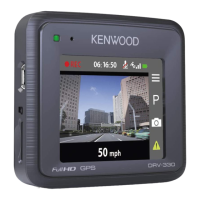
Kenwood DRV-830 - User Manual

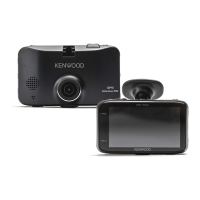
Kenwood DRV-830
25 pages
Print Icon
To Next Page IconTo Next Page
Loading...
B5A-2175-11 (E)© 2018 JVC KENWOOD Corporation
DRV-830
GPS Integrated Dashboard Camera
INSTRUCTION MANUAL

Questions and Answers

Summary

Dashboard Camera Functions Guide

About the Setup Function

Guide to initial camera setup and configuration via the menu.

About Recording Functions

Explains normal, event, and parked recording modes for the dashboard camera.

Recording Options and Settings

Safety Precautions and Device Care

Precautions and Notices

Important warnings and user responsibilities during operation.

Installation Guide

Installation Procedure

Step-by-step guide for mounting the camera in the vehicle.

Wiring and Part Identification

Wiring Instructions

Procedures for connecting power to the dashboard camera using accessory cables.

Driving Support Functions

Adjust According to the Vehicle

Calibrating driving support features based on vehicle installation.

Before Using the Camera

SD Card Management

Procedures for inserting, ejecting, and formatting SD cards for the camera.

Recording Operations

Playback and File Management

Configuring Camera Settings

Using the Viewer Software

Troubleshooting and Specifications

Troubleshooting Common Issues

Solutions for typical problems like power, recording, or display errors.

Kenwood DRV-830 Specifications

General IconGeneral
Video Resolution1920 x 1080
ResolutionFull HD
Frame Rate30 fps
Screen Size2.7 inches
StoragemicroSD card
G-SensorYes
Loop RecordingYes
Night VisionYes
GPSNo
HDRYes
Parking ModeYes
DisplayLCD
SD Card SupportmicroSD
Power Supply12V

Related product manuals