EasyManua.ls Logo

Kenwood DRV-A700W - User Manual

Kenwood DRV-A700W
52 pages
Print Icon
To Next Page IconTo Next Page
Loading...
DRV-A700W
© 2019 JVCKENWOOD Corporation 700-V1.5.A.A-EN
Register Online
Register your KENWOOD product at www.kenwood.com/usa
US Residents Only
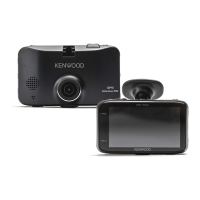
GPS Integrated Dashboard Camera
INSTRUCTION MANUAL
• Updated information (the latest Instruction Manual, etc.) is available from
<https://www.kenwood.com/cs/ce/>.
For your records
Record the serial number, found on the back of the unit in the spaces designated on the
warranty card, and in the space provided below. Refer to the model and serial numbers
whenever you can upon your Kenwood dealer for information or service on the product.
Model DRV-A700W
Serial Number______________

Questions and Answers

Summary

Getting Started

Dashboard Camera Function Guide

Explains the core modes and features of the dashboard camera.

Safety and Precautions

Device Care and Handling

Guidelines for maintaining the device and preventing damage from environmental factors and misuse.

Installation Safety

Precautions and advice for safe and correct installation, including cleaning and troubleshooting.

Accessories and Components

Included Accessories

Lists and describes the accessories that come with the dashboard camera.

Device Parts Overview

Controls and Indicators

Details the function of buttons like File Protect, Power, OK, and the status LED.

Ports and Additional Components

Explains the Reset button, Speaker, various ports (DC-IN, microSD), and CAM-IN connection.

Installation and Setup

Recommended Installation Position

Guidance on optimal placement to avoid obstructing driver view and ensure clear recording.

Power Connection and Initial Configuration

Steps for connecting the power supply and configuring the device for first-time use.

Operation and Software Usage

Initial Settings Configuration

Select country, time zone, speed units, and format SD card for initial device setup.

Basic Operation Modes

How to use video and photo modes, adjust settings like resolution, exposure, and parking mode.

Computer and Smartphone Connectivity

Accessing files via USB, using desktop software, and operating via the smartphone app.

Troubleshooting and Specifications

Troubleshooting Common Issues

Solutions for problems like blurred images, card errors, playback failures, and power issues.

Technical Specifications

Detailed technical data including model, power, resolution, card support, and dimensions.

Kenwood DRV-A700W Specifications

General IconGeneral
Product colorBlack
GPS (satellite)Yes
Languages supportCZE, DEU, DUT, ENG, ESP, FRE, ITA, POL, POR, RUS
Number of cameras1
Main camera sensorCMOS
Maximum frame rate60 fps
Main camera resolution2560 x 1440 pixels
Main camera sensor size1/2.8 \
Video compression formatsH.264, MOV
Main camera sensor resolution3.7 MP
Built-in storage mediaNo
Compatible memory cardsMicroSDHC, MicroSDXC
Maximum memory card size256 GB
Cables includedDC, USB
Memory card includedMicroSD
Included memory card size16 GB
Image formats supportedJPEG
Operating voltage5 V
Power source typeDC
Bluetooth-
Weight and Dimensions IconWeight and Dimensions
Depth39.2 mm
Width61.3 mm
Height90 mm
Weight98 g

Related product manuals