23
quick start cooking
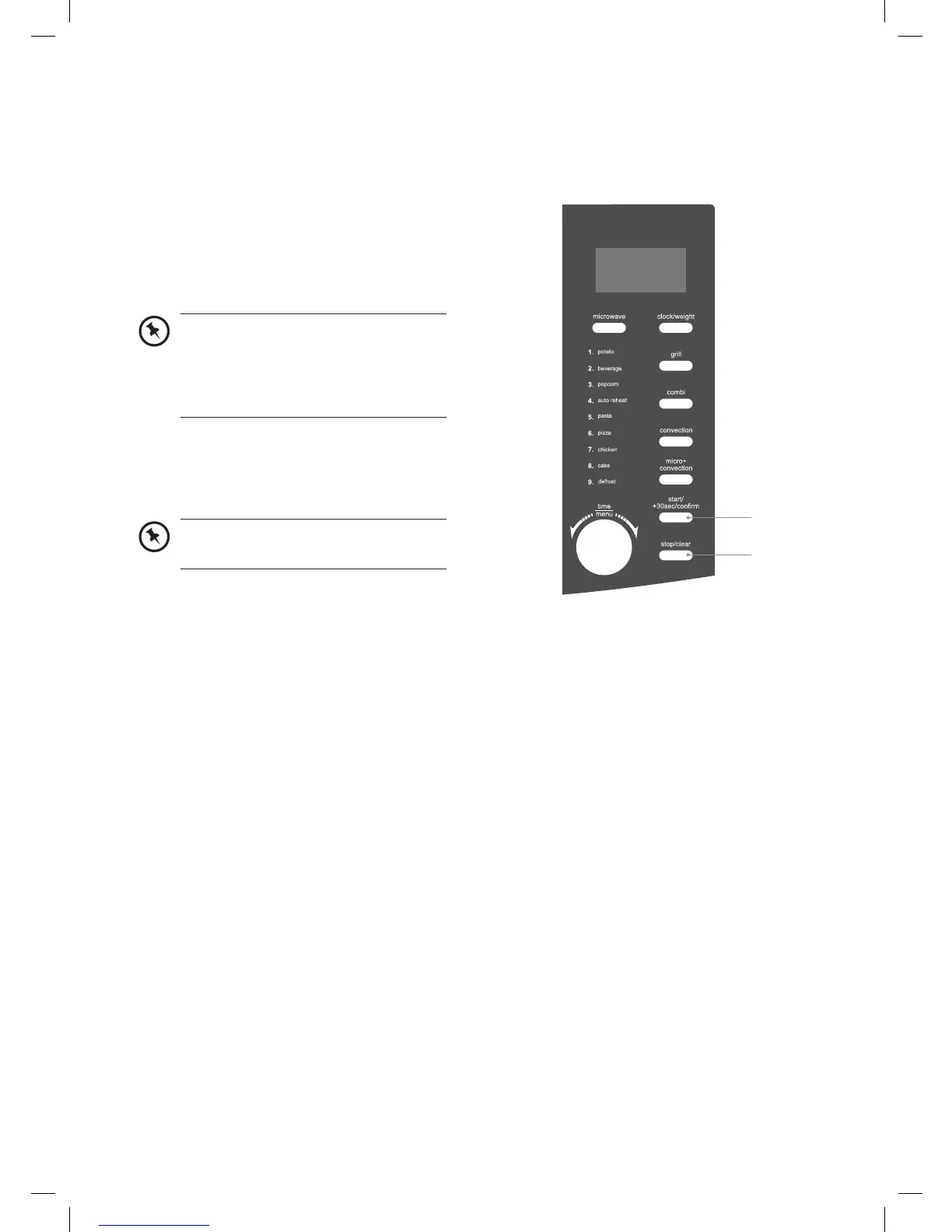
This feature allows you to quickly cook your food for 30 seconds with 100% microwave power.
Please follow the steps below.
1. Press the start/+30sec/confirm button
to start the quick start cooking. Press the
start/+30sec/confirm button again to add
another 30 seconds. You may increase the
cooking time up to 10 minutes.
1
2
2. Press the stop/clear button to stop
cooking. Press the stop/clear button again
to cancel the setting.
Alternatively, turn the time/menu dial
anti-clockwise to set the cooking time
with 100% microwave power first.
Then, press the start/+30sec/confirm
button to start cooking.
This feature is only applicable to
microwave programme only.
K30CSS10_IB_final110127.indd 23 27/01/2011 5:14 PM


 To Next Page