EasyManua.ls Logo

Kenwood KAC-742 - User Manual

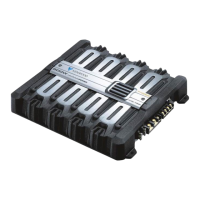
Kenwood KAC-742
20 pages
Print Icon
To Next Page IconTo Next Page
Loading...
Question and Answer IconNeed help?

Do you have a question about the Kenwood KAC-742 and is the answer not in the manual?

Summary

Product Identification and Accessories

For Your Records

Space to record model and serial numbers for service inquiries.

Included Accessories

List of accessories included with the KAC-742 unit.

General Safety Warnings

Ventilation and Placement Precautions

Ensure adequate ventilation and avoid placing objects on or near the unit.

Electrical and Foreign Object Hazards

Connect to 12V DC negative ground. Prevent conductive materials from entering the unit.

Physical Integrity and Water Exposure

Do not open the enclosure. Avoid splashing water onto the unit.

Environmental, Operational, and Cleaning Safety

Operating Environment & Anomaly Detection

Avoid adverse environments. Turn off unit if smoke or odor detected.

FCC Compliance Warning

Information on radio frequency energy and user modifications.

Cleaning the Unit Safely

Proper cleaning methods and prohibited agents.

Installation Procedure

Wiring and Connection Steps

Steps for wiring, connecting power, and securing the unit.

Input Sensitivity Control

Adjusting input sensitivity for different system expansions.

Mode Switch Operation

Setting the mode switch for stereo or mono output configurations.

System Type Connections

Basic Speaker Connections

Diagrams for connecting speakers to the KAC-742 unit.

Connections with Optional Amplifiers

Wiring diagrams for KAC-921 optional amplifier configurations.

Detailed Connections

Speaker and Power Connections

Diagram illustrating speaker outputs and power source input.

Troubleshooting Fuses and Noise Filters

Guidance on blown fuses and optional line noise filters.

Power Supply and Signal Connections

RCA Input;Output Wiring

Connecting optional RCA extension cables with ground wire.

Main Power Supply Fuse

Installing a 30-50 Amp fuse for added power protection.

Physical Installation

Mounting the Unit

Securely fix the unit using tapping screws for safe driving.

Installation Location Considerations

Choosing a well-ventilated spot away from hazards like fuel tank or brake tubes.

Extension Cable Options

Table of available RCA extension cable lengths and models.

Network Component Tables

6 dB;Octave Crossover Values

Table of coil and capacitor values for 6 dB/octave filters (4 Ohm).

12 dB;Octave Crossover Values

Table of coil and capacitor values for 12 dB/octave filters (4 Ohm).

Speaker Load Adjustments

Guidance on adjusting component values for 2 or 8 Ohm speakers.

Troubleshooting Common Issues

Low Sound Level; No Sound

Check speaker cord connections if sound is low or absent on one side.

Poor Sound Quality

Verify speaker connections and check for pinched wires if sound is distorted.

Technical Specifications

Audio Section Specifications

Details on power output, frequency response, sensitivity, and impedance.

General Unit Specifications

Information on operating voltage, current consumption, dimensions, and weight.

Summary

Product Identification and Accessories

For Your Records

Space to record model and serial numbers for service inquiries.

Included Accessories

List of accessories included with the KAC-742 unit.

General Safety Warnings

Ventilation and Placement Precautions

Ensure adequate ventilation and avoid placing objects on or near the unit.

Electrical and Foreign Object Hazards

Connect to 12V DC negative ground. Prevent conductive materials from entering the unit.

Physical Integrity and Water Exposure

Do not open the enclosure. Avoid splashing water onto the unit.

Environmental, Operational, and Cleaning Safety

Operating Environment & Anomaly Detection

Avoid adverse environments. Turn off unit if smoke or odor detected.

FCC Compliance Warning

Information on radio frequency energy and user modifications.

Cleaning the Unit Safely

Proper cleaning methods and prohibited agents.

Installation Procedure

Wiring and Connection Steps

Steps for wiring, connecting power, and securing the unit.

Input Sensitivity Control

Adjusting input sensitivity for different system expansions.

Mode Switch Operation

Setting the mode switch for stereo or mono output configurations.

System Type Connections

Basic Speaker Connections

Diagrams for connecting speakers to the KAC-742 unit.

Connections with Optional Amplifiers

Wiring diagrams for KAC-921 optional amplifier configurations.

Detailed Connections

Speaker and Power Connections

Diagram illustrating speaker outputs and power source input.

Troubleshooting Fuses and Noise Filters

Guidance on blown fuses and optional line noise filters.

Power Supply and Signal Connections

RCA Input;Output Wiring

Connecting optional RCA extension cables with ground wire.

Main Power Supply Fuse

Installing a 30-50 Amp fuse for added power protection.

Physical Installation

Mounting the Unit

Securely fix the unit using tapping screws for safe driving.

Installation Location Considerations

Choosing a well-ventilated spot away from hazards like fuel tank or brake tubes.

Extension Cable Options

Table of available RCA extension cable lengths and models.

Network Component Tables

6 dB;Octave Crossover Values

Table of coil and capacitor values for 6 dB/octave filters (4 Ohm).

12 dB;Octave Crossover Values

Table of coil and capacitor values for 12 dB/octave filters (4 Ohm).

Speaker Load Adjustments

Guidance on adjusting component values for 2 or 8 Ohm speakers.

Troubleshooting Common Issues

Low Sound Level; No Sound

Check speaker cord connections if sound is low or absent on one side.

Poor Sound Quality

Verify speaker connections and check for pinched wires if sound is distorted.

Technical Specifications

Audio Section Specifications

Details on power output, frequency response, sensitivity, and impedance.

General Unit Specifications

Information on operating voltage, current consumption, dimensions, and weight.

Kenwood KAC-742 Specifications

General IconGeneral
Amplifier ClassAB
Channels4
Signal to Noise Ratio100 dB
THD at RMS Power0.08%
Input Sensitivity0.2 - 5 V
RMS Power at 4 Ohms50 W
RMS Power at 2 Ohms75 Watts x 4
Bridged RMS Power at 4 Ohms150W x 2
Input Voltage14.4V
CrossoverHP/LP

Related product manuals