EasyManua.ls Logo

Kenwood KDC-BT372U - User Manual

Kenwood KDC-BT372U
128 pages
Print Icon
To Next Page IconTo Next Page
Loading...
Data Size: B6L (182 mm x 128 mm)
Book Size: B6L (182 mm x 128 mm)
For your records
Record the serial number, found on the back of the unit, in the spaces designated on the warranty card, and in the space provided below.
Refer to the model and serial numbers whenever you call upon your Kenwood dealer for information or service on the product.
Model KDC-X302/KDC-BT372U/KDC-BT340U/KDC-BT32/KDC-BT272U/KDC-BT22/KDC-MP372BT/KMR-D372BT
Serial number
US Residents Only
Register Online
Register your Kenwood product at http://www.kenwood.com/usa/
B5A-2095-00 (KN)© 2017 JVC KENWOOD Corporation
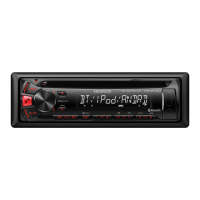
KDC-X302
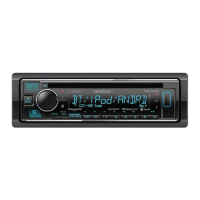
KDC-BT372U
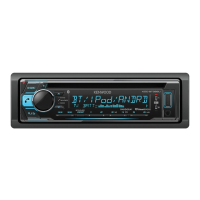
KDC-BT340U
CD-RECEIVER
INSTRUCTION MANUAL
AMPLI-TUNER LECTEUR DE CD
MODE D’EMPLOI
REPRODUCTOR DE DISCOS COMPACTOS RECEPTOR DE FM/AM
MANUAL DE INSTRUCCIONES
KDC-BT32
KDC-BT272U
KDC-BT22
KDC-MP372BT
KMR-D372BT
JS_KWD_KDC_X302_KN_C_7.indd 1JS_KWD_KDC_X302_KN_C_7.indd 1 5/29/2017 8:50:04 AM5/29/2017 8:50:04 AM


Table of Contents

Questions and Answers

  • D
    David SmithAug 18, 2025
    What to do if my Kenwood Car Receiver sound cannot be heard?
    • Y
      yorkcalebAug 18, 2025
      If you cannot hear any sound from your Kenwood Car Receiver, try these solutions: First, adjust the volume to make sure it's at an audible level. Next, inspect the cords and connections to ensure they are properly connected. Finally, clean the connectors to remove any dirt or debris that might be interfering with the sound.
  • T
    tabithaharrisAug 20, 2025
    What to do if Bluetooth pairing cannot be made on Kenwood Car Receiver?
    • R
      Reginald TranAug 20, 2025
      If you're having trouble pairing a Bluetooth device with your Kenwood Car Receiver: * Ensure you've entered the same PIN code on both devices. * Try deleting the pairing information from both the receiver and the Bluetooth device, and then attempt the pairing process again.
  • C
    Cynthia ShahAug 23, 2025
    What to do if setting/deleting the remote control ID is unsuccessful on Kenwood Car Receiver?
    • N
      Nicole FisherAug 23, 2025
      If setting or deleting the remote control ID is unsuccessful and you see “SET ERROR” or “DEL ERROR” on your Kenwood Car Receiver, turn the power off, then turn it back on, and try the operation again.
  • R
    Robert PhelpsAug 26, 2025
    Why does my Kenwood Car Receiver say 'MISWIRING CHECK WIRING THEN PWR ON'?
    • P
      Paul HillAug 26, 2025
      If your Kenwood Car Receiver displays the message “MISWIRING CHECK WIRING THEN PWR ON”, turn the power off. Then, check to ensure the terminals of the speaker wires are properly insulated. Turn the power back on.
  • K
    Kyle HuertaAug 27, 2025
    What does “CHECK ANTENNA” mean on my Kenwood Car Receiver and how to fix it?
    • O
      ostevensAug 27, 2025
      If your Kenwood Car Receiver displays “CHECK ANTENNA”, it means you should check that the antenna and its connection are in good condition.
  • A
    Anita SmithAug 30, 2025
    What to do if my Kenwood Car Receiver disc cannot be ejected?
    • M
      Michael GomezAug 30, 2025
      If the disc cannot be ejected from your Kenwood Car Receiver, press and hold the M button to forcibly eject the disc, being careful not to drop it. If this does not solve the problem, reset the unit.
  • D
    Don LeeSep 1, 2025
    Why does my Kenwood Car Receiver say “NO SIGNAL”?
    • M
      Ms. Janice BoydSep 1, 2025
      If your Kenwood Car Receiver displays “NO SIGNAL”, make sure the antenna is mounted outside the vehicle.
  • E
    Eric BarrySep 3, 2025
    What does “NO MUSIC” mean on Kenwood Car Receiver?
    • K
      Kayla MarquezSep 3, 2025
      If your Kenwood Car Receiver displays “NO MUSIC”, connect a USB device that contains playable audio files.
  • L
    Leroy BanksSep 6, 2025
    How to fix echo or noise during a phone conversation on my Kenwood Car Receiver?
    • E
      edwin60Sep 6, 2025
      If you experience echo or noise during phone conversations using your Kenwood Car Receiver, try the following: 1. Adjust the microphone unit’s position. 2. Check the [ECHO CANCEL] setting.
  • M
    Melinda WheelerSep 8, 2025
    What does “USB HUB IS NOT SUPPORTED” mean on Kenwood Car Receiver?
    • C
      crossjudySep 8, 2025
      If your Kenwood Car Receiver displays “USB HUB IS NOT SUPPORTED”, it means that the unit cannot support a USB device connected via a USB hub.

Summary

BEFORE USE

Important Information and Warnings

Crucial notes, warnings about operation, battery handling, and volume.

Safety Precautions

Specific safety advice for using the device and its components.

GETTING STARTED

CD;USB;iPod;ANDROID

BLUETOOTH

Device Pairing and Connection

Steps to pair and connect Bluetooth-enabled devices.

AUDIO SETTINGS

LEARNING STEERING REMOTE CONTROL

Connection and Configuration

Connecting and assigning functions to steering wheel remote control keys.

TROUBLESHOOTING

General and Radio Issues

Solutions for common problems with sound, power, and radio reception.

Media and Connectivity Problems

Troubleshooting issues with CD, USB, iPod, Android, and Bluetooth connections.

INSTALLATION;CONNECTION

Unit Installation Procedures

Steps for installing the unit in-dash and removing it.

Wiring and Component Connection

Diagrams and instructions for connecting power, speakers, and external components.

SPECIFICATIONS

Kenwood KDC-BT372U Specifications

General IconGeneral
BrandKenwood
ModelKDC-BT372U
CategoryCar Receiver
BluetoothYes
USB PortYes
Auxiliary InputYes
AM/FM TunerYes
Display TypeLCD
Remote ControlYes
Wireless Audio StreamingYes
Hands-free CallingYes
Compatible with Steering Wheel ControlsYes
TypeReceiver
Power Output (Peak)50 Watts x 4
RMS Power22 Watts x 4
Audio Formats SupportedMP3, WMA, AAC

Related product manuals