EasyManua.ls Logo

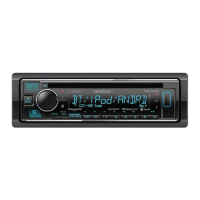
Kenwood KDC-BT378U User Manual

Kenwood KDC-BT378U
32 pages
To Next Page IconTo Next Page
Page #1 background imageLoading...
Page #1 background image
Data Size: B6L (182 mm x 128 mm)
Book Size: B6L (182 mm x 128 mm)
KDC-BT378U
KDC-BT360U
KDC-BT34
B5K-0649-20 [KN]
KDC-X704
KDC-X304
KDC-BT778HD
CD-RECEIVER
Quick Start Guide
AUTORADIO CD
Guide de démarrage rapide
RECEPTOR CD
Guía de inicio rápido
For your records
Record the serial number, found on the back of the unit, in the spaces designated on the warranty card, and in the space provided
below. Refer to the model and serial numbers whenever you call upon your Kenwood dealer for information or service on the product.
Model KDC-X704/KDC-X304/KDC-BT778HD/KDC-BT378U/KDC-BT360U/KDC-BT34/KDC-BT278U/KDC-MP378BT/KMR-D378BT
Serial number
US Residents Only
Register Online
Register your Kenwood product at http://www.kenwood.com/usa/
© 2019 JVCKENWOOD Corporation
KDC-BT278U
KDC-MP378BT
KMR-D378BT
For detailed operations and information, refer to the
INSTRUCTION MANUAL on the following website:
Pour les opérations et les informations détaillées,
reportez-vous au MODE D’EMPLOI sur le site web suivant:
Para obtener más información y detalles sobre las
operaciones, consulte el MANUAL DE INSTRUCCIONES en el
siguiente sitio web:
<www.kenwood.com/cs/ce/>
ENGLISH
FRANÇAIS
ESPAÑOL
JS_KWD_QSG_KDC_X704_KN_C20.indd 1JS_KWD_QSG_KDC_X704_KN_C20.indd 1 10/9/2019 11:37:57 AM10/9/2019 11:37:57 AM
Question and Answer IconNeed help?

Do you have a question about the Kenwood KDC-BT378U and is the answer not in the manual?

Kenwood KDC-BT378U Specifications

General IconGeneral
BluetoothYes
CD PlayerYes
AM/FM TunerYes
TypeDigital Media Receiver
DIN SizeSingle DIN
MP3 PlaybackYes
WMA PlaybackYes
WAV PlaybackYes
FLAC PlaybackYes
Subwoofer ControlYes
Display TypeLCD
Display ColorWhite
RDSYes
Remote ControlOptional
AAC PlaybackYes
iPod CompatibilityYes
iPhone CompatibilityYes
Android CompatibilityYes
EQ Settings13-band
Built-in MicrophoneYes
RMS Power Output22 watts
USB InputYes
Auxiliary InputYes
DisplayLCD
Button IlluminationVariable
Wireless Remote ControlOptional
Steering Wheel ControlYes

Summary

Safety and Compliance Information

Installation and Connection Guide

Installation Safety Warnings

Important warnings and cautions regarding electrical safety and unit handling.

Basic Installation Procedure

Step-by-step guide for connecting and installing the unit.

In-Dash Mounting Instructions

Detailed steps for installing the unit into the dashboard.

Installation, Removal, and Wiring

Installing Without Mounting Sleeve

Steps for installing the unit using screws without a sleeve.

Wiring Connection Guide

Diagrams and explanations for connecting the unit's wiring harness.

Before Use Guidelines

Operating Warnings and Cautions

Safety warnings and cautions related to operation and potential hazards.

Basics and Faceplate Overview

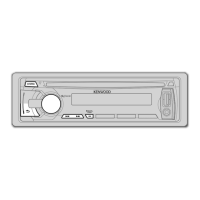
Faceplate Description

Identification and function of controls on the unit's faceplate.

Unit Reset Procedure

Instructions on how to reset the unit.

Getting Started and Initial Setup

Language Selection and Demo Mode

Steps to select display language and disable the demonstration mode.

Setting Clock and Date

Guide to setting the current time and date format.

Configuring Optional Settings

Instructions for adjusting various optional unit settings.

HD Radio™ Tuner Operations

CD/USB/iPod Playback Operations

Starting Playback

How playback starts automatically when a disc or device is connected.

Function Settings Menu

Subwoofer Level Configuration

Step-by-step guide to adjust subwoofer level settings.

Illumination Color Settings

Bluetooth® Operations

Pairing and Connecting a Bluetooth Device

Steps to pair your Bluetooth device with the receiver.

Related product manuals