EasyManua.ls Logo

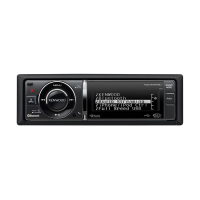
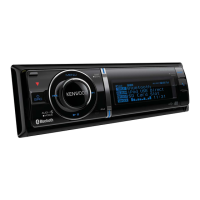
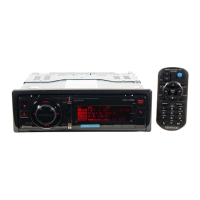
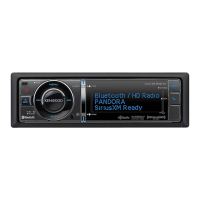
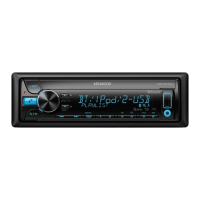
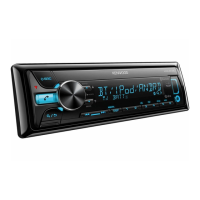
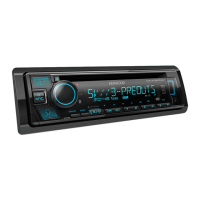
Kenwood KDC-BT960DAB - User Manual

Kenwood KDC-BT960DAB
136 pages
Print Icon
To Next Page IconTo Next Page
Loading...
Data Size: B6L (182 mm x 128 mm)
Book Size: B6L (182 mm x 128 mm)
B5A-3894-00 [EN]© 2022 JVCKENWOOD Corporation
KDC-BT960DAB
KDC-BT760DAB
KDC-BT560DAB
CD-RECEIVER
INSTRUCTION MANUAL
AUTORADIO CD
MODE D’EMPLOI
CD-RECEIVER
BEDIENUNGSANLEITUNG
KDC-BT960DAB_E_B5A-3894-00_Cover_1st Draft.indd 1KDC-BT960DAB_E_B5A-3894-00_Cover_1st Draft.indd 1 8/9/2021 11:43:27 AM8/9/2021 11:43:27 AM

Table of Contents

Other manuals for Kenwood KDC-BT960DAB

Questions and Answers

Summary

Environmental and Safety Information

Proper Disposal of Electronics and Batteries

Guidance on proper disposal of old electrical items and batteries.

Laser Product Safety Information

Information on the laser product classification and its safety implications.

EU and UK Declarations of Conformity

Software License Agreement Overview

Software License Terms and Conditions

Important Software Notices and Disclaimers

Disclaimers and permissions related to specific software components.

Understanding the Manual: Symbols and Conventions

Pre-Operation: Safety and Important Notes

Unit Controls: Faceplate and Basic Functions

Overview of the unit's faceplate, buttons, and fundamental functions.

Initial Setup: Language, Crossover, Demo

Basic Operations: Power, Volume, Source Selection

How to turn on/off, adjust volume, and change audio sources.

System Settings: Clock, Date, and General Options

Audio and Display Settings Configuration

Adjusting audio controls like EQ and display options for a personalized experience.

Advanced Settings: Firmware, Reset, Crossover

Crossover Type and Demo Mode Configuration

Instructions for configuring speaker crossover and demonstration mode.

Digital Radio (DAB): Reception and Service Search

DAB Antenna Connection and Preparation

Steps for connecting the DAB antenna and preparing for digital radio reception.

Digital Radio (DAB) Tuning and Service Settings

Analog Radio: Station Search and Basic Settings

Analog Radio Tuning, Program Search, and AF;TI

Configuring seek modes, program types, and using AF/TI features.

Analog Radio: Advanced Tuning Options

CD;USB;iPod: Media Playback Guide

Connecting iPod;iPhone and USB Devices

Steps for connecting Apple devices and selecting playable sources.

CD;USB;iPod: File Management and Search

File Search and Selection Techniques

Techniques for finding and playing specific audio files from folders or lists.

CD;USB;iPod: Advanced File Search Methods

AUX Input and KENWOOD Remote App Setup

KENWOOD Remote Application Usage Guide

Steps for starting, connecting, and configuring the remote control application on a smartphone.

Bluetooth: Connectivity, Profiles, and Microphone

Remote App: Device Settings and Management

Settings for selecting and managing connected devices for the remote application.

Bluetooth: Pairing, Auto-Pairing, and Call Handling

Bluetooth Mobile Phone Operations

Detailed steps for making calls, receiving calls, and managing phone connections.

Bluetooth: Voice Quality and Auto Answer Settings

Bluetooth Calling: History, Phonebook, Voice

Bluetooth Phonebook Management and Dialing

Managing contacts and dialing numbers using Bluetooth phone features.

Bluetooth Advanced Features: Voice Rec, Contacts, Modes

Bluetooth Test Mode and Audio Playback

Bluetooth Audio Playback Control Options

Instructions for selecting and playing audio from connected Bluetooth devices.

Amazon Alexa: Setup and Voice Service Integration

Bluetooth Audio Modes: Random and File Selection

Options for random play, file selection, and switching audio sources.

Amazon Alexa: Connection Methods (Direct Link;Manual)

Amazon Alexa: Voice Interaction and Control

Audio Settings: EQ, Bass, Loudness, Subwoofer

Crossover Settings: Speaker Size and Frequency Adjustments

Configuring speaker sizes and crossover frequencies for optimal sound staging.

Audio Settings: Sound Effects and Speaker Positioning

Crossover Details: Frequency and Slope Settings

Specific frequency and slope settings for 2-way and 3-way crossovers.

Audio Settings: Detailed Crossover Configurations

Audio Settings: Time Alignment and Vehicle Type

Display Settings: Color, Brightness, and Dimmer

Automatic Delay Time Calculation for Speakers

Calculating speaker delay times automatically based on measured distances.

Display Settings: Customization, Clock, and Demo

Display Color and Zone Selection Options

Selecting preset colors or creating custom colors for different display zones.

Installation and Connection Procedures

Unit Removal Procedure

Step-by-step instructions for safely detaching the main unit.

In-Dash Unit Installation Guide

Wiring Connection Guide and ISO Connectors

Connecting Components and Installing DAB Antenna

Antenna Installation Planning and Parts Identification

Antenna Installation: Windshield Attachment Steps

References: Maintenance and Further Information

General Maintenance and Disc Handling Procedures

Procedures for cleaning the unit, connectors, and proper handling of optical discs.

References: Media, USB, and iPod;iPhone Support

Troubleshooting: General and Radio Issues

Troubleshooting: Radio and DAB Reception Problems

Specific fixes for poor DAB and analog radio reception.

Troubleshooting: CD;USB;iPod Errors and Issues

Troubleshooting: Bluetooth and Alexa Connectivity

Troubleshooting: Bluetooth Connection and Pairing

Addressing issues with device detection, pairing, and connection stability.

Specifications: Radio Reception Performance

Troubleshooting: Alexa Connection and Display Issues

Solutions for Alexa connection issues and screen display problems.

Specifications: Media Playback and Connectivity

Specifications: Audio Output and General Unit Details

Kenwood KDC-BT960DAB Specifications

General IconGeneral
CategoryCar Receiver
BrandKenwood
ModelKDC-BT960DAB
Power Output4 x 50W
TunerDAB/DAB+/FM/AM
BluetoothYes
USB Ports1
CD PlayerYes
Pre-out Voltage4V
Variable IlluminationYes
Spotify ControlYes
Android Music PlaybackYes
iPhone/iPod Music PlaybackYes
Aux InputYes
Remote ControlYes
Steering Wheel ControlYes
Audio Formats SupportedMP3, WMA, AAC, WAV
Equalizer13-Band Graphic EQ

Related product manuals