To Next Page
B
Barry ClarkSep 5, 2025
What does “NOT SUPPORT” mean on Kenwood KDC-BT555U?
- HHannah FranklinSep 5, 2025
If “NOT SUPPORT” appears on your Kenwood Car Receiver, the connected phone does not support Voice Recognition feature.

What does “NOT SUPPORT” mean on Kenwood KDC-BT555U?
If “NOT SUPPORT” appears on your Kenwood Car Receiver, the connected phone does not support Voice Recognition feature.
Why is the radio reception poor on my Kenwood KDC-BT555U?
If you are experiencing poor radio reception on your Kenwood Car Receiver, make sure the antenna is firmly connected.
Why is my Kenwood KDC-BT555U Car Receiver not detecting Bluetooth devices?
If your Kenwood Car Receiver is not detecting any Bluetooth devices, try searching from the Bluetooth device again. If that doesn't work, reset the unit.
What does “CHECK ANTENNA” mean on Kenwood KDC-BT555U?
Check the antenna and its connection are in good condition.
What does 'CH LOCKED' mean on my Kenwood KDC-BT555U Car Receiver?
If your Kenwood Car Receiver displays 'CH LOCKED', it means the selected channel is locked. Enter the correct pass code to unlock it.
What does “CHECK DEVICE” mean on Kenwood KDC-BT555U Car Receiver?
Check the Pandora application on your device.
What does “iPod ERROR” mean on Kenwood KDC-BT555U Car Receiver?
If “iPod ERROR” appears on your Kenwood Car Receiver, try reconnecting the iPod. If that doesn't work, reset the iPod.
What does 'NOT SUPPORT' mean on my Kenwood Car Receiver?
If your Kenwood Car Receiver displays 'NOT SUPPORT', the connected phone does not support the Voice Recognition feature.
What to do if my Kenwood KDC-BT555U says 'USB ERROR'?
If your Kenwood Car Receiver displays 'USB ERROR', remove the USB device, turn the unit off, and then turn it back on. If the error persists, try connecting a different USB device.
Why is the phone sound quality poor on my Kenwood Car Receiver?
If the phone sound quality is poor when using your Kenwood Car Receiver, try reducing the distance between the unit and the Bluetooth device. Moving the car to a place where you can get better signal reception can also help.
How to turn on/off, adjust volume, select sources, and change display.
Guide to configure initial setup options like preset type and key beep.
How to begin playing music from CD, USB, or iPod.
Setting up and listening to Pandora via the connected device.
Connecting and activating the SiriusXM Connect Vehicle Tuner.
Steps to establish a wireless connection with a Bluetooth device.
Handling incoming and outgoing calls, switching modes, and adjusting volume.
Using voice commands and intelligent personal assistants.
Controlling music playback from a connected Bluetooth device.
Resolving issues with no sound, no power, or incorrect display information.
Troubleshooting errors like "NO DISC", "TOC ERROR", and "READ ERROR".
Addressing "NO DEVICE", "USB ERROR", "iPod ERROR", and playback discrepancies.
Resolving issues like ADD ERROR, SEARCH ERROR, and station limits.
Troubleshooting no device detection, pairing failures, and "DEVICE FULL".
Addressing echo, noise, poor sound quality, and interrupted playback.
Critical safety precautions before and during installation.
Step-by-step guide for wiring and mounting the unit.
Instructions for mounting the unit in the dashboard or without a sleeve.
Detailed diagram showing how to connect wires for power, speakers, and accessories.
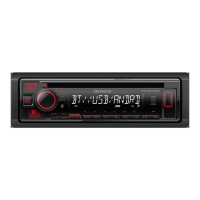
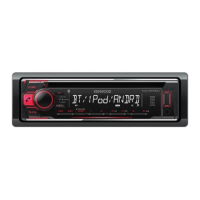
This document describes the Kenwood KDC-X597, KDC-BT555U, and KDC-BT355U CD-receivers, which are designed for in-car audio entertainment and communication. These devices combine a CD player, AM/FM tuner, and various connectivity options, including USB, iPod/iPhone, Bluetooth, Pandora, and SiriusXM, to provide a comprehensive in-vehicle infotainment experience.
The Kenwood CD-receivers serve as a central hub for audio playback and communication in your vehicle.
 General
| Power Output (RMS) | 22W |
|---|---|
| Bluetooth | Yes |
| USB Port | Yes |
| CD Playback | Yes |
| Radio Tuner | AM/FM |
| Display Type | LCD |
| Preamp Outputs | 3 (Front, Rear, Subwoofer) |
| Subwoofer Output | Yes |
| AUX Input | Yes |
| MP3 Playback | Yes |
| WMA Playback | Yes |
| AAC Playback | Yes |
| FLAC Playback | Yes |
| Remote Control | Yes |
| Channels | 4 |
| Wireless Audio Streaming | Yes |
| Built-in Microphone | Yes |
| Steering Wheel Control Compatible | Yes |
| Equalizer | 13-Band Graphic |
| Maximum Output Power | 50W x 4 Channels |