To Next Page
M
Michael AlexanderSep 16, 2025
What does “TOC ERROR” mean on Kenwood Car Receiver?
- KKenneth WebbSep 16, 2025
If your Kenwood Car Receiver displays 'TOC ERROR', make sure the disc is clean and inserted properly.

What does “TOC ERROR” mean on Kenwood Car Receiver?
If your Kenwood Car Receiver displays 'TOC ERROR', make sure the disc is clean and inserted properly.
What to do if Kenwood KDC-BT562U Car Receiver does not turn on?
If your Kenwood Car Receiver does not turn on, try resetting the unit.
What to do if my Kenwood Car Receiver says 'PLEASE EJECT'?
If your Kenwood Car Receiver displays 'PLEASE EJECT', try resetting the unit. If that doesn't work, consult your nearest service center.
What does 'CHECK ANTENNA' mean on my Kenwood KDC-BT562U Car Receiver?
If your Kenwood Car Receiver displays 'CHECK ANTENNA', check the antenna and its connection to ensure they are in good condition.
What does “READ ERROR” mean on Kenwood KDC-BT562U?
If your Kenwood Car Receiver displays 'READ ERROR', copy the files and folders onto the USB device again. If this does not solve the problem, reset the USB device or use another USB device.
How to resolve 'MISWIRING CHECK WIRING' on Kenwood KDC-BT562U?
To resolve a 'MISWIRING CHECK WIRING' error on your Kenwood Car Receiver, turn the power off, then check to be sure the terminals of the speaker wires are insulated properly. Turn the power on again.
How to fix sound issues on Kenwood KDC-BT562U Car Receiver?
To address sound issues with your Kenwood Car Receiver: * Adjust the volume to the optimum level. * Check the cords and connections.
How to improve radio reception on Kenwood KDC-BT562U?
To improve poor radio reception on your Kenwood Car Receiver: * Connect the antenna firmly. * Pull the antenna out all the way.
What does 'CANNOT CREATE' mean on my Kenwood KDC-BT562U?
If your Kenwood Car Receiver displays 'CANNOT CREATE', it means that custom station name creation is unsuccessful.
What does 'STATION LIMIT' mean on my Kenwood KDC-BT562U Car Receiver?
If your Kenwood Car Receiver displays 'STATION LIMIT', retry after deleting unnecessary stations from your device.
Warnings and cautions for safe operation, including volume and external device usage.
Instructions for cleaning the unit, connectors, and handling discs.
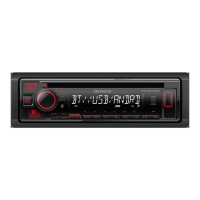
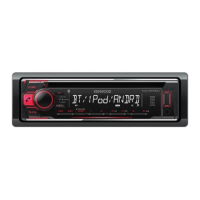
Overview of the unit's faceplate, including the volume knob, display, and buttons.
Instructions for using the remote control, including battery replacement.
Procedures for resetting preset adjustments and the entire unit.
Steps to disable demonstration mode and set the clock format and time.
How to configure initial system settings like audio, display, and source preferences.
Instructions on how to search for radio stations using manual and automatic methods.
How to store favorite stations using number buttons and recall them.
Configuration options for tuner settings, mono sound, traffic info, PTY search, and time sync.
How to start playback and control basic functions from CD, USB, iPod, or Android.
How to select music files, folders, and manage playback modes like random.
Methods for quickly searching files by character or ratio, and direct search via remote.
Configuring Android device connection modes for playback and app usage.
Installing the app, creating an account, and connecting for Pandora playback.
Controls for playback, station management, and saving favorite stations.
Installing the app, creating an account, and connecting for iHeartRadio playback.
Controls for playback, skipping cities, and deleting stations from the list.
Connecting the tuner, obtaining Radio ID, and activating subscription for tuning.
Steps to select SiriusXM, choose a band, and tune to channels using direct access.
Switching keymodes, using SmartFavorites, and TuneScan features.
Accessing and adjusting SiriusXM specific settings like keymode and TuneStart.
Connecting a portable audio player and selecting the AUX source for playback.
Customizing the name displayed for the AUX input source.
Lists supported Bluetooth profiles (HFP, A2DP) and codecs (SBC, AAC, aptX).
Guidance on connecting and positioning the external microphone.
Steps for pairing a Bluetooth device with the unit for the first time.
How to manage calls, improve voice quality with mic gain and echo cancellation.
Steps to answer, reject, end calls, and switch between call modes.
Making calls via history, phonebook, or voice, and accessing contacts.
Accessing call history and configuring auto-answer settings for incoming calls.
Using voice recognition for calls and storing contacts in memory.
Deleting paired devices, editing PIN codes, and managing device connections.
Selecting phone/audio devices, deleting devices, and managing connection modes.
Checking Bluetooth connectivity and profile compatibility through test mode.
Operating audio players connected via Bluetooth for playback and track control.
Listening to Pandora and iHeartRadio through Bluetooth connection.
Adjusting bass, treble, mid-range, subwoofer, and EQ presets for sound tuning.
Selecting preset equalizer settings or customizing them for different genres.
Configuring LPF subwoofer, phase, HPF, fader, balance, and sound reconstruction.
Customizing display illumination color, brightness, and text scroll options.
Details on playable discs, audio files, and USB device compatibility.
Compatibility notes for iPod/iPhone, Android, Pandora, iHeartRadio, and Bluetooth devices.
Solutions for sound issues, power problems, radio reception, and media playback errors.
Solutions for device connection problems, file errors, and playback issues with iPod/Android.
Resolving issues with Pandora, iHeartRadio, and SiriusXM connections and features.
Resolving issues with Bluetooth device detection, pairing, calls, and audio playback.
Technical details for FM/AM tuner, CD player, and media playback performance.
Technical data for USB, Bluetooth, auxiliary input, audio output, and power.
Specifications for operating conditions, dimensions, weight, and installation size.
Safety warnings, cautions, and step-by-step guide for in-dash mounting the unit.
Instructions on how to safely detach the faceplate and remove the unit from the dashboard.
Detailed diagram showing wiring connections for speakers, power, and accessories.
List of parts included for installation, such as faceplate, trim plate, and sleeve.
Warranty terms and conditions for products purchased through U.S. military exchanges.
Purchaser's responsibilities, warranty limitations, and exclusions.
Detailed warranty terms, coverage, and exclusions for USA and Canada.
 General
| Maximum Output Power | 50W x 4 |
|---|---|
| RMS Power | 22W x 4 |
| Pre-amp Voltage | 2.5V |
| Subwoofer Output | Yes |
| Bluetooth | Yes |
| USB Input | Yes |
| AUX Input | Yes |
| CD Player | Yes |
| MP3 Playback | Yes |
| WMA Playback | Yes |
| WAV Playback | Yes |
| FLAC Playback | Yes |
| AAC Playback | Yes |
| Display Type | LCD |
| Steering Wheel Control Compatible | Yes |
| Hands-free Calling | Yes |
| Pre-amp Outputs | 3 pairs (front, rear, subwoofer) |
| Radio Tuner | AM/FM |
| Wireless Audio Streaming | Yes (Bluetooth) |
| Display Color | Variable color |