EasyManua.ls Logo

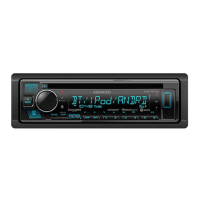
Kenwood KDC-BT565U - User Manual

Kenwood KDC-BT565U
39 pages
Print Icon
To Next Page IconTo Next Page
Loading...
For your records
Record the serial number, found on the back of the unit, in the spaces designated on the warranty card, and in the space provided below.
Refer to the model and serial numbers whenever you call upon your Kenwood dealer for information or service on the product.
Model KDC-X500/ KDC-BT565U/ KMR-D765BT
Serial number
US Residents Only
Register Online
Register your Kenwood product at www.Kenwoodusa.com
B5A-0887-10 (KW)© 2015 JVC KENWOOD Corporation
KDC-X500
KDC-BT565U
KMR-D765BT
CD-RECEIVER
INSTRUCTION MANUAL
AMPLI-TUNER LECTEUR DE CD
MODE D’EMPLOI
REPRODUCTOR DE DISCOS COMPACTOS RECEPTOR DE FM/AM
MANUAL DE INSTRUCCIONES

JS_KWD_KDC_X500_KW_C10_FF.indd 1 12/10/2015 10:18:11 AM

Questions and Answers

  • C
    Cheryl FryeSep 9, 2025
    What does 'SUBSCRIPTION UPDATED – PRESS ENTER TO CONTINUE.' mean on my Kenwood KDC-BT565U Car Receiver?
    • K
      Karen ClarkSep 9, 2025
      If your Kenwood Car Receiver displays 'SUBSCRIPTION UPDATED – PRESS ENTER TO CONTINUE.', your subscription is updated. Press the volume knob to continue.
  • J
    Joshua RodriguezAug 25, 2025
    What does 'PROTECTING SEND SERVICE' mean on my Kenwood KDC-BT565U Car Receiver?
    • M
      merrittvincentAug 25, 2025
      If the Kenwood Car Receiver displays 'PROTECTING SEND SERVICE', it indicates an issue that requires professional attention. Send the unit to the nearest service center for assistance.
  • K
    Katie ChristianAug 25, 2025
    Why is radio reception poor on my Kenwood Car Receiver?
    • D
      David SosaAug 26, 2025
      If the radio reception on your Kenwood Car Receiver is poor, make sure the antenna is firmly connected.
  • C
    Colton MurraySep 23, 2025
    What does 'RATING ERROR' mean on my Kenwood KDC-BT565U?
    • M
      Michael AndersonSep 23, 2025
      If your Kenwood Car Receiver displays 'RATING ERROR', registration of thumbs up/thumbs down has failed due to insufficient network connectivity.
  • A
    Adam HensleySep 10, 2025
    What does 'CODE ERROR' mean on my Kenwood Car Receiver?
    • A
      Ashlee HendricksSep 10, 2025
      If your Kenwood Car Receiver displays 'CODE ERROR', make sure you have entered the correct pass code.
  • M
    Michelle JosephSep 15, 2025
    Why is playback intermittent on my Kenwood KDC-BT565U?
    • J
      Julie GardnerSep 15, 2025
      If the playback is intermittent or the sound skips on your Kenwood Car Receiver, turn off the power saving mode on the Android device.
  • M
    Mr. Joseph ReyesSep 4, 2025
    What does 'NA DEVICE' mean on my Kenwood KDC-BT565U?
    • C
      Charles DillonSep 4, 2025
      If your Kenwood Car Receiver displays 'NA DEVICE', connect a supported USB device, and check the connections.
  • A
    Adrian RobinsonSep 4, 2025
    What does 'NO MUSIC' mean on my Kenwood Car Receiver?
    • J
      John HarperSep 4, 2025
      If your Kenwood Car Receiver displays 'NO MUSIC', connect a USB device that contains playable audio files.
  • G
    Gina ParkerSep 23, 2025
    How to fix unsuccessful setting/deleting of the remote control ID on Kenwood Car Receiver?
    • L
      laura44Sep 23, 2025
      If setting or deleting the remote control ID is unsuccessful on your Kenwood Car Receiver, turn the power off, then turn it back on and perform the operation again.
  • S
    Samantha CarsonAug 29, 2025
    Why does 'LOADING' appear when entering search mode on my Kenwood Car Receiver?
    • M
      Mrs. Amanda GuerreroAug 30, 2025
      If 'LOADING' appears on your Kenwood Car Receiver when you enter search mode, the unit is still preparing the iPod/iPhone music list. It may take some time to load, so try again later.

Summary

GETTING STARTED AND BASIC OPERATION

Before Use Guidelines and Warnings

Important safety warnings, cautions, and general advice before operating the unit.

Initial Setup and Configuration

Guides through setting the display language, clock, date, and initial system preferences.

AUDIO SOURCES AND MEDIA PLAYBACK

Radio Operation and Tuning

Instructions for searching stations, direct access tuning, and radio settings.

CD, USB, iPod, and Android Playback

How to play media from CDs, USB devices, iPod, and Android phones.

SiriusXM Radio Setup and Listening

Guide to preparing, activating, and listening to SiriusXM satellite radio.

BLUETOOTH CONNECTIVITY AND FEATURES

Bluetooth Device Pairing and Connection

Steps for pairing Bluetooth devices for the first time and enabling auto-pairing.

Handling Phone Calls via Bluetooth

Instructions for answering, rejecting, ending calls, and managing call quality.

Bluetooth Audio Streaming and Playback

How to stream audio from Bluetooth devices and control playback.

AUDIO AND DISPLAY CUSTOMIZATION

Kenwood KDC-BT565U Specifications

General IconGeneral
TypeCar Receiver
DIN SizeSingle DIN
BrandKenwood
ModelKDC-BT565U
BluetoothYes
USB InputYes
AUX InputYes
CD PlayerYes
MP3 PlaybackYes
WMA PlaybackYes
WAV PlaybackYes
AAC PlaybackYes
FLAC PlaybackYes
Maximum Power Output50W x 4
RMS Power Output22W x 4
Subwoofer ControlYes
Display TypeLCD
Remote ControlYes
Android Music PlaybackYes
iPhone/iPod Music PlaybackYes
Pandora ControlYes
Spotify ControlYes
HD RadioNo
SiriusXM ReadyNo
AM/FM TunerYes
Built-in MicrophoneYes
Steering Wheel ControlYes
Preamp Outputs3 (Front, Rear, Subwoofer)
Display ColorVariable Color

Related product manuals