EasyManua.ls Logo

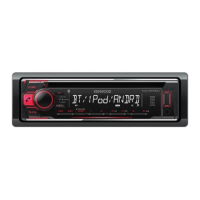
Kenwood KDC-BT530U - User Manual

Kenwood KDC-BT530U
72 pages
Print Icon
To Next Page IconTo Next Page
Loading...
Data Size: B6L (182 mm x 128 mm)
Book Size: B6L (182 mm x 128 mm)
B5A-2598-00 (MN)© 2018 JVC KENWOOD Corporation
KDC-BT630U
KDC-BT530U
CD-RECEIVER
INSTRUCTION MANUAL
JS_KWD_KDC_BT630U_MN_C.indd 1JS_KWD_KDC_BT630U_MN_C.indd 1 7/11/2018 9:23:14 AM7/11/2018 9:23:14 AM

Table of Contents

Other manuals for Kenwood KDC-BT530U

Questions and Answers

Summary

BEFORE USE

IMPORTANT

Crucial information for safe and proper operation of the product.

WARNING

Safety alerts regarding hazardous operations or conditions.

BASICS

How to reset

Instructions for resetting the unit to its factory default settings.

GETTING STARTED

Select the display language and cancel the demonstration

Initial setup for language selection and cancelling the demo mode.

Set the clock and date

Procedure for setting the unit's internal clock and date.

RADIO

Search for a station

How to find and tune into radio stations using the unit.

CD;USB;iPod;ANDROID

Spotify

Start listening

How to begin listening to music and content from Spotify.

BLUETOOTH

BLUETOOTH - Connection

Overview of Bluetooth pairing and connection procedures.

Pair and connect a Bluetooth device for the first time

Step-by-step guide for initial Bluetooth device pairing.

AUDIO SETTINGS

[MANUAL EQ]

Customizing sound equalizer settings for each source.

[DTA SETTINGS]

Adjusting digital time alignment for better sound staging.

Digital Time Alignment settings

Optimizing sound staging through speaker output delay settings.

DISPLAY SETTINGS

TROUBLESHOOTING

General

Troubleshooting common general issues with the unit.

CD;USB;iPod

Troubleshooting issues related to media playback from discs and devices.

ANDROID

Troubleshooting Android device connection and playback issues.

Bluetooth

Troubleshooting Bluetooth connectivity, calls, and audio.

INSTALLATION;CONNECTION

Warning

Critical safety precautions that must be followed during installation.

Caution

General safety advice and recommendations for installation.

Installing the unit (in-dash mounting)

Step-by-step guide for installing the unit into a dashboard.

Wiring connection

Diagram and explanation of electrical connections.

Kenwood KDC-BT530U Specifications

General IconGeneral
USB portYes
USB version2.0
Bluetooth range10 m
Bluetooth version3.0+HS
USB port positionFront
Bluetooth profilesA2DP, HFP
USB ports quantity1
Bluetooth functionsAudiostreaming, Handsfree calling
Headphone connectivity3.5mm
DIN size1 DIN
Clock mode24h
Output power88 W
RDS featuresAF, EON, PTY, TP
Product colorBlack
Frequency range20 - 20000 Hz
Disc types supportedCD, CD-R, CD-ROM, CD-RW
Audio output channels- channels
Equalizer bands quantity13
Maximum power per channel50 W
Signal-to-Noise Ratio (SNR)97 dB
Mobile operating systems supportedAndroid, iOS
Display typeLCD
Display digits13 digits
Illumination colorMulti
Display number of lines1.5 lines
Number of OSD languages4
On Screen Display (OSD) languagesENG, ESP, FRE, RUS
AM band range531 - 1611 kHz
FM band range87.5 - 108 MHz
LW band range153 - 279 kHz
Supported radio bandsAM, FM, LW, MW
Preset stations quantity24
USB direct playback-
Audio formats supportedAAC, FLAC, MP3, WAV, WMA
Operating temperature (T-T)-10 - 60 °C
Weight and Dimensions IconWeight and Dimensions
Depth155.5 mm
Width182 mm
Height53 mm
Weight1200 g

Related product manuals