
 Need help?
Do you have a question about the Kenwood KDC-BT945U and is the answer not in the manual?
Essential safety warnings to prevent injury or fire during operation and handling.
Procedures for resetting the unit to factory settings and cleaning the faceplate and terminals.
Covers turning the unit on/off and selecting the audio source.
Explains the procedure for navigating through menu options and selecting settings.
Covers connecting, selecting sources, song selection, playback controls, and safe removal.
Explains methods for finding songs via search and managing custom playlists.
Allows customization of music playback modes and device-specific settings for iPod/iPhone.
Covers connecting, selecting source, playback controls, and searching files on USB.
Options for customizing playback modes and device settings for USB sources.
Covers disc insertion, source selection, playback controls, and folder navigation.
How to search for specific tracks and configure playback modes for CDs and audio files.
Covers selecting tuner source, receiving band, tuning to stations, and tuner settings.
Procedures for storing and recalling favorite radio stations using presets.
Searching for stations by program type and setting presets for quick access.
Steps for establishing a Bluetooth connection by pairing your device with the unit.
Covers selecting the Bluetooth source, playback controls, and music search.
Instructions for answering, rejecting, during-call operations, and call waiting.
Procedures for initiating calls via phonebook, speed dial, or direct number entry.
Instructions for calling numbers from the phone book, call logs, and dialing directly.
Selecting and customizing 5-line, 3-line, and iPod-like display modes.
Adjusting contrast, dimmer, text scroll, and color settings.
Procedures for setting the clock and date, including RDS time synchronization.
Setting source selection method, beep sounds, and menu language.
Options for enabling/disabling demonstration mode and automatic audio muting for calls.
Step-by-step guide on detaching the faceplate and securing it back onto the unit.
Adjusting subwoofer level, DSP, equalizer, bass boost, highway sound, and speaker balance/fader.
Fine-tuning sound environment using car type, speaker settings, and crossover adjustments.
Compensating sound for listening position and configuring dual zone audio output.
Selecting preset equalizer curves or manually adjusting equalizer bands.
Saving and retrieving custom audio configurations for quick access.
Compensating sound delay based on vehicle environment and car type.
Setting speaker sizes, locations, and types for optimal sound staging.
Registering favorite broadcast stations or iPod playlists/artists.
Retrieving and removing registered favorite items.
Registering, selecting, deleting, and managing Bluetooth devices and PIN codes.
Configuring settings for auto answer, speaker output, mic gain, and noise reduction.
Procedures for retrieving and viewing SMS messages received on the cell phone.
Selecting sources, channels, preset bands, and basic settings like seek mode.
Searching for channels by category and storing/recalling stations using presets.
Selecting sources, bands, stations, and memory functions like preset and auto memory.
Configuring receive mode, tag memory, and iTunes tagging features.
Describes basic controls and source-specific button functions for the remote.
Remote control functions for making, receiving, and managing phone calls.
Lists playable audio formats, disc media, USB devices, and compatible iPod/iPhone models.
Information on USB device usage, backups, and the KENWOOD Music Editor software.
Information on Bluetooth specifications, profiles, and compatible cell phones/audio players.
Details on Satellite Radio and HD Radio tuner compatibility and features.
Important safety advice regarding product operation and potential hazards.
Compliance statements and warnings related to radio frequency emissions and regulations.
Critical safety warnings and detailed procedures for safely installing the unit in a vehicle.
Guide for correctly connecting all necessary wires to the unit and vehicle power.
Steps for installing the unit in Japanese and non-Japanese cars, including securing the frame.
Steps for detaching the faceplate and removing the main unit from the dash.
Solutions for problems related to beep sounds, illumination, tuner reception, disc, and audio files.
Addresses common issues like low volume, voice recognition errors, and discontinuous Bluetooth audio.
Provides solutions for errors like N/A Device, No Music Data, USB ERROR, iPod Error, and various Bluetooth/voice errors.
Technical details for FM/AM tuner sensitivity, frequency ranges, and Bluetooth version/profiles.
Technical data for USB interface standards, CD player digital filters, and audio response.
Information on output power, impedance, operating voltage, current consumption, and unit dimensions.
 General
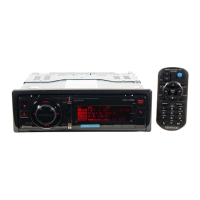
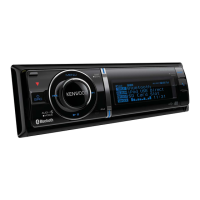
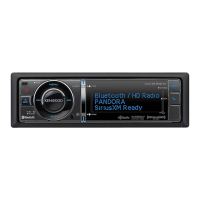
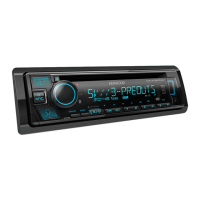
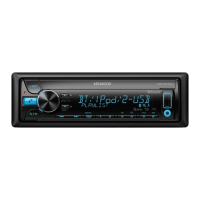
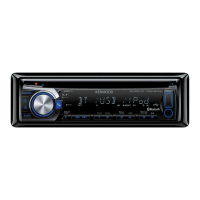
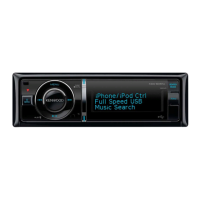
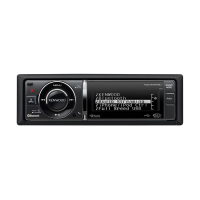
| Brand | Kenwood |
|---|---|
| Model | KDC-BT945U |
| Category | Car Receiver |
| DIN Size | Single DIN |
| Channels | 4 |
| RMS Power Output | 22 watts |
| Peak Power Output | 50 watts |
| Bluetooth | Yes |
| USB Port | Yes |
| AUX Input | Yes |
| CD Player | Yes |
| Radio Tuner | AM/FM |
| Subwoofer Control | Yes |
| Display Type | LCD |
| Display Color | Variable |
| Remote Control | Yes |
| Built-in Microphone | Yes |
| Smartphone Control | Yes |
| Compatible Formats | MP3, WMA, AAC |




 To Next Page
