EasyManua.ls Logo

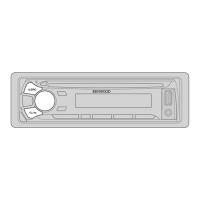
Kenwood KDC-BT44U - User Manual

Kenwood KDC-BT44U
23 pages
Print Icon
To Next Page IconTo Next Page
Loading...
Data Size: B6L (182 mm x 128 mm)
Book Size: B6L (182 mm x 128 mm)
GET0974-001A (EW/E0)© 2013 JVC KENWOOD Corporation
KDC-BT44U
CD-RECEIVER
INSTRUCTION MANUAL
CD-RECEIVER
BEDIENUNGSANLEITUNG
CD-PECИBEP
ИHCTPУKЦИЯ ПO ЭKCПЛУATAЦИИ
JS_KWD_KDC_BT44U_EWE0_01_C001A.indd 1JS_KWD_KDC_BT44U_EWE0_01_C001A.indd 1 19/11/2013 4:54:26 PM19/11/2013 4:54:26 PM

Questions and Answers

  • T
    Timothy HubbardAug 18, 2025
    What to do if Kenwood Car Receiver says 'PROTECT'?
    • A
      Andrew BanksAug 18, 2025
      If the Kenwood Car Receiver displays “PROTECT” and you can't do anything, it means the speaker wires might not be properly insulated at the terminals. Make sure the terminals are well insulated, and then reset the unit.
  • K
    kyletorresAug 20, 2025
    How to fix sound not working on Kenwood Car Receiver?
    • S
      Sheri WilliamsAug 21, 2025
      If you are not hearing any sound from your Kenwood Car Receiver, first, adjust the volume to a level that is audible. If that doesn't work, check all cords and connections to ensure they are properly connected.
  • M
    Morgan WeissAug 23, 2025
    What does 'NA FILE' mean on Kenwood Car Receiver?
    • S
      Sheryl WarrenAug 23, 2025
      If the Kenwood Car Receiver shows “NA FILE”, ensure that the disc you're using contains audio files that the receiver supports.
  • J
    Jacqueline GibbsAug 26, 2025
    How to fix 'READ ERROR' on Kenwood Car Receiver?
    • B
      Bradley SantiagoAug 26, 2025
      If your Kenwood Car Receiver displays “READ ERROR”, copy the files and folders onto the USB device again. If the issue persists, try resetting the USB device or using a different one.
  • L
    Lauren PerezAug 28, 2025
    How to fix 'iPod ERROR' on Kenwood Car Receiver?
    • S
      smithjessicaAug 28, 2025
      If your Kenwood Car Receiver displays 'iPod ERROR', try reconnecting the iPod. If that doesn't work, reset the iPod.
  • T
    troykellyAug 31, 2025
    How to stop echo on Kenwood Car Receiver?
    • J
      jessica57Aug 31, 2025
      If you are experiencing echo or noise with your Kenwood Car Receiver, try adjusting the microphone unit’s position. Also, check the [ECHO CANCEL] setting.
  • N
    Nicole KingSep 2, 2025
    What to do if Kenwood Car Receiver says 'PLEASE EJECT'?
    • M
      Michelle FoxSep 2, 2025
      If the Kenwood Car Receiver displays “PLEASE EJECT”, reset the unit.
  • V
    vsanchezSep 4, 2025
    How to stop noise from Kenwood Car Receiver?
    • L
      lrodriguezSep 4, 2025
      If you are getting noise from Kenwood Car Receiver, try skipping to another track or changing the disc.
  • S
    Sarah MitchellSep 7, 2025
    Why is the phone sound quality poor on Kenwood Car Receiver?
    • M
      Maria ChristianSep 7, 2025
      If the phone sound quality is poor on your Kenwood Car Receiver, try reducing the distance between the unit and the Bluetooth device. Alternatively, move the car to a location with better signal reception.
  • K
    Kellie RodriguezSep 9, 2025
    Why is voice calling not working on Kenwood Car Receiver?
    • R
      Ryan JohnsonSep 9, 2025
      If you're having trouble with voice calling on your Kenwood Car Receiver, try using voice calling in a quieter environment. Also, reduce the distance from the microphone when speaking the name, and make sure you use the same voice as the registered voice tag.

Summary

BEFORE USE

Maintenance and Cleaning

Instructions for cleaning the unit, connector, and handling discs.

BASICS

GETTING STARTED

RADIO

Station Search and Tuning

Procedures for searching and tuning radio stations, including auto and manual methods.

CD; USB; iPod

USB Device Connectivity

How to connect and use USB devices for audio playback.

iPod;iPhone Integration

Guidelines for connecting and controlling iPod and iPhone devices.

AUX

Aha RADIO

BLUETOOTH

Microphone Connection and Pairing

Connecting the microphone and pairing Bluetooth devices for the first time.

AUDIO SETTINGS

EQ Pro Settings

Advanced equalizer settings including bass boost, loudness, and preset EQs.

DISPLAY SETTINGS

TROUBLESHOOTING

Sound and Unit Operation Issues

Troubleshooting steps for sound problems and unit malfunctions.

Disc and USB Playback Errors

Solutions for errors related to CD and USB playback.

SPECIFICATIONS

INSTALLATION; CONNECTION

Installing the Unit (In-dash Mounting)

Step-by-step guide for installing the unit into the vehicle dashboard.

Basic Installation Procedure

Overview of the fundamental steps for unit installation and wiring.

Wiring Connection

Kenwood KDC-BT44U Specifications

General IconGeneral
MP3 playbackYes
Audio formats supportedAAC, MP3, WAV, WMA
Tuner typeHS-IV
FM band range87.5 - 108 MHz
LW band range153 - 279 kHz
Supported radio bandsAM, FM, LW, MW
Preset stations quantity24
Display typeFluorescent
Display digits21 digits
Display technologyLCD
Bluetooth version2.1+EDR
Bluetooth profilesA2DP, AVRCP, HFP, OPP, PBAP, SPP
Line outputs (RCA)1
USB ports quantity2, 1
DIN size1 DIN
Impedance30 Ω
Product colorBlack
Volume controlRotary
Disc types supportedCD-R, CD-RW
Audio output channels4.0 channels
Maximum power per channel50 W
Signal-to-Noise Ratio (SNR)105 dB
Cables includedDC
Speaker type2-way
Output voltage2.5 V
Phonebook capacity5 entries
Operating temperature (T-T)-0 - 40 °C
Weight and Dimensions IconWeight and Dimensions
Weight1300 g
Dimensions (WxDxH)182 x 53 x 159 mm

Related product manuals