EasyManua.ls Logo

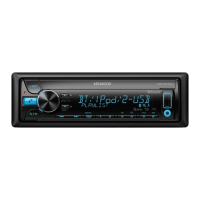
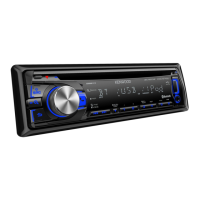
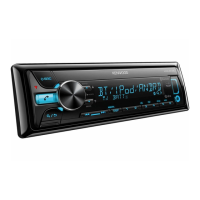
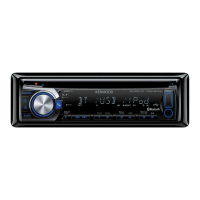
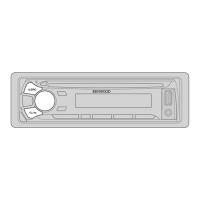
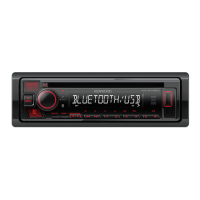
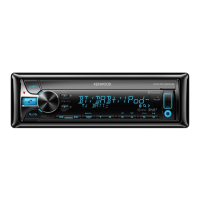
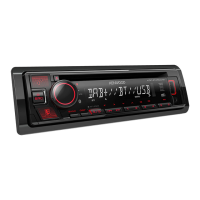
Kenwood KDC-BT440U - User Manual

Kenwood KDC-BT440U
164 pages
Print Icon
To Next Page IconTo Next Page
Loading...
Data Size: B6L (182 mm x 128 mm)
Book Size: B6L (182 mm x 128 mm)
B5A-3141-10a (EN)© 2019 JVCKENWOOD Corporation
KDC-BT640U
KDC-BT440U
CD-RECEIVER
INSTRUCTION MANUAL
AUTORADIO CD
MODE D’EMPLOI
CD-RECEIVER
BEDIENUNGSANLEITUNG
CD-RECEIVER
GEBRUIKSAANWIJZING
JS_KWD_KDC_BT640U_EN_C10a.indd 1JS_KWD_KDC_BT640U_EN_C10a.indd 1 17/10/2019 2:34:35 PM17/10/2019 2:34:35 PM

Table of Contents

Other manuals for Kenwood KDC-BT440U

Questions and Answers

  • W
    whitneyclarkAug 20, 2025
    What to do if the Kenwood Car Receiver shows 'USB ERROR'?
    • T
      Tyrone WestAug 20, 2025
      If the Kenwood Car Receiver displays 'USB ERROR', it indicates the USB port is drawing more power than the design limit. Turn the power off, unplug the USB device, then turn the power back on and reattach the USB device. If the issue persists, turn the power off and on (or reset the unit) before trying another USB device.
  • C
    Cassandra WatersAug 22, 2025
    Why is there no sound from my Kenwood Car Receiver?
    • M
      Mariah HuntAug 22, 2025
      If you cannot hear any sound from your Kenwood Car Receiver, first, adjust the volume to the optimum level. If the sound is still not audible, check the cords and connections to ensure they are properly connected.
  • R
    Robin EvansAug 25, 2025
    What does 'MISWIRING CHECK WIRING Turn the power off, then check to be sure the terminals of THEN PWR ON' mean on my Kenwood KDC-BT440U?
    • S
      stephanie11Aug 25, 2025
      The message 'MISWIRING CHECK WIRING Turn the power off, then check to be sure the terminals of THEN PWR ON' on your Kenwood Car Receiver indicates a wiring issue. Turn the power off, then check to be sure the terminals of the speaker wires are insulated properly. After checking the wiring, turn the power on again.
  • D
    Debra HendersonAug 26, 2025
    What to do if my Kenwood Car Receiver displays 'iPod ERROR'?
    • E
      Emily HartmanAug 26, 2025
      If your Kenwood Car Receiver shows 'iPod ERROR', try reconnecting the iPod. If the error persists, reset the iPod.
  • V
    villarrealkristinAug 28, 2025
    What does 'NO DEVICE' mean on my Kenwood Car Receiver and how to fix it?
    • J
      James WrightAug 28, 2025
      If your Kenwood Car Receiver displays 'NO DEVICE', it means no device (USB/iPod/iPhone) is connected. Connect a device (USB/iPod/iPhone), and change the source to USB or iPod USB again.
  • C
    charles89Aug 30, 2025
    What does 'UNSUPPORTED DEVICE' mean on my Kenwood KDC-BT440U Car Receiver?
    • J
      Jordan RamirezAug 30, 2025
      The message 'UNSUPPORTED DEVICE' on your Kenwood Car Receiver means that the connected USB device may not be compatible with the unit, or the file systems are not in a supported format. Reattach the USB device.
  • X
    xtaylorSep 1, 2025
    Why does my Kenwood KDC-BT440U Car Receiver say 'NO MUSIC'?
    • W
      Wendy HensleySep 1, 2025
      If your Kenwood Car Receiver displays 'NO MUSIC', it means that the connected device does not contain playable audio files. Connect a device (USB/iPod/iPhone) that contains playable audio files.
  • D
    Derrick PhillipsSep 3, 2025
    What does 'UNRESPONSIVE DEVICE' mean on Kenwood Car Receiver?
    • L
      Lisa PhillipsSep 3, 2025
      If your Kenwood Car Receiver shows 'UNRESPONSIVE DEVICE', it means the USB device is not functioning correctly. Ensure the USB device is not malfunctioning and reattach the USB device.
  • C
    Christina MarquezSep 5, 2025
    What does 'DISCONNECTED' mean on my Kenwood Car Receiver?
    • J
      Jonathan PerezSep 5, 2025
      If your Kenwood Car Receiver displays 'DISCONNECTED', it means the USB is disconnected from the head unit. Please make sure the device is connected properly through USB.
  • S
    Susan BowersSep 7, 2025
    What does 'CHECK APP' mean on my Kenwood KDC-BT440U?
    • O
      Omar WangSep 7, 2025
      If your Kenwood Car Receiver displays 'CHECK APP', it indicates that the Spotify application is not connected properly or the user is not logged in. To resolve this, end the Spotify application, restart it, and then log in to your Spotify account.

Summary

Software License Agreement

Article 1 General Provision

Terms and conditions for using the licensed software.

Article 2 License

Defines the rights and restrictions for using the licensed software.

Article 3 Conditions for Grant of License

Outlines conditions for transferring the license and user obligations.

Declaration of Conformity

Declaration of Conformity with regard to the RE Directive 2014;53;EU

States compliance with the Radio Equipment Directive.

Declaration of Conformity with regard to the RoHS Directive 2011;65;EU

States compliance with the Restriction of Hazardous Substances Directive.

Getting Started

Select the display language and cancel the demonstration

Initial setup for language and disabling the demo mode.

CD;USB;iPod

Using Other Applications

Bluetooth

Bluetooth - Connection

Information on Bluetooth connection profiles and codecs.

Pair and connect a Bluetooth device for the first time

Steps to pair a new Bluetooth device with the unit.

Make a call

Instructions for making phone calls using the unit.

Bluetooth mode settings

Configuring various Bluetooth operational modes and parameters.

Bluetooth - Audio

Listening to audio content via Bluetooth connection.

AMAZON ALEXA

Setup for the first time

Initial setup process for Alexa voice service integration.

Basic operations

Performing voice commands with Alexa.

Audio Settings

Crossover settings

Adjusting speaker crossover frequencies and slopes.

Display Settings

Installation;Connection

Installing the unit (in-dash mounting)

Step-by-step guide for in-dash installation.

Wiring connection

Details on connecting the unit's wiring harness.

Troubleshooting

General

Troubleshooting common issues not specific to any feature.

Specifications

Kenwood KDC-BT440U Specifications

General IconGeneral
DIN size1 DIN
CD playerYes
Impedance40 Ω
Clock mode24h
Output power50 W
Product colorBlack
Volume controlButtons
Frequency range30 - 15000 Hz
Disc types supportedCD-R, CD-RW
Audio output channels4.0 channels
Equalizer bands quantity13
Signal-to-Noise Ratio (SNR)40 dB
USB version2.0
Bluetooth range10 m
Bluetooth version4.2
Bluetooth profilesA2DP, AVRCP, PBAP
USB ports quantity1
Audio formats supportedAAC, FLAC, MP3, WAV, WMA
Display typeLCD
Display digits13 digits
Illumination colorRed
Display number of lines1 lines
On Screen Display (OSD) languagesDUT, ENG, ESP, FRE, RUS
Cables includedDC
Operating temperature (T-T)-10 - 60 °C
FM band range87.5 - 108 MHz
LW band range153 - 279 kHz
Supported radio bandsFM, LW, MW
Preset stations quantity24
Weight and Dimensions IconWeight and Dimensions
Depth155.5 mm
Width182 mm
Height53 mm
Weight1200 g

Related product manuals