EasyManua.ls Logo

Kenwood KR-796 - User Manual

Kenwood KR-796
20 pages
Print Icon
To Next Page IconTo Next Page
Loading...
STEREO
RECEIVER
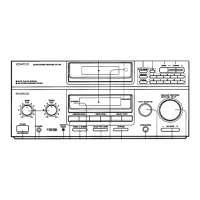
KR-896
KR-796
KR-596
INSTRUCTION
MANUAL
KENWOOD
CORPORATION
For
your
records
Record
the
serial
number,
found
on
the
back
of
the
unit,
in
the
spaces
designated
on
the
warranty
card,
and
in
the
space
provided
below.
Refer
to
the
mode!
and
serial
numbers
whenever
you
call
upon
your
dealer
for
information
or
service
on
this
product.
Model_Serial
Number_
Unpacking
Unpack
the
unit
carefully
and
make
sure
that
all
accessories
are
put
aside
so
they
will
not
be
lost.
Examine
the
unit
for
any
possibility
of
shipping
damage,
If
your
unit
is
damaged
or
fails
to
operate,
notify
your
dealer
immediately.
If
your
unit
was
shipped
to
you
directly,
notify
the
shipping
company
without
delay.
Only
the
consignee
{the
person
or
company
receiving
the
unit)
can
file
a
claim
against
the
carrier
for
shipping
damage,
We
recommend
that
you
retain
the
original
carton
and
packing
materials
for
use
should
you
transport
or
ship
the
unit
in
the
future.
Accessories
Remote
control
unit.1
Batteries
(R6/AA).2
FM
indoor
antenna
...
1
Loop
antenna
stand
..........
1
AM
loop
antenna.1
(The
shape
of
the
loop
antenna
provided
may
differ
depending
on
the
area.)
Contents
Read
the
pages
marked
^
carefully
to
ensure
safe
operations.
^
Before
applying
power....2
^
Safety
precautions.....2
System
connections..
3
FM
DE-EMPHASIS/CHANNEL
SPACE
switch.5
Controls
and
indicators...6
Remote
control
operation..8
Operating
instructions.10
Reception
of
radio
broadcast.12
Operation
of
Dolby
Surround
playback
(KR^96/KR-790
only).
1
4
Operation
of
Dolby
PRO
LOGIC
playback
{KR-896yKR-796
only).15
Dolby
3
STEREO
Mode
{KR-896/KR-796
only).
.
.
1
7
In
case
of
difficulty.18
^
Specifications...19
B60-2531-00
Cgt)
(P.
Y)
"
Al
Question and Answer IconNeed help?

Do you have a question about the Kenwood KR-796 and is the answer not in the manual?

Summary

For Your Records and Unpacking

Unpacking the Unit

Instructions for carefully unpacking the unit and checking for shipping damage.

Included Accessories

List of accessories provided with the stereo receiver unit.

Special Features and Power Preparation

Dolby Surround and Stereo Features

Highlights Dolby Surround Pro Logic and Dolby 3 Stereo capabilities.

Additional Unit Features

Details on remote control, adaptor jacks, and preset frequency recall.

Before Applying Power

Information on setting the AC voltage selector for proper operation.

Safety Precautions

Critical warnings to prevent fire, electric shock, and ensure safe operation.

System Connection Guide

Connecting System Components

Diagrams for connecting graphic equalizer, VCR, speakers, CD player, turntable, cassette deck.

System Control Connections

Details on connecting system control cords for integrated operation.

Antenna Connection Methods

AM Loop Antenna Connection

Guidance for indoor AM loop antenna placement for best reception.

AM Outdoor Antenna Connection

Instructions for connecting an outdoor wire antenna for improved AM reception.

FM Indoor Antenna Connection

Steps for installing the supplied indoor FM antenna for stable reception.

FM Outdoor Antenna Connection

Recommendation for installing an FM outdoor antenna for high-quality broadcast reception.

Speaker, System Control, and FM Settings

Speaker and System Control Connections

Instructions for connecting speakers and system control cords.

System Control Operation

Enables automatic play operation and use of adaptor jacks.

FM DE-EMPHASIS;CHANNEL SPACE Switch

Guide to setting the FM DE-EMPHASIS/CHANNEL SPACE switch.

Controls and Indicators (KR-896;KR-796)

Tuner Controls and Indicators

Details on tuner band, frequency, and tuning indicators.

Amplifier Controls and Indicators

Explanation of amplifier display, volume, and mode indicators.

Power Key and Standby Mode

Description of the power key function and standby mode operation.

Speaker Key Functionality

Explains the operation of the SPEAKERS key for sound output.

Controls and Indicators (KR-596)

KR-596 Tuner Controls and Indicators

Details on tuner band, frequency, and tuning indicators for KR-596.

KR-596 Amplifier Controls and Indicators

Explanation of amplifier display, volume, and mode indicators for KR-596.

KR-596 Power Key and Standby Mode

Description of the power key function and standby mode for KR-596.

KR-596 Speaker Key Functionality

Explains the operation of the SPEAKERS key for KR-596.

Remote Control Operation Guide

Loading Remote Control Batteries

Instructions for inserting batteries into the remote control unit.

Remote Control Button Functions

Details on cassette deck, tuner, CD player, equalizer, and surround controls.

Remote Control Operating Procedure

Steps for powering on the system and operating source components remotely.

KR-596 Remote Control Operation

Loading KR-596 Remote Batteries

Instructions for inserting batteries into the KR-596 remote control.

KR-596 Remote Button Functions

Details on cassette deck, tuner, CD player, and equalizer controls for KR-596.

KR-596 Remote Operating Procedure

Steps for powering on the system and operating source components remotely.

Basic Operating Instructions

Basic Operation Steps

Covers powering on, selecting input, playing sources, and adjusting audio.

Input Selector Notes

Information on input selector memory backup and automatic selection.

Sound Muting and Headphone Listening

Muting the Sound Temporarily

How to use the MUTE key to temporarily silence audio output.

Listening Through Headphones

Instructions for connecting headphones and adjusting volume.

Tape Recording Procedures

Ordinary Tape Recording

Steps for selecting a source and recording onto a cassette deck.

Radio Broadcast Reception

Receiving and Storing Stations

Guide to preset operation for receiving and storing radio stations.

Tuning Modes and Station Tuning

Explanation of auto/manual tuning and frequency adjustment.

Preset Station Access and Video Playback

Receiving a Preset Station

How to select a specific preset radio station using numeric keys.

Sequential Preset Station Playback

How to listen to all preset stations in sequence using P.CALL.

Playback of Videotape

Steps to select VIDEO input and play a VCR.

Dolby Surround Playback Operation

Surround Effect and Presence

Explains the immersive sound effect and Dolby Surround presence.

Speaker Positioning Guidelines

Recommendations for speaker placement in various Dolby modes.

Dolby PRO LOGIC Field Adjustment

Setting the Dolby PRO LOGIC Mode

Steps to set the receiver to Dolby PRO LOGIC mode.

Selecting the Center Mode

Guidance on choosing CENTER MODE (NORMAL, WIDE BAND, PHANTOM).

Adjusting Volume Balance

Using TEST TONE to adjust center, rear, and volume levels.

Setting the Delay Time

Instructions for calculating and setting the appropriate delay time.

Dolby PRO LOGIC Playback Operation

Engaging Dolby PRO LOGIC Mode

Activating the Dolby PRO LOGIC mode for movie theater sound effects.

Selecting Center Mode for Playback

Choosing the center mode based on previous field adjustment.

Playing Surround Encoded Programs

Instructions for playing software programs encoded with Dolby Surround.

Dolby 3 STEREO Mode Operation

Dolby 3 STEREO Adjustment

Steps to adjust Dolby 3 STEREO mode, center mode, and speaker volume.

Dolby 3 STEREO Playback

Guide to playing stereo software or Dolby surround programs.

Troubleshooting Guide

Resetting the Microprocessor

Procedure to reset the microprocessor for operational errors.

Remote Control Unit Issues

Common problems with remote control operation and their remedies.

Tuner Section Issues

Troubleshooting for radio reception and preset station problems.

Amplifier and Speaker Issues

Solutions for sound output problems and hum noise.

Product Specifications

Audio Section Specifications (U.S.A.;Canada)

Detailed technical specifications for the audio section in North America.

Audio Section Specifications (Other Countries)

Technical specifications for the audio section in other regions.

FM Tuner Section Specifications

Technical details for the FM tuner, including sensitivity and selectivity.

AM Tuner Section Specifications

Technical details for the AM tuner, including sensitivity and selectivity.

General Power and Dimension Specifications

Information on power consumption, dimensions, and weight.

Regulatory Information (U.S.A.)

CATV System Installer Note

Reminder regarding cable grounding guidelines for CATV systems.

FCC Warning and Compliance Notes

Information on radio frequency energy, interference, and FCC compliance.

Summary

For Your Records and Unpacking

Unpacking the Unit

Instructions for carefully unpacking the unit and checking for shipping damage.

Included Accessories

List of accessories provided with the stereo receiver unit.

Special Features and Power Preparation

Dolby Surround and Stereo Features

Highlights Dolby Surround Pro Logic and Dolby 3 Stereo capabilities.

Additional Unit Features

Details on remote control, adaptor jacks, and preset frequency recall.

Before Applying Power

Information on setting the AC voltage selector for proper operation.

Safety Precautions

Critical warnings to prevent fire, electric shock, and ensure safe operation.

System Connection Guide

Connecting System Components

Diagrams for connecting graphic equalizer, VCR, speakers, CD player, turntable, cassette deck.

System Control Connections

Details on connecting system control cords for integrated operation.

Antenna Connection Methods

AM Loop Antenna Connection

Guidance for indoor AM loop antenna placement for best reception.

AM Outdoor Antenna Connection

Instructions for connecting an outdoor wire antenna for improved AM reception.

FM Indoor Antenna Connection

Steps for installing the supplied indoor FM antenna for stable reception.

FM Outdoor Antenna Connection

Recommendation for installing an FM outdoor antenna for high-quality broadcast reception.

Speaker, System Control, and FM Settings

Speaker and System Control Connections

Instructions for connecting speakers and system control cords.

System Control Operation

Enables automatic play operation and use of adaptor jacks.

FM DE-EMPHASIS;CHANNEL SPACE Switch

Guide to setting the FM DE-EMPHASIS/CHANNEL SPACE switch.

Controls and Indicators (KR-896;KR-796)

Tuner Controls and Indicators

Details on tuner band, frequency, and tuning indicators.

Amplifier Controls and Indicators

Explanation of amplifier display, volume, and mode indicators.

Power Key and Standby Mode

Description of the power key function and standby mode operation.

Speaker Key Functionality

Explains the operation of the SPEAKERS key for sound output.

Controls and Indicators (KR-596)

KR-596 Tuner Controls and Indicators

Details on tuner band, frequency, and tuning indicators for KR-596.

KR-596 Amplifier Controls and Indicators

Explanation of amplifier display, volume, and mode indicators for KR-596.

KR-596 Power Key and Standby Mode

Description of the power key function and standby mode for KR-596.

KR-596 Speaker Key Functionality

Explains the operation of the SPEAKERS key for KR-596.

Remote Control Operation Guide

Loading Remote Control Batteries

Instructions for inserting batteries into the remote control unit.

Remote Control Button Functions

Details on cassette deck, tuner, CD player, equalizer, and surround controls.

Remote Control Operating Procedure

Steps for powering on the system and operating source components remotely.

KR-596 Remote Control Operation

Loading KR-596 Remote Batteries

Instructions for inserting batteries into the KR-596 remote control.

KR-596 Remote Button Functions

Details on cassette deck, tuner, CD player, and equalizer controls for KR-596.

KR-596 Remote Operating Procedure

Steps for powering on the system and operating source components remotely.

Basic Operating Instructions

Basic Operation Steps

Covers powering on, selecting input, playing sources, and adjusting audio.

Input Selector Notes

Information on input selector memory backup and automatic selection.

Sound Muting and Headphone Listening

Muting the Sound Temporarily

How to use the MUTE key to temporarily silence audio output.

Listening Through Headphones

Instructions for connecting headphones and adjusting volume.

Tape Recording Procedures

Ordinary Tape Recording

Steps for selecting a source and recording onto a cassette deck.

Radio Broadcast Reception

Receiving and Storing Stations

Guide to preset operation for receiving and storing radio stations.

Tuning Modes and Station Tuning

Explanation of auto/manual tuning and frequency adjustment.

Preset Station Access and Video Playback

Receiving a Preset Station

How to select a specific preset radio station using numeric keys.

Sequential Preset Station Playback

How to listen to all preset stations in sequence using P.CALL.

Playback of Videotape

Steps to select VIDEO input and play a VCR.

Dolby Surround Playback Operation

Surround Effect and Presence

Explains the immersive sound effect and Dolby Surround presence.

Speaker Positioning Guidelines

Recommendations for speaker placement in various Dolby modes.

Dolby PRO LOGIC Field Adjustment

Setting the Dolby PRO LOGIC Mode

Steps to set the receiver to Dolby PRO LOGIC mode.

Selecting the Center Mode

Guidance on choosing CENTER MODE (NORMAL, WIDE BAND, PHANTOM).

Adjusting Volume Balance

Using TEST TONE to adjust center, rear, and volume levels.

Setting the Delay Time

Instructions for calculating and setting the appropriate delay time.

Dolby PRO LOGIC Playback Operation

Engaging Dolby PRO LOGIC Mode

Activating the Dolby PRO LOGIC mode for movie theater sound effects.

Selecting Center Mode for Playback

Choosing the center mode based on previous field adjustment.

Playing Surround Encoded Programs

Instructions for playing software programs encoded with Dolby Surround.

Dolby 3 STEREO Mode Operation

Dolby 3 STEREO Adjustment

Steps to adjust Dolby 3 STEREO mode, center mode, and speaker volume.

Dolby 3 STEREO Playback

Guide to playing stereo software or Dolby surround programs.

Troubleshooting Guide

Resetting the Microprocessor

Procedure to reset the microprocessor for operational errors.

Remote Control Unit Issues

Common problems with remote control operation and their remedies.

Tuner Section Issues

Troubleshooting for radio reception and preset station problems.

Amplifier and Speaker Issues

Solutions for sound output problems and hum noise.

Product Specifications

Audio Section Specifications (U.S.A.;Canada)

Detailed technical specifications for the audio section in North America.

Audio Section Specifications (Other Countries)

Technical specifications for the audio section in other regions.

FM Tuner Section Specifications

Technical details for the FM tuner, including sensitivity and selectivity.

AM Tuner Section Specifications

Technical details for the AM tuner, including sensitivity and selectivity.

General Power and Dimension Specifications

Information on power consumption, dimensions, and weight.

Regulatory Information (U.S.A.)

CATV System Installer Note

Reminder regarding cable grounding guidelines for CATV systems.

FCC Warning and Compliance Notes

Information on radio frequency energy, interference, and FCC compliance.

Overview

This document is an instruction manual for the Kenwood Stereo Receiver models KR-896, KR-796, and KR-596. It provides comprehensive information on the device's functions, usage, and maintenance.

Function Description:

The Kenwood Stereo Receiver is designed to provide high-quality audio reception and playback. It features an AM/FM stereo receiver with an auto-tuning system and 30-station random preset memory, allowing users to easily access and store their favorite radio stations. The receiver also includes various input selectors for connecting external audio and video components such as CD players, turntables, cassette decks, and VCRs.

For models KR-896 and KR-796, advanced surround sound capabilities are integrated. These models support Dolby Surround Pro Logic playback, which allows users to experience a cinematic audio effect similar to movie theaters from video software programs carrying the Dolby Surround mark. This feature extracts surround data from compatible sources, creating an immersive sound environment. Additionally, these models offer Dolby 3 Stereo Mode, which provides an active center channel for a better, more stable center image. This mode is particularly useful for stereo video programs and music, or when a full surround system setup is not feasible.

The receiver also includes an ADAPTOR jack, which allows for the connection of external audio processing equipment like graphic equalizers. This enhances the flexibility of the system, enabling users to customize their audio output.

Usage Features:

The manual details the step-by-step process for setting up and operating the receiver.

Power and Basic Operation:

Users can turn the power on and off using either the main unit's power switch or the remote control. The receiver features a "Standby mode" where a small amount of current is supplied to back up memory contents, allowing for remote power control.

Input Selection:

The input selector knob on the main unit or the INPUT key on the remote control allows users to switch between various audio/video sources (TUNER, PHONO, CD, TAPE, VIDEO). The selected source name is displayed on the unit.

Volume and Tone Control:

Volume can be adjusted using the VOLUME CONTROL knob on the main unit or the VOLUME CONTROL keys on the remote. The volume level is indicated by a 10-point bar display. Bass and treble levels can be fine-tuned using the tone control knobs on the main unit. A BALANCE control knob is also available to adjust the left and right speaker volume balance.

Muting Function:

A MUTE key on the remote control allows for temporary silencing of the audio, with a MUTING indicator blinking on the display. Pressing the key again resumes the previous volume.

Headphone Listening:

The receiver includes a PHONES jack for private listening. When headphones are plugged in, the SPEAKERS switch should be set to OFF to silence the main speakers.

Radio Reception:

The manual provides instructions for receiving broadcast stations and storing them in preset memory.

  • Antenna Connection: Detailed methods for connecting AM loop, AM outdoor, FM indoor, and FM outdoor antennas are provided, emphasizing optimal placement for best reception.
  • Tuning Mode: Users can select between AUTO tuning mode for automatic station search or MANUAL tuning mode for precise frequency selection.
  • Preset Memory: Up to 30 stations can be stored in random preset memory, regardless of their broadcast bands. Stations can be recalled using the P.CALL key or numeric keys on the remote. The P.CALL function also allows for sequential listening to all preset stations.
  • FM DE-EMPHASIS/CHANNEL SPACE Switch: This switch on the rear panel allows adjustment of FM de-emphasis and channel spacing to match regional broadcast standards. Users are advised to disconnect the power cord before changing this setting.

System Control Operation:

When connected to other Kenwood system components (CD player, turntable) via SYSTEM CONTROL terminals, the receiver enables automatic play operation. For example, selecting a source like CD or turntable will automatically put the connected component into play mode. These connected components can also be controlled via the receiver's remote control.

Dolby Surround Playback (KR-896/KR-796 only):

  • Dolby PRO LOGIC Field Adjustment: This section guides users through setting up the Dolby PRO LOGIC mode, including selecting the center mode (NORMAL, WIDE BAND, PHANTOM) and adjusting volume balance and delay time. A test tone function assists in balancing speaker levels.
  • Dolby 3 STEREO Mode Adjustment: Similar to Pro Logic, this section covers setting up Dolby 3 STEREO mode, selecting the center mode, and adjusting center speaker volume using a test tone.
  • Returning to Normal Stereo Playback: A BYPASS key allows users to easily switch back to normal stereo playback from any surround mode.

Maintenance Features:

The manual includes important information for maintaining the device and troubleshooting common issues.

Unpacking and Shipping:

Users are advised to unpack the unit carefully, check for shipping damage, and retain the original carton and packing materials for future transport or shipping.

AC Voltage Selection:

For models shipped to countries other than the U.S.A. and Canada, an AC voltage selector switch on the rear panel allows users to match the unit's voltage setting to their local line voltage. A small screwdriver is required for this adjustment, and improper setting can void the warranty.

Safety Precautions:

The manual highlights critical safety warnings, including preventing exposure to rain or moisture, and cautions against removing the cover to avoid electric shock. It also explains the meaning of the lightning flash and exclamation point symbols.

System Connections:

Detailed diagrams and instructions are provided for connecting various components, including graphic equalizers, surround speakers, center speakers, VCRs, CD players, cassette decks, and turntables.

  • Firm Connections: Emphasizes the importance of firmly connecting cords to prevent sound loss or noise.
  • Power Cord Disconnection: Users are instructed to remove the power cord from the AC outlet before plugging or unplugging connection cords to prevent malfunctions or damage.
  • ADAPTOR Terminals: Instructions for using shorting pins when ADAPTOR terminals are not in use are provided to ensure sound production.

Troubleshooting Guide:

A comprehensive "In case of difficulty" section helps users diagnose and resolve common problems.

  • Microprocessor Reset: Instructions are given on how to reset the microprocessor if the display is distorted or the unit malfunctions.
  • Remote Control Issues: Solutions for non-operational remote controls, such as replacing batteries or checking connections.
  • Tuner Section Problems: Remedies for issues like no radio reception or interference, including antenna connection and placement advice.
  • Amplifier Section/Speaker Problems: Solutions for no sound output, sound from only one speaker, or issues with surround/center speaker output, typically involving checking speaker connections and balance/level settings.
  • Hum Noise: Advice on resolving hum noise when PHONO input is selected, by ensuring secure audio cord insertion and proper grounding.

General Advice:

The manual advises against using contact cleaners, especially those containing oil, as they may deform plastic components. It also notes that Kenwood continuously advances its products, so specifications may change without notice.

Kenwood KR-796 Specifications

General IconGeneral
BrandKenwood
ModelKR-796
CategoryStereo Receiver
LanguageEnglish

Related product manuals