EasyManua.ls Logo

Kenwood KR-594 - User Manual

Kenwood KR-594
20 pages
Print Icon
To Next Page IconTo Next Page
Loading...
Question and Answer IconNeed help?

Do you have a question about the Kenwood KR-594 and is the answer not in the manual?

Summary

Special Features Overview

Advanced Audio Modes (KR-794)

Explains Dolby Surround Pro Logic and Dolby 3 Stereo audio modes.

Power and Safety Precautions

AC Voltage Selection and Safety Warnings

Covers AC voltage setting and essential safety warnings.

System Connections Overview

Antenna Connection Methods

Speaker and System Control Connections

KR-794 Controls and Indicators

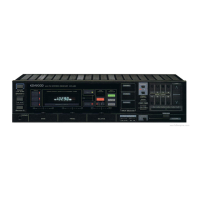
KR-594 Controls and Indicators

Remote Control Operation (KR-794)

Remote Control Operation (KR-594)

Basic Operating Instructions

Core Operation Steps

Guides through turning power on, selecting sources, and playing components.

Audio Operations

Radio Broadcast Reception

Preset Station Reception

Dolby Surround Playback Operation (KR-794)

Surround Sound Features and Speaker Setup

Explains surround sound effects and provides guidance on speaker positioning.

Dolby PRO LOGIC Playback Adjustment (KR-794)

Adjusting Audio Settings

Steps for setting mode, center, volume balance, and delay time for optimal playback.

Dolby PRO LOGIC Playback Procedure (KR-794)

Configuring and Playing Dolby PRO LOGIC

Steps for activating, configuring, and playing Dolby PRO LOGIC content.

Dolby 3 STEREO Mode Operation (KR-794)

Dolby 3 STEREO Adjustment and Playback

Guides on adjusting Dolby 3 STEREO settings including mode, center, and speaker volume.

Playback and Volume Adjustment

Playing content, adjusting audio, and returning to stereo.

Troubleshooting Guide

Troubleshooting Common Issues

Resolving common problems with remote control, tuner, amplifier, and speakers.

Summary

Special Features Overview

Advanced Audio Modes (KR-794)

Explains Dolby Surround Pro Logic and Dolby 3 Stereo audio modes.

Power and Safety Precautions

AC Voltage Selection and Safety Warnings

Covers AC voltage setting and essential safety warnings.

System Connections Overview

Antenna Connection Methods

Speaker and System Control Connections

KR-794 Controls and Indicators

KR-594 Controls and Indicators

Remote Control Operation (KR-794)

Remote Control Operation (KR-594)

Basic Operating Instructions

Core Operation Steps

Guides through turning power on, selecting sources, and playing components.

Audio Operations

Radio Broadcast Reception

Preset Station Reception

Dolby Surround Playback Operation (KR-794)

Surround Sound Features and Speaker Setup

Explains surround sound effects and provides guidance on speaker positioning.

Dolby PRO LOGIC Playback Adjustment (KR-794)

Adjusting Audio Settings

Steps for setting mode, center, volume balance, and delay time for optimal playback.

Dolby PRO LOGIC Playback Procedure (KR-794)

Configuring and Playing Dolby PRO LOGIC

Steps for activating, configuring, and playing Dolby PRO LOGIC content.

Dolby 3 STEREO Mode Operation (KR-794)

Dolby 3 STEREO Adjustment and Playback

Guides on adjusting Dolby 3 STEREO settings including mode, center, and speaker volume.

Playback and Volume Adjustment

Playing content, adjusting audio, and returning to stereo.

Troubleshooting Guide

Troubleshooting Common Issues

Resolving common problems with remote control, tuner, amplifier, and speakers.

Kenwood KR-594 Specifications

General IconGeneral
Tuning rangeFM, MW
Frequency Response20Hz to 20kHz
Input Sensitivity2.5mV (MM), 150mV (line)
Output150mV (line)
Speaker load impedance8Ω (minimum 4Ω)

Related product manuals