EasyManua.ls Logo

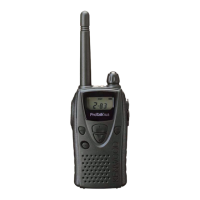
Kenwood TK-3102 - User Manual

Kenwood TK-3102
20 pages
Print Icon
To Next Page IconTo Next Page
Loading...
INSTRUCTION MANUAL
© B62-1163-10 (K,M)
09 08 07 06 05 04 03 02 01
VHF FM TRANSCEIVER
KENWOOD CORPORATION
TK-2102/
TK-2107
UHF FM TRANSCEIVER
TK-3102/
TK-3107

Questions and Answers

  • H
    Holly CainAug 9, 2025
    What to do if I cannot talk to or hear other members in my group using my Kenwood Transceiver?
    • S
      sean58Aug 9, 2025
      To ensure proper communication with your group on the Kenwood Transceiver, verify that you are using the same frequency and Quiet Talk tone as the other members. Also, make sure you are within range of the other transceivers, as distance can affect communication.
  • T
    Tyrone CamposAug 16, 2025
    Why my Kenwood TK-3102 Transceiver has no power?
    • C
      Courtney ShortAug 16, 2025
      If your Kenwood Transceiver has no power, the battery pack may be dead or not installed correctly. Try recharging or replacing the battery pack. If that doesn't work, remove the battery pack and install it again to ensure it is properly connected.
  • C
    Chloe KnappAug 23, 2025
    Why does the battery power of my Kenwood TK-3102 Transceiver die shortly after charging?
    • N
      nicholasrichardAug 23, 2025
      If the battery power of your Kenwood Transceiver dies shortly after charging, it's likely that the battery pack life is finished. Replace the battery pack with a new one.
  • C
    Courtney LawrenceSep 1, 2025
    How to remove other voices (besides group members) that are present on the channel of my Kenwood Transceiver?
    • A
      Anthony BrockSep 1, 2025
      If you are hearing other voices besides your group members on the channel of your Kenwood Transceiver, change the Quiet Talk tone. Be sure to change the tone on all transceivers in your group.

Summary

UNPACKING AND CHECKING EQUIPMENT

Supplied Accessories

Lists the items included in the transceiver package, specifying part numbers and quantities for each component.

PREPARATION

Charging the NiCd Battery Pack

Outlines the procedure and essential precautions for charging the NiCd battery pack before its initial use.

Installing; Removing the Battery Pack

Details the process of attaching and detaching the battery pack from the transceiver.

Installing the Antenna

Explains how to screw the antenna into the transceiver connector securely.

Installing the Belt Clip

Provides instructions for attaching the belt clip to the transceiver for convenient carrying.

Installing the Cover over the Speaker; Microphone Jacks

Guidance on fitting the cover to protect speaker/microphone jacks, maintaining water resistance.

Installing the Optional Speaker; Microphone

Steps for connecting an external speaker/microphone to the transceiver and securing it.

GETTING ACQUAINTED (TK-2102; TK-3102)

TK-2102; TK-3102 OPERATION

Step-by-step guide on operating the TK-2102 and TK-3102 transceivers, including power, volume, and transmission.

GETTING ACQUAINTED (TK-2107; TK-3107)

TK-2107; TK-3107 OPERATION

Step-by-step guide on operating the TK-2107 and TK-3107 transceivers, including power, volume, and transmission.

AUXILIARY FUNCTIONS

Time-out Timer

Explains the function of the Time-out Timer to prevent prolonged single-person channel usage.

Battery Save

Describes the Battery Save feature that reduces power consumption when idle.

Low Battery Warning

Details how the transceiver alerts the user when the battery power is low.

Monitor

Explains how to manually deactivate squelch to hear weak signals or adjust volume.

Quiet Talk (QT) and Digital Quiet Talk (DQT)

Describes QT/DQT tones for filtering calls and ignoring unwanted transmissions on shared channels.

OPTIONAL ACCESSORIES

TROUBLESHOOTING GUIDE

FREQUENCY CHART

Kenwood TK-3102 Specifications

General IconGeneral
Channels16
Power Output5W
Water ResistanceIP54
TypeTwo-way radio
BatteryLi-ion
Channel Spacing25 kHz
ModulationF3E

Related product manuals