EasyManua.ls Logo

Kenwood TK-3230 - User Manual

Kenwood TK-3230
66 pages
Print Icon
To Next Page IconTo Next Page
Loading...
© B62-1976-20 (K)
09 08 07 06 05 04 03 02
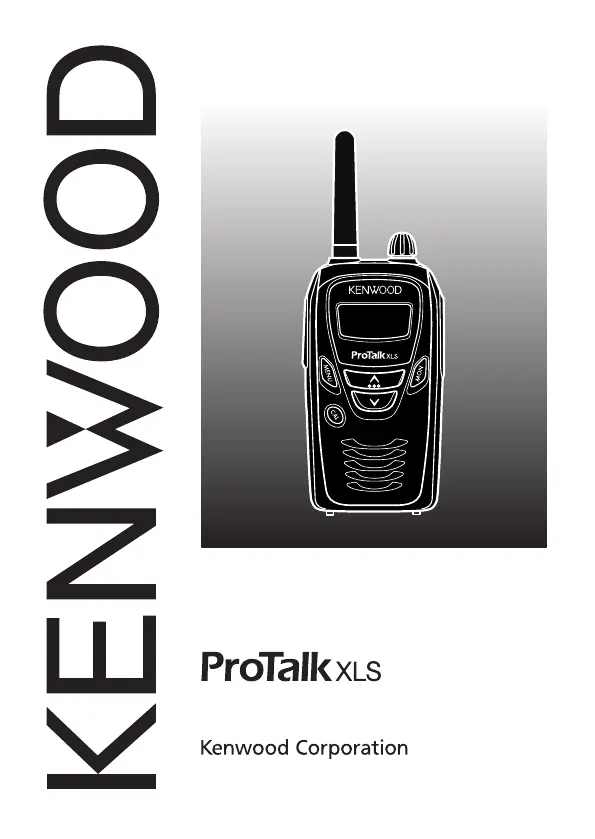
UHF FM TRANSCEIVER
TK-3230
INSTRUCTIoN MANUAl

Other manuals for Kenwood TK-3230

Questions and Answers

  • D
    Dennis BriggsJul 30, 2025
    How to fix a Kenwood TK-3230 that will not turn on?
    • R
      Robert TaylorJul 31, 2025
      If your Kenwood Transceiver won't power on, the battery pack may be dead. Try recharging or replacing it. Alternatively, the battery pack may not be installed correctly. Remove the battery pack and reinstall it.
  • R
    Roberto BarnettAug 4, 2025
    What to do if I cannot hear other members in my Kenwood TK-3230 Transceiver group?
    • C
      cookjosephAug 4, 2025
      If you cannot communicate with your group using the Kenwood Transceiver, ensure you are using the same frequency and QT/DQT settings as the other members. Also, check if other members are using Privacy Talk and turn on your transceiver’s Privacy Talk feature. Finally, make sure you are within range of the other transceivers.
  • R
    Richard SmithAug 9, 2025
    Why does my Kenwood Transceiver battery die quickly after charging?
    • B
      brandi68Aug 9, 2025
      If your Kenwood Transceiver battery dies shortly after charging, the battery pack life may be finished. Replace the battery pack with a new one.
  • C
    Chad CollinsAug 15, 2025
    How to stop hearing other voices on my Kenwood TK-3230 Transceiver channel?
    • J
      Jasmine BrownAug 15, 2025
      To prevent hearing voices outside your group on your Kenwood Transceiver, change the QT/DQT settings. Ensure all group members update their transceiver settings to match the new QT/DQT setting.
  • N
    Nicholas WillisAug 19, 2025
    Why can't I make a selcall on my Kenwood TK-3230?
    • M
      Michael BurnettSep 12, 2025
      If you cannot make a selcall on your Kenwood Transceiver, verify and set your transceiver ID (Own, Group, All).
  • M
    msweeneyAug 25, 2025
    What to do if my Kenwood Transceiver only receives selcalls?
    • H
      Henry IngramAug 25, 2025
      If your Kenwood Transceiver only receives selcalls and you cannot transmit, the Optional Signaling may be set to "FS (FleetSync)". Change the setting to "oF (OFF)".

Summary

Unpacking and Checking Equipment

Preparation

Battery Pack Precautions

Crucial safety instructions for handling the Li-ion battery pack.

Li-ion Battery Pack Handling

DANGER

Critical warnings on battery mishandling and associated hazards.

Installing;Removing the Battery Pack

CAUTION

Essential safety warnings pertaining to the battery pack's physical handling.

Charging the Battery Pack

CAUTION

Important cautions regarding recharging an already fully charged battery.

Orientation

Display

Explanation of transceiver screen icons and their meanings.

Getting Started

Make a Call

Step-by-step guidance for initiating a call with the transceiver.

Channel Frequency Setup

Quiet Talk; Digital Quiet Talk

Scanning the Channels

Revert Channel

Details the function of a revert channel during active scanning.

Voice Operated Transmission (VOX)

VOX Operation

Instructions for setting up and operating the hands-free VOX feature.

Privacy Talk

FleetSync: Alphanumeric 2-Way Paging Function

Call Key Setup

Procedures for configuring the CAL key for specific call functions.

Selcall (Selective Calling)

Step 1: Activate the FleetSync Optional Signaling

Steps to enable FleetSync for Selcall communication.

Step 2: Set up the CAL key

Configuration steps for the CAL key to enable Selcall.

Making a Selcall

Individual Calls

Guide on how to make individual-type calls using Selcall.

PTT ID

Operating Features

Transmit Power

How to adjust the transmit power for optimal battery life or range.

Key Lock

Super Lock

Instructions for activating super lock to enhance key security.

Time-out Timer

Battery Saver

Details on the battery saver function to extend battery life.

Resetting the Transceiver

Troubleshooting Guide

Kenwood TK-3230 Specifications

General Specifications IconGeneral Specifications
frequency range460 to 470MHz
number of channels2CH (FPU: 16CH)
PLL channel stepping6.25kHz, 5kHz
modulation (wide/narrow)16K0F3E/11K00F3E
RF output power (high/low)1.5W / 500mW
Power IconPower
operating voltage3.8V DC (3.4~4.2V)
battery life (5-5-90 duty cycle)Up to 14 hours
frequency stability±2.5ppm
Operating Environment IconOperating Environment
operating temperature range–10°C to +60°C (+14°F to +140°F)
antenna impedance50Ω
MIC input2kΩ
Weight and Dimensions IconWeight and Dimensions
dimensions52 (W) x 103.5 (H) x 28.7 (D) mm
height with antenna155.5mm
weightApprox. 155g with KNB-46L battery

Related product manuals