DISASSEMBLY
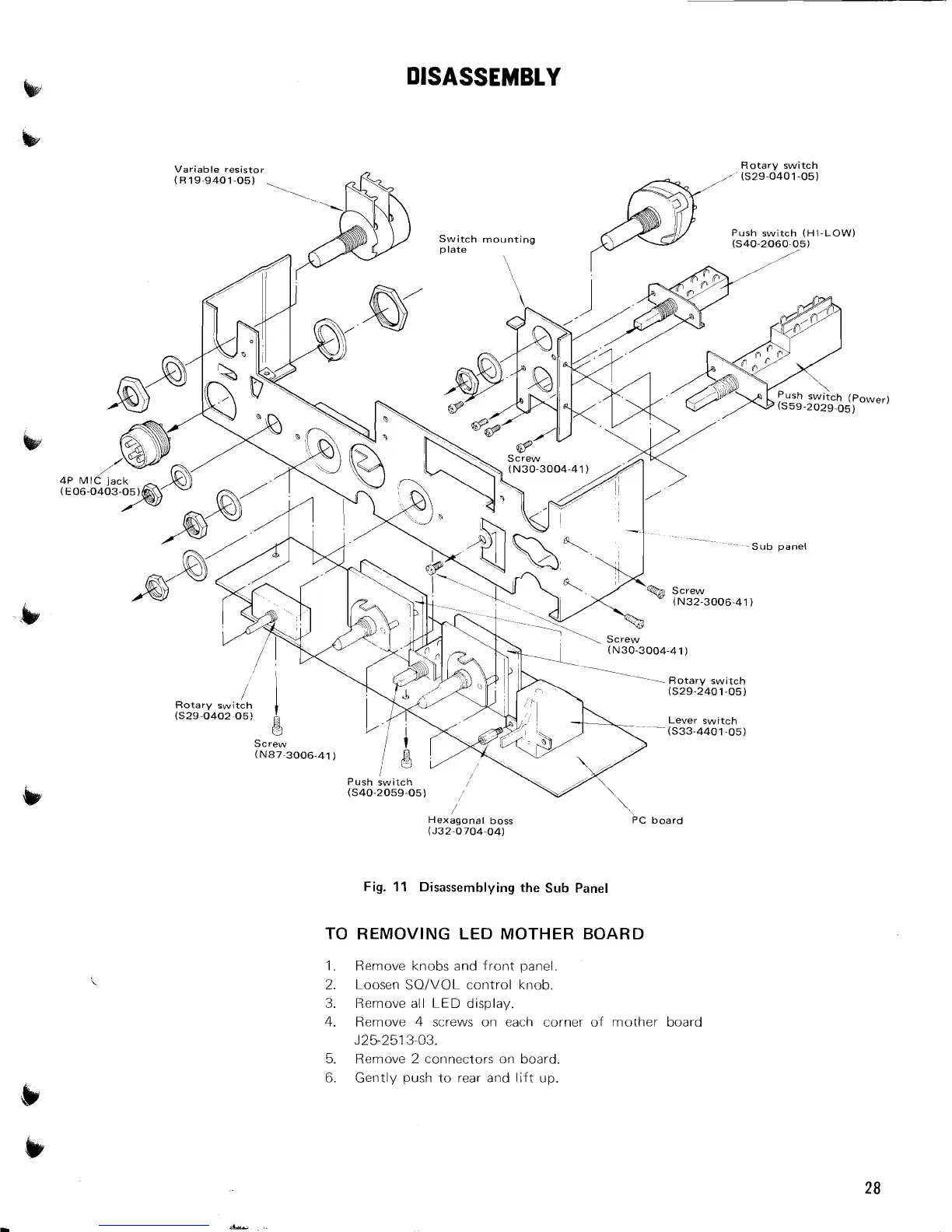
~exegonal boss
(J32-0704.04)
PC
board
Fig.
11
Disassernblying the Sub Panel
TO REMOVING LED MOTHER BOARD
1.
Remove knobs and front panel.
2. Loosen
SQIVOL control knob.
3. Remove all LED display.
4.
Remove
4
screws on each corner of mother board
J25-2513-03.
5. Remove 2 connectors on board.
6.
Gently push to rear and lift up.


 To Next Page