EasyManua.ls Logo

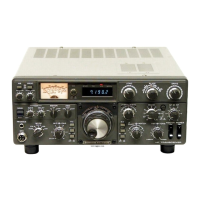
Kenwood TS-870S - User Manual

Kenwood TS-870S
104 pages
Print Icon
To Next Page IconTo Next Page
Loading...
TS-870S
HF TRANSCEIVER
© B62-1536-00 (K,P,E,X,M)(MC)
09 08 07 06 05 04 03 02 01 00
KENWOOD CORPORATION
INSTRUCTION MANUAL
Intelligent Digital Enhanced Communications System

Table of Contents

Other manuals for Kenwood TS-870S

Questions and Answers

  • H
    hgarnerNov 23, 2025
    Why is Kenwood Transceiver receive sensitivity poor?
    • C
      Christopher LeblancNov 24, 2025
      If your Kenwood Transceiver is not receiving signals or the receive sensitivity seems poor, it could be due to several reasons: 1. The SQL control is fully clockwise. Turn the SQL control counterclockwise. 2. The Attenuator function is ON. Press ATT [DOWN] repeatedly until the Attenuator function is OFF. 3. The transceiver is in the transmit mode since the [SEND] switch was pressed. Press [SEND] to return to the receive mode. 4. The Microphone PTT switch is pressed. Release the Microphone PTT switch. 5. The LO/WIDTH control or HI/SHIFT control is set incorrectly. Set the controls correctly. 6. The wrong antenna connector is selected. Press [ANT] to select the other antenna connector. 7. If using a separate receiver that is connected to the EXT RX ANT connector, the connector is not...
  • J
    Jane KhanAug 23, 2025
    What to do if Kenwood Transceiver has poor receive sensitivity and S-meter is full scale?
    • M
      Michael WilliamsAug 23, 2025
      If your Kenwood Transceiver is not receiving signals or the receive sensitivity seems poor, and the S-meter is reading full scale, it could be due to the RF gain control being set too low. To resolve this, turn the RF gain control fully clockwise.
  • M
    Mark HuntAug 26, 2025
    What to do if Kenwood Transceiver does not function normally after switching on?
    • L
      Luke JonesAug 27, 2025
      If your Kenwood Transceiver does not function normally after switching on the power, for example, no digits or incorrect digits appear on the Display, here are some possible causes: 1. The input voltage is outside 13.8 V DC ±15% (11.7 to 15.8 V DC). Correct the input voltage. Use a step-up transformer, if necessary, to raise the input line voltage to the DC power supply. Or, use a 12 to 16 V battery. 2. The microprocessor has malfunctioned. Review "MICROPROCESSOR RESET". After understanding what data will be lost, do a Partial Reset. If the problem remains, do a Full Reset.
  • O
    oadamsAug 27, 2025
    Why can't I transmit with my Kenwood Transceiver?
    • J
      Julia GeorgeAug 27, 2025
      If you cannot transmit using your Kenwood Transceiver even when you press [PTT], or transmissions result in no contacts, consider the following: 1. The microphone plug is not fully inserted into the Front Panel connector. Turn OFF the power, ensure the microphone connector on the Front Panel has no foreign objects in it, then plug in the microphone connector. Secure the connector with the locking ring. 2. The Transmit Inhibit function is ON. Switch Menu No. 27 (TX INH) to OFF. 3. You have selected CW or FSK instead of a voice mode. Press [LSB/USB] or [FM/AM] to select a voice mode. 4. The filter for Digital operation is selected. Switch Menu No. 19 (PKT.FIL) to OFF. 5. The wrong antenna connector (ANT 1/2) is selected. Press [ANT] to select the other antenna connector.
  • C
    Christopher MendezAug 29, 2025
    Why does my Kenwood TS-870S Transceiver have low transmit power?
    • M
      Melissa AndersonAug 29, 2025
      If your Kenwood Transceiver exhibits low transmit power, it could be due to: 1. The MIC gain control and/or CAR control being set too low. Increase the MIC gain control and/or CAR control clockwise depending on the mode being used. Review the appropriate section of the "COMMUNICATING" chapter for the mode being used. 2. Poor antenna system connections causing high SWR. Check antenna connections. Confirm that the antenna tuner is reporting a low SWR.
  • J
    joanne04Sep 18, 2025
    Why can't I select Menu Nos. in Menu mode on Kenwood TS-870S Transceiver?
    • C
      Christina RodriguezSep 18, 2025
      If Menu Nos. cannot be selected in Menu mode on your Kenwood Transceiver, it means that the Quick Menu function is ON (“MHz” is lit). Press [1MHz] to cancel the Quick Menu function.
  • T
    Tiffany HessSep 15, 2025
    Why doesn't Memory Scan stop when a station is found on Kenwood Transceiver?
    • O
      olivia83Sep 15, 2025
      If Memory Scan never stops scanning even when a station is found on your Kenwood Transceiver, it means that Busy Frequency Stop is not activated. Switch ON Busy Frequency Stop via Menu No. 67 (BSY.STOP).
  • H
    hernandezpatriciaSep 17, 2025
    Why doesn't Program Scan stop when a station is found on Kenwood TS-870S Transceiver?
    • J
      Julie OrtegaSep 18, 2025
      If Program Scan never stops scanning even when a station is found on your Kenwood Transceiver, this is normal operation. Review the Scan Hold function if you want to stop scanning when you hear a station while using Program Scan.
  • A
    Ashley SanchezSep 7, 2025
    Why does Kenwood Transceiver show "HELLO" message when transmitting?
    • R
      Rebecca RamosSep 7, 2025
      If you are attempting to transmit with your Kenwood Transceiver and the "HELLO" message appears, and the Receive mode is restored, it could be due to: 1. The antenna not being connected correctly. Check the antenna connection and correct as necessary. 2. The antenna not being matched correctly with the transceiver. Reduce the SWR of the antenna system. 3. The input voltage being outside 13.8 V DC ±15% (11.7 to 15.8 V DC). Correct the input voltage. 4. An inappropriate DC power cable being used. Use the provided or an optional DC power cable.
  • M
    melvin62Sep 5, 2025
    Why doesn't the linear amplifier operate with my Kenwood TS-870S?
    • P
      phillipsjenniferSep 5, 2025
      If the linear amplifier does not operate with your Kenwood Transceiver, it could be due to: 1. The LINEAR Menu setting being incorrect. Set Menu No. 51 (LINEAR) according to instructions in "INSTALLATION". 2. The REMOTE connector wiring being wrong or faulty. Inspect the REMOTE connector wiring and correct it.

Summary

INTRODUCTION

FEATURES

Lists key features of the TS-870S transceiver.

SUPPLIED ACCESSORIES

Lists included accessories and part numbers.

INSTALLATION

ANTENNA CONNECTION

Details connecting antennas and coaxial cable for optimal SWR.

ACCESSORY CONNECTIONS

Guides for connecting various external accessories.

PRECAUTIONS

Electrical Shocks

Avoid objects/liquids and prevent children from inserting objects.

Damage Requiring Service

List of cases requiring qualified personnel.

GETTING ACQUAINTED

YOUR FIRST QSO

A quick introduction to operating the transceiver.

FRONT PANEL

Identifies and describes front panel controls.

OPERATING BASICS

SWITCHING POWER ON;OFF

Procedure for powering the transceiver on and off.

DUAL DIGITAL VFOs

Explanation of independent VFO A and VFO B operation.

OPERATING BASICS (continued)

SELECTING MODE

How to change the operating mode.

SELECTING FREQUENCY

Methods for selecting frequencies.

OPERATING BASICS (continued)

FINE TUNING

Using the Fine Tuning function for precise tuning.

DIRECT FREQUENCY ENTRY

Entering frequency directly via keypad.

COMMUNICATING

SSB TRANSMISSION

How to transmit in SSB mode.

CW TRANSMISSION

How to transmit in CW mode.

COMMUNICATING (continued)

ELECTRONIC KEYER

Features and use of the K-1 Logikey keyer.

Storing CW Messages

How to store messages in character or real-time mode.

COMMUNICATING (continued)

FM TRANSMISSION

How to transmit in FM mode.

DIGITAL OPERATION

Operating digital modes with MCP.

OPERATING AIDS

RECEIVING

Basic receiving procedures.

RIT (RECEIVE INCREMENTAL TUNING)

Adjusting receive frequency independently of transmit.

OPERATING AIDS (continued)

TRANSMITTING

Basic transmitting procedures.

VOX (VOICE-OPERATED TRANSMIT)

Using VOX for automatic transmit switching.

MENU SETUP

WHAT IS A MENU?

Introduction to the transceiver's menu system.

QUICK MENU FUNCTION

Creating and using a customized quick menu.

MENU SETUP (continued)

MENU CONFIGURATION

Table detailing menu items, functions, and selections.

CROSS REFERENCE FOR MENU FUNCTIONS

Table to locate menu functions by subject.

REJECTING INTERFERENCE

DSP TOOLS

Using DSP for signal clarity.

SLOPE TUNING (SSB;AM)

Adjusting pass band cut-off frequencies.

REJECTING INTERFERENCE (continued)

AUTO NOTCH (SSB)

Automatically locating and attenuating interfering tones.

NOISE REDUCTION (SSB;CW;FSK;AM)

Using digital filtering to reduce noise.

MEMORY FEATURES

MEMORY CHANNEL STORAGE

Storing simplex and split-frequency channels.

Simplex Channels

Steps to store simplex channels.

MEMORY FEATURES (continued)

MEMORY CHANNEL RECALL

Retrieving stored frequency and data.

Quick Channel Search

Searching programmed or vacant channels.

MEMORY FEATURES (continued)

MEMORY TRANSFER

Transferring data between memory channels.

Memory VFO Transfers

Transferring memory channel contents to VFOs.

MEMORY FEATURES (continued)

ERASING MEMORY CHANNELS

Erasing all data from a selected memory channel.

Full Reset

Erasing all memory channels and resetting parameters.

MEMORY FEATURES (continued)

STORING SCAN LIMITS IN CH 99

Storing start and end frequencies for scan.

Confirming Start;End Frequencies

Checking programmed start and end frequencies.

MEMORY FEATURES (continued)

QUICK MEMORY

Storing up to five frequencies in a stack.

STORING INTO QUICK MEMORY

Saving current VFO data to Quick memory.

SCAN

PROGRAM SCAN

Scanning between stored start and end frequencies.

SCAN HOLD

Temporarily stopping scan for a few seconds.

SCAN (continued)

BUSY FREQUENCY STOP

Automatically stopping scan when a signal is detected.

ALL-CHANNEL SCAN

Scanning all memory channels with data.

SCAN (continued)

GROUP SCAN

Scanning memory channels within specified groups.

MEMORY CHANNEL LOCKOUT

Skipping specific memory channels during scan.

OPERATOR CONVENIENCES

MICROPROCESSOR RESET

Initializing microprocessor and memory.

FULL RESET

Erasing all memory channels and resetting parameters.

OPERATOR CONVENIENCES (continued)

SWITCHING ANT 1; ANT 2

Selecting between connected antennas.

PROGRAMMABLE FUNCTION BUTTONS

Customizing front panel buttons.

OPERATOR CONVENIENCES (continued)

LOCK FUNCTION

Disabling buttons to prevent accidental activation.

QUICK DATA TRANSFER

Transferring frequencies and data between transceivers.

OPERATOR CONVENIENCES (continued)

Connections

Connecting inter-unit cables for DSP and data transfer.

USING QUICK TRANSFER

Transferring data between transceivers.

OPERATOR CONVENIENCES (continued)

DRU-3 DIGITAL RECORDING SYSTEM (OPTIONAL)

Recording and transmitting audio messages.

MESSAGE PLAYBACK

Procedures for checking and transmitting messages.

OPERATOR CONVENIENCES (continued)

MESSAGE PLAYBACK (continued)

Verifying message content without transmission.

VS-2 VOICE SYNTHESIZER (OPTIONAL)

Announcing transceiver information.

MAINTENANCE

GENERAL INFORMATION

Factory alignment and general operating expectations.

SERVICE

Procedures for returning equipment for repair.

MAINTENANCE (continued)

INTERNAL ADJUSTMENTS

Procedures for internal adjustments.

REFERENCE FREQUENCY CALIBRATION

How to calibrate reference frequency.

TROUBLESHOOTING

OPTIONAL ACCESSORIES

INSTALLING OPTIONS

REMOVING THE CASE

Steps to remove the top and bottom cases.

DRU-3 DIGITAL RECORDING UNIT (OPTIONAL)

Installation of the DRU-3 unit.

INSTALLING OPTIONS (continued)

VS-2 VOICE SYNTHESIZER UNIT

Installation of the VS-2 unit.

SPECIFICATIONS

APPENDICES

APPENDIX A: LEARNING ABOUT DSP

Examples to help learn DSP functions and benefits.

APPENDIX B: PROPAGATION INFORMATION

Information on standard time and beacon stations.

APPENDICES (continued)

APPENDIX C: GENERAL COVERAGE RECEIVER FOR SWLING

Using the transceiver for shortwave listening.

APPENDIX D: COM CONNECTOR PROTOCOL

Details on computer interface hardware and protocol.

APPENDICES (continued)

HARDWARE DESCRIPTION

Description of the RS-232C COM connector.

COMPUTER CONTROL COMMANDS

Library of commands for computer control.

APPENDICES (continued)

PARAMETER DESCRIPTION

Explains parameters used in commands.

PARAMETER TABLE

Table of parameter formats and digits.

APPENDICES (continued)

TYPES OF COMMANDS

Classification of computer commands.

TERMINATOR

How to signal the end of a command.

APPENDICES (continued)

READING COMMAND TABLES

How to interpret command tables.

COMMAND TABLES

Tables for specific commands like AC, AI, AN.

APPENDICES (continued)

BC BEAT CANCEL

Command to set or read Beat Cancel status.

FA FREQUENCY VFO A; VFO B

Command to set or read VFO A/B frequency.

APPENDICES (continued)

GT AUTO GAIN CONTROL TIME CONSTANT

Command to set or read AGC time constant.

IF INFORMATION

Command to read transceiver status.

APPENDICES (continued)

KS KEYER SPEED

Command to set or read keyer speed.

KY CW KEYING

Command to convert input characters into Morse code.

APPENDICES (continued)

MC MEMORY CHANNEL

Command to set or read memory channels.

MR MEMORY READ

Reads memory.

APPENDICES (continued)

NB NOISE BLANKER

Command to set Noise Blanker OFF/ON.

NR NOISE REDUCTION

Command to set Noise Reduction OFF/ON.

APPENDICES (continued)

PC POWER CONTROL

Command to set or read transmit power.

PS POWER SWITCH

Command to set Power OFF/ON.

APPENDICES (continued)

RA RF ATTENUATOR

Command to set RF ATT (attenuator).

RM READ METER

Selects meter function or reads meter values.

APPENDICES (continued)

RT RIT

Command to set RIT OFF/ON.

SC SCAN

Sets Scan OFF/ON or reads status.

APPENDICES (continued)

SD SEMI BREAK-IN DELAY TIME

Sets Semi Break-in delay time.

SR SYSTEM RESET

Resets the transceiver.

Kenwood TS-870S Specifications

General IconGeneral
BrandKenwood
ModelTS-870S
CategoryTransceiver
LanguageEnglish

Related product manuals