Need help?
Do you have a question about the Kenwood VRS-5100 and is the answer not in the manual?
Introduces the remote control's operation modes and importance of understanding its design.
Explains the manual's structure: Preparations, Operations, Remote Control, and Additional Information.
Details AC voltage selection based on region to ensure proper operation.
Provides guidance on cleaning the unit and precautions regarding contact cleaners.
Outlines critical safety warnings regarding electric shock and product usage.
Lists items deleted from memory if the power cord is disconnected for approximately one day.
Provides FCC warning regarding radio frequency energy and potential interference.
Ensures all supplied accessories are present and advises on retaining original packaging.
Step-by-step guide for loading batteries into the remote control unit.
Instructions for changing channel space settings for different regions (Europe and Australia excluded).
Details various surround modes for enhanced audio experience with video software.
Explains Dolby Digital, Dolby Pro Logic II/IIx, DTS, DTS-ES, and Neo:6 technologies for surround sound.
Describes DSP surround modes and the ACTIVE EQ mode for dynamic sound quality.
Explains how the remote control can operate other KENWOOD DVD players.
Details RDS (Radio Data System) tuner and PTY (Program Type) search functions.
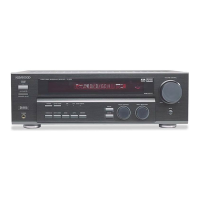
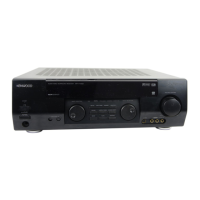
Identifies and describes the functions of the main unit's indicators and controls.
Explains the function of standby mode and how the system can be turned on.
Details the functions of each key on the remote control unit (RC-R0516E/RC-R0516).
Guides on selecting digital or analog input modes for various sources.
Steps to reset the microcomputer to resolve unit malfunctions or erroneous displays.
Illustrates how to connect audio and digital signal sources to the receiver.
Provides diagrams for connecting video sources, including S-VIDEO jacks.
Instructions for connecting speakers for HTB and VRS-5100 systems, including surround back speakers.
Details connecting front AUX jacks for camcorders/games and general terminal connections.
Explains speaker impedance matching and optimal placement for surround sound.
Guides on connecting AM loop, FM indoor, and FM outdoor antennas for radio reception.
Guides through setting speaker types, sizes, and levels for optimal surround sound.
Configures 6ch AMP settings and selects speaker systems for surround sound.
Sets up subwoofer presence and front speaker size (large/normal).
Configures center and surround speaker settings based on size and presence.
Sets up surround back speaker presence (BS/SW or BS OFF).
Adjusts subwoofer re-mix settings for enhanced bass performance.
Procedure for adjusting individual speaker volume levels using test tones.
Inputting speaker distances from the listening position for accurate sound staging.
Fine-tunes speaker equalization (EQ) for medium or small front speakers.
Steps for turning on the receiver and selecting input sources and volume.
Guides on powering on the receiver and selecting desired input sources.
Explains how to select and play audio from connected source components.
Covers muting sound, adjusting bass/treble, ACTIVE EQ, and headphone listening.
Instructions for recording audio from analog sources.
Instructions for recording video sources, noting potential copy guard issues.
Guide to tuning FM/AM stations using auto or manual tuning methods.
Details RDS functions like auto memory, preset station storage, and RDS display information.
Automatically stores up to 40 FM stations in preset memory.
Procedure for manually storing AM stations, FM stations, and RDS stations.
Instructions for receiving stored preset stations using P.CALL or numeric keys.
Explains how to display RDS information like station name, radio text, and frequency.
Automatically stores up to 40 RDS stations in preset memory for PTY search.
Enables searching for stations broadcasting specific program types (genre).
Illustrates speaker placements for 5.1, 6.1, and 7.1 channel surround sound systems.
Details Dolby Digital, its 5.1 channel format, and Dolby Digital EX extension.
Explains Dolby Pro Logic II and IIx features for enhancing surround sound from various sources.
Describes DTS-ES Extended Surround and Neo:6 technologies for advanced surround audio.
Explains the DTS multi-channel audio format and playback requirements.
Details DSP modes for creating live concert or hall atmosphere.
Details how to select listening modes for Dolby Digital, DTS, and analog signals.
Allows adjusting the volume level for each speaker channel during listening.
Covers Midnight, Panorama, Dimension, and Center Width modes for customized audio ambience.
Adjusts display brightness and sets a sleep timer for automatic unit turn-off.
Information on playing 96kHz DVD content and setting the listen mode to STEREO.
Explains basic operations for controlling a KENWOOD DVD player using the receiver's remote.
Steps to reset the microcomputer to resolve unit malfunctions or erroneous displays.
Addresses common amplifier issues like no sound, blinking indicators, and soft audio output.
Common tuner problems such as no reception, interference, and preset station issues.
Solutions for remote control operation issues, including battery and range problems.
Details power output, frequency response, sensitivity, and other audio/video parameters.
Lists FM/AM tuner specifications, power consumption, and unit dimensions.
Outlines specifications for digital audio inputs like optical and coaxial.
Instructions to record model and serial numbers for service and warranty purposes.
 Audio Specifications
| stereo rated power output | 50 W + 50 W |
|---|---|
| surround front power output | 50 W + 50 W |
| surround center power output | 50 W |
| surround back power output | 50 W |
| subwoofer power output | 50 W |
| total harmonic distortion | 0.02 % |
| frequency response | 10 Hz ~ 95 kHz |
| signal to noise ratio | 95 dB |
| input sensitivity / impedance | 350 mV / 47 kΩ |
| output level / impedance | 350 mV / 1 kΩ |
| tone control bass | 10 dB (at 100 Hz) |
| tone control treble | 10 dB (at 10 kHz) |
Digital Audio Specifications| sampling frequency | 32 kHz, 44.1 kHz, 48 kHz, 96 kHz |
|---|---|
| optical input level / impedance / wavelength | (–15 dBm ~ –24 dBm), 660 nm ±30 nm |
| coaxial input level / impedance | 0.5 Vp-p / 75 Ω |
Video Specifications| video inputs / outputs | 1 Vp-p / 75 Ω |
|---|---|
| s-video luminance signal | 1 Vp-p / 75 Ω |
| s-video chrominance signal | 0.286 Vp-p / 75 Ω |
FM Tuner Specifications| tuning frequency range | 87.5 MHz ~ 108.0 MHz |
|---|---|
| usable sensitivity mono | 1.3 V / 13.2 dBf |
| usable sensitivity stereo | 45 µV / 42.1 dBf |
| total harmonic distortion mono | 0.3% (65.2 dBf input) |
| total harmonic distortion stereo | 0.8% (65.2 dBf input) |
| signal to noise ratio mono | 65 dB (65.2 dBf input) |
| signal to noise ratio stereo | 60 dB (65.2 dBf input) |
| stereo separation | 36 dB |
| selectivity | 64 dB |
| frequency response | +0.5 dB, –3.0 dB |
AM Tuner Specifications| tuning frequency range | 531 kHz ~ 1, 602 kHz |
|---|---|
| tuning frequency range for U.S. Military 10 kHz step | 530 kHz ~ 1, 610 kHz |
| tuning frequency range 9 kHz step | 531 kHz ~ 1, 602 kHz |
| usable sensitivity | 16 µV / (600 µV/m) |
| signal to noise ratio | 50 dB |
General Specifications| power consumption | 170 W |
|---|---|
| dimensions (W x H x D) | 440 mm x 70 mm x 360 mm |
| weight | 7.8 kg |


 To Next Page