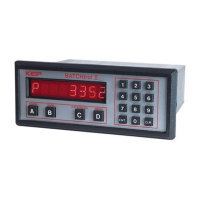
In the Run Mode the display will initially dis-
Zero, if setup to reset to zero.
Preset number, if set to reset to preset .
A warning message (See Section 6-1)
The unit will accept input signals and dis-
play Rate, Batch Total or Grand total.
The Batch Total is displayed as a number.
The Rate is displayed as “R” followed by a
The Grand Total is displayed as a fl ashing
(The Grand Total fl ashes so that it will not be
confused with the Batch Total.)
To toggle between the Rate and Batch Total,
press the C button. Press the ENT but-
ton at any time to view the Grand Total, then
press it again to go back to the Rate or Batch
3-11.2 Resetting (Clearing) the Totalizers.
To clear the Batch Totalizer,
the unit must be in the Run Mode.
the unit must be displaying the Batch
the unit must not be locked out.*
If the above conditions are met, press the
CLR (clear) button. The display should then
show the preset or zero depending on how
To clear the Grand Totalizer,
the unit must be in the Run Mode.
the unit must be displaying the Grand
the unit must not be locked out.
If the above conditions are met, press the
CLR button. The display should then show
* The unit may be reset if it is locked out by
putting a 3-30 VDC signal to pin 5 on the rear
The unit is shipped from the factory unlocked.
To lock the unit, it must be in the Run Mode. The
unit is shipped from the factory with a Lockout
As a test, when you receive the unit, power
it up and press 1 then 0 three times. The
display should briefl y show LOCK ON. This
means that the unit is now “locked out”. Press
1 then 0 three times again. The display
should then show LOCK OFF briefl y. This
means that the unit is now unlocked.
What LOCK ON or “Locked Out” means:
the Grand Totalizer cannot be reset.
only the preset can be accessed and
the prewarn can be accessed but
the rest of the Menu cannot be ac-
display Rate, Batch Total and Grand to-
have Start, Stop and Rate/Total buttons
LOCK OFF means that the unit functions
normally as described in this manual.
The Lockout code can be changed or viewed
by accessing Lockout in the setup Menu. (See
Section 3-3; Menu Item 4; Lockout.) The unit
must Unlocked to do this so be sure to record
any Lockout code changes in case it is forgot-
The Lock toggles back and forth from LOCK ON
to LOCK OFF each time the code sequence is
entered. The last four digits pressed, while in
the Run mode, are the ones that the unit checks
for Lockout code sequence. For example: while
1000 will unlock/lock a new unit from the factory,
so will the number 347191000 (the last four
digits are the code sequence, so, this number
RECORD ALL LOCKOUT CODE CHANGES.


 To Next Page