EasyManua.ls Logo

KEP BATCHtrol II - Internal Operation

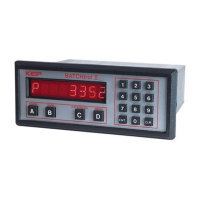
KEP BATCHtrol II
51 pages
Print Icon
To Next Page IconTo Next Page
To Previous Page IconTo Previous Page
Loading...
29
3-12.2 Analog Inputs and Computations
The Analog input signal is ltered electronically
and converted to a 0 - 10000 Hz input frequency.
(See Section 7, K Factor Calculation and Sec-
tion 4-2, Analog Inputs).
Computations:
Pulses In
= Count
Count K Factor
Pulses In
= Rate
Rate K Factor
Batch Total
=
Count (since last Batch
Reset)
Grand Total
=
Count (since last Grand
Total Reset)
Rate
=
Rate
Tau
Tau = 1 sec or WINDOW if (Rate/1 sec) = 0
(See Sections 1-3 and 3-10, Setting the
Ratemeter)
Frequency Out
= Count
(Sequenced out as per OUT FREQ selec-
tion and buffered to 9999 pulses)
(See Sections 1-3 and 3-10, OUT FREQ)
Prewarn Out
=
Count
Preset - Prewarn (if Reset to 0)
Count
Prewarn (if Reset to Preset)
Preset Out
=
Preset Out = Preset Out
Count
Preset (if Reset to Zero)
Count
0 (if Reset to Preset)
3-12 Internal Operation
3-11.1 Digital Inputs and Computations
The 3-30 Volt input signal is fi ltered electroni-
cally (See Section 4-1, Digital Pulse Inputs).
Computations:
Pulses In
= Count
Count K Factor
Pulses In
= Rate
Rate K Factor
Batch Total
=
Count (since last Batch
Reset)
Grand Total
=
Count (since last
Grand Total Reset)
Rate
=
Rate
Tau
Tau = 1 sec or WINDOW if (Rate / 1 sec) = 0
(See Sections 1-3 and 3-10, Setting the
Ratemeter)
Frequency Out
= Count
(Sequenced out as per OUT FREQ selec-
tion and buffered to 9999 pulses)
(See Sections 1-3 and 3-10, OUT FREQ)
Analog Out
=
Analog Out = Analog Out
(
(
Rate
- SET LOW)
- SET LOW)
Rate - SET LOW) Rate
x16 +
4
(SET HIGH - SET LOW)
(See Sections 1-3 and 3-10, ALG OUT)
Prewarn Out
=
Count
Preset - Prewarn (if Reset to 0)
Count
Prewarn (if Reset to Preset)
Preset Out
=
Preset Out = Preset Out
Count
Preset (if Reset to Zero)
Count
0 (if Reset to Preset)