EasyManua.ls Logo

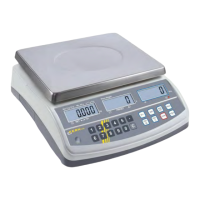
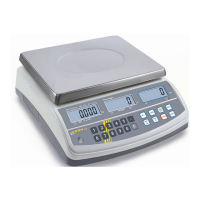
KERN CPB 3K1M - User Manual

KERN CPB 3K1M
22 pages
Print Icon
To Next Page IconTo Next Page
Loading...
KERN & Sohn GmbH
Ziegelei 1
D-72336 Balingen-Frommern
E-Mail: info@kern-sohn.com
Tel: 0049-[0]7433- 9933-0
Fax: 0049-[0]7433-9933-149
Internet: www.kern-sohn.com
GB
Service Manual
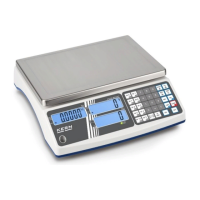
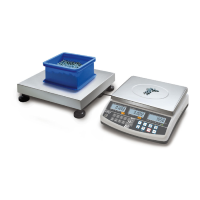
Electronic Counting Balance
Page 2
KERN CPB
Software rev.: 3.02 & above
Version 2.1 11/2007

Questions and Answers

  • J
    Justin ChavezAug 2, 2025
    Why do KERN CPB 3K1M show the wrong weight?
    • E
      Elizabeth GarciaAug 2, 2025
      If your KERN Scale shows the wrong weight, it might be due to incorrect scale installation. Ensure that a part of the product being weighed isn't trapped between the pan and the scale. You should also check the calibration and ensure the mechanical stops are adjusted correctly.
  • M
    Melanie TaylorAug 11, 2025
    What to do if my KERN CPB 3K1M Scales show an error 'E4'?
    • S
      smithmichaelAug 11, 2025
      If your KERN Scale displays the error code 'E4' on the screen, it could be due to load cell damage, improper scale installation, or incorrect adjustment of the mechanical stops. Another potential cause is that the factory calibration has been tampered with. In this case, check the ADC counts and re-calibrate the scale.
  • J
    Jennifer RomeroAug 21, 2025
    How to fix KERN CPB 3K1M that won't turn on?
    • R
      ronaldhernandezAug 21, 2025
      If your KERN Scale does not turn on, start by checking if the scale is properly plugged into the power supply. Then, check the operation of the charging circuit and verify if the battery is charged - the LED should turn green from red when fully charged. Finally, check the adapter output.

Summary

Specifications

Troubleshooting

Installation

General Installation

Provides guidelines on selecting an appropriate location, avoiding environmental extremes, and ensuring stability for accurate operation.

Service Parameters

Enter Calibration Parameter via 0000

Explains entering calibration mode using default PIN '0000' via jumper and power application.

F1 - Calibration Procedure

Details steps for performing calibration: removing weight, applying calibration weight, and verifying results.

Enter Service Parameters via 2006

F1 - Calibration

Details the procedure for scale calibration when accessed via the '2006' service code.

F9 - Set PIN

Guides on changing the user PIN number to access service parameters.

KERN CPB 3K1M Specifications

General IconGeneral
Capacity3 kg
Readability0.1 g
Weighing Unitsg, kg, lb, oz
CalibrationExternal calibration
InterfaceRS-232
Power Supply230V/50Hz
Reproducibility0.1 g
Linearity±0.2 g

Related product manuals