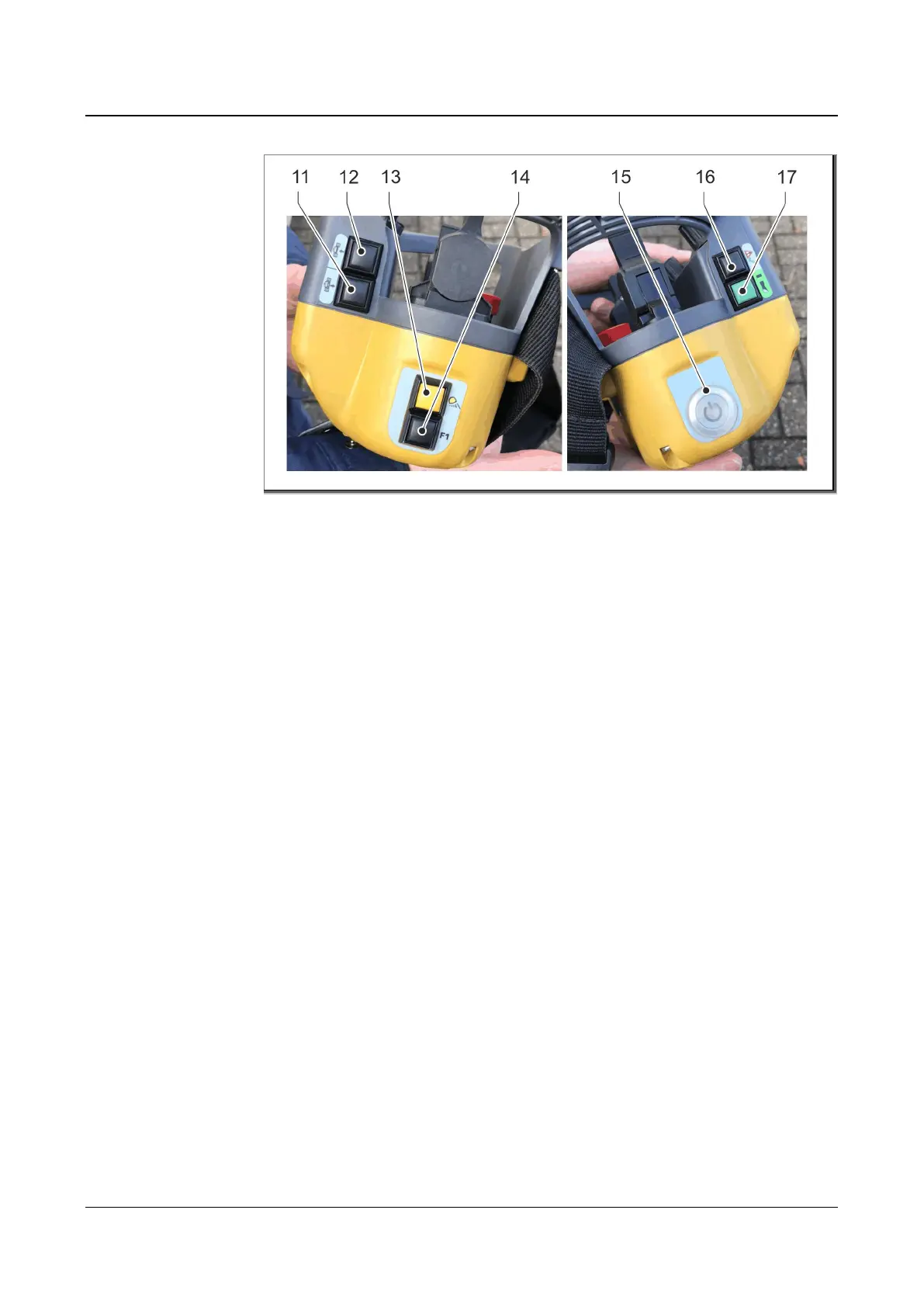
: Wireless remote control (side view)
11 Lower the mowing unit
12 Raise the mowing unit
13 Work lights on / off
14 No function
15 Remote control on / off
16 Acknowledge error
17 Horn button
The raise the mowing unit (12) and lower the mowing unit (11) buttons can be used
to smoothly raise and lower the mowing unit electrically.
The work lights on / off button (13) has two functions.
• Button is pressed once: All four work lights (two on the front and two on the
rear) are turned on.
• Button is pressed twice: Work lights change depending on the direction of
travel. Only the two work lights in the direction of travel are turned on. When
the direction of travel changes, the lights change.
The black button (14) has no function.
The remote control can be turned on and off with the remote control on/off switch
(15).
The acknowledge error button (16) acknowledges pending error messages. Once
the error message has been acknowledged, the machine will automatically restart
and sound a horn when it is ready for operation.
The operator can use the horn button (17) to warn people in the surrounding area
of the presence of the machine during operation. During the start-up process, the
horn button (17) is used to establish a connection to the remote control.



 To Next Page