9
KESTREL MENU NAVIGATION
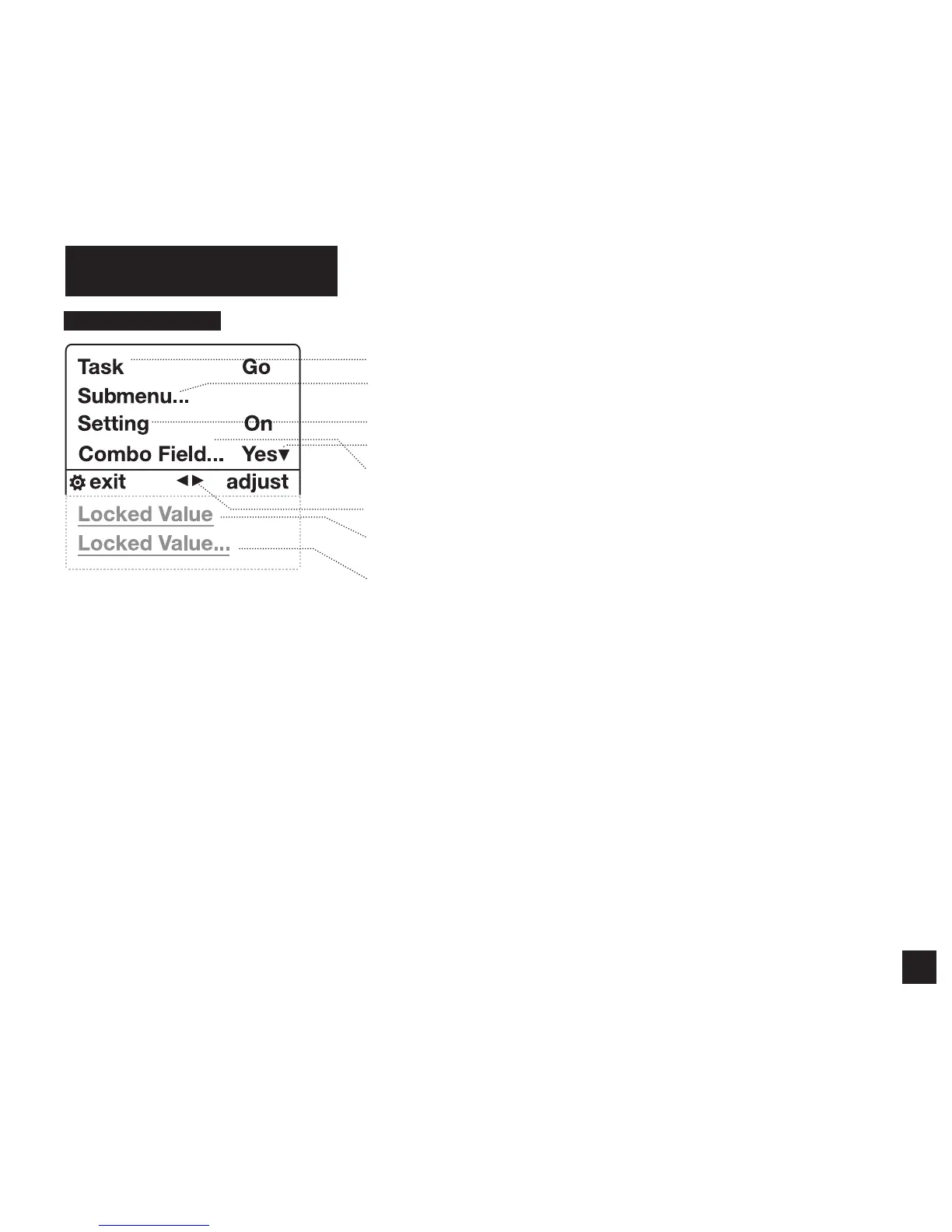
TYPES OF MENU ITEMS
» Tasks are executed by highlighting the eld and pressing Select.
» The presence of a submenu is indicated by a “…” following a eld.
» Highlight the eld and press Select to enter a submenu.
» Adjust the value of a Combo Field by pressing left or right.
» Enter the Combo Field sub menu by pressing select.
» Adjust a setting by pressing left or right.
» An arrow indicates there are additional elds o screen.
» Locked values are either driven by another value or cannot be edited on
the current screen.
» Locked values may have submenus which are entered by pressing select.
» Navigation buttons indicate available actions on the current screen.



 To Next Page