40
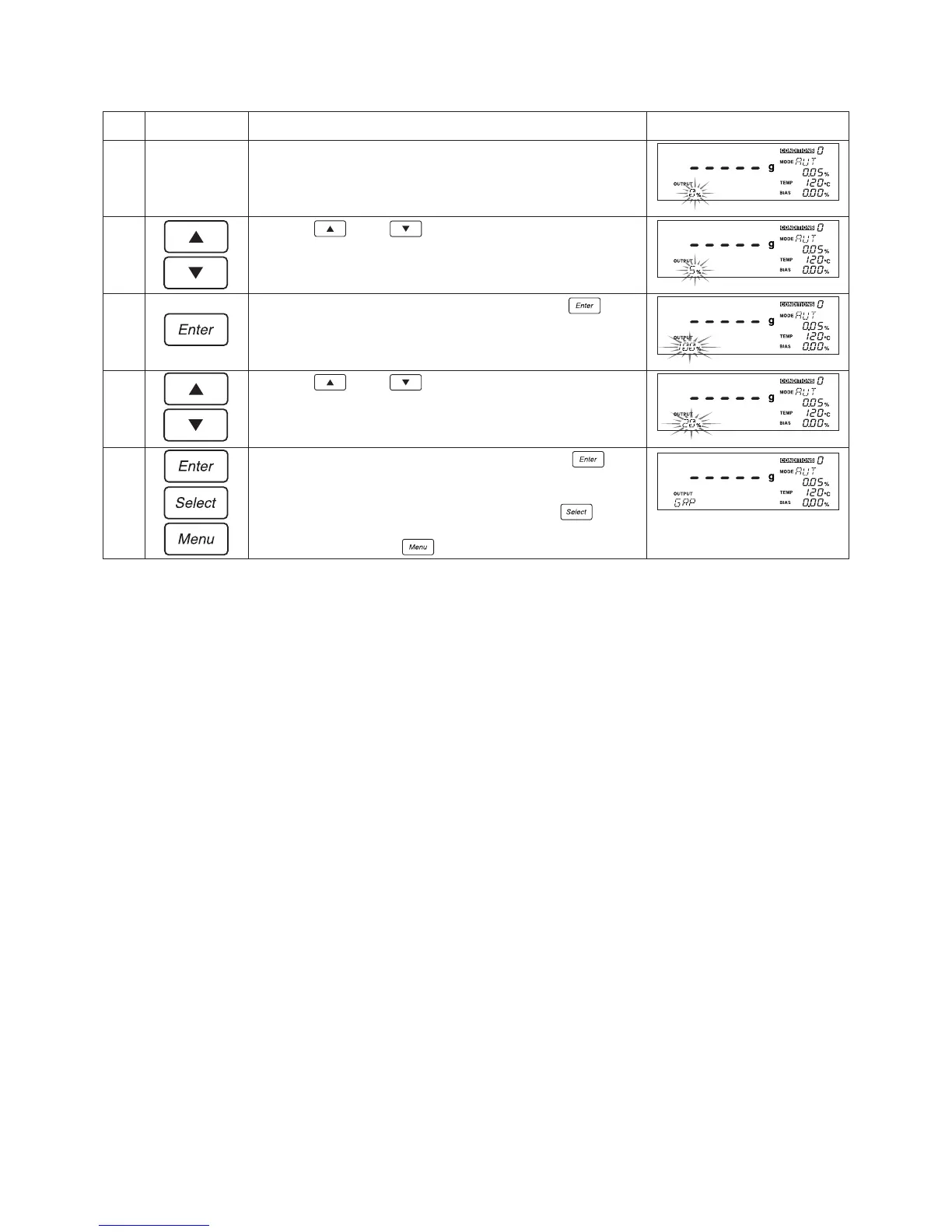
Specifying the range of measurement values to be used (when ‘GRP’ has been selected)
Key(s) used Operating instructions
The currently selected minimum for the range of measurement
values will begin to flash.
Press the key or key until the desired minimum is
displayed. Note that here a value of ‘5%’ has been selected.
When the desired minimum begins to flash, press the key.
The will cause the maximum for the range of measurement values
to begin to flash.
Press the key or key until the desired maximum is
displayed. Note that here a value of ‘20%’ has been selected.
When the desired maximum begins to flash, press the key.
The currently specified output destination will be displayed and
the display will return to the state shown in step 2.
If you wish to specify other menu settings, press the
key to
select the desired menu item. If you wish to exit from specifying
menu settings, press the key.
Step
8
9
0
!
@
Display


 To Next Page