EasyManua.ls Logo

Key Digital KD-MLV4x4Pro - Text Overlay

Key Digital KD-MLV4x4Pro
33 pages
Print Icon
To Next Page IconTo Next Page
To Previous Page IconTo Previous Page
Loading...
521 East 3
rd
Street Mt. Vernon, NY 10553 • www.keydigital.com
Rev 1.1 Apr, 2022
28
Text Overlay
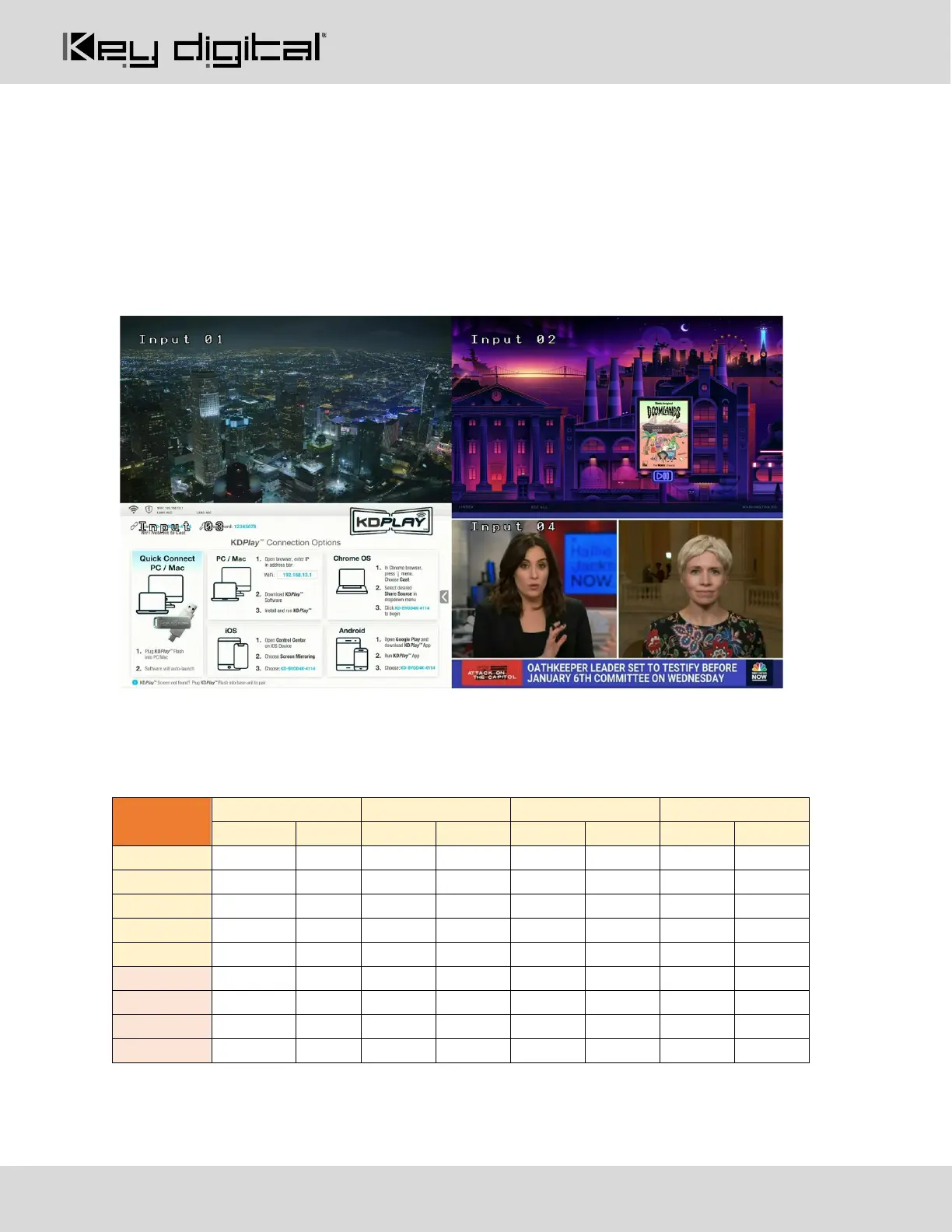
Text overlay available while in multi-view mode.
The assigned name of each source may be displayed in each window.
Use KDMS Pro or send commands via IP/RS-232 to set the name of each source, X/Y location of each
text box, and to enable disable the text overlay setting
16 characters maximum with variable sizing (large / medium / small).
o The below image is an example of “large” text overlay applied.
Each Multiview layout may have a unique text overlay location
The below table has the default settings per each multi-view preset (regardless of 4K, 1080p, or 720p
output resolution).

Multi-view
Preset
Input 3
X
Y
X
Y
X
Y
X
Y
1 (Quad)
100
100
2020
100
100
1180
2020
1180
2 (Top)
740
100
100
1540
1380
1540
2660
1540
3 (Bottom)
740
820
2660
100
1380
100
100
100
4 (Left)
100
460
2660
1540
2660
820
2660
100
5 (Right)
1380
460
100
100
100
820
100
1540
6 (custom)
100
100
2020
100
100
1180
2020
1180
7 (custom)
100
100
2020
100
100
1180
2020
1180
8 (custom)
100
100
2020
100
100
1180
2020
1180
9 (custom)
100
100
2020
100
100
1180
2020
1180

Related product manuals