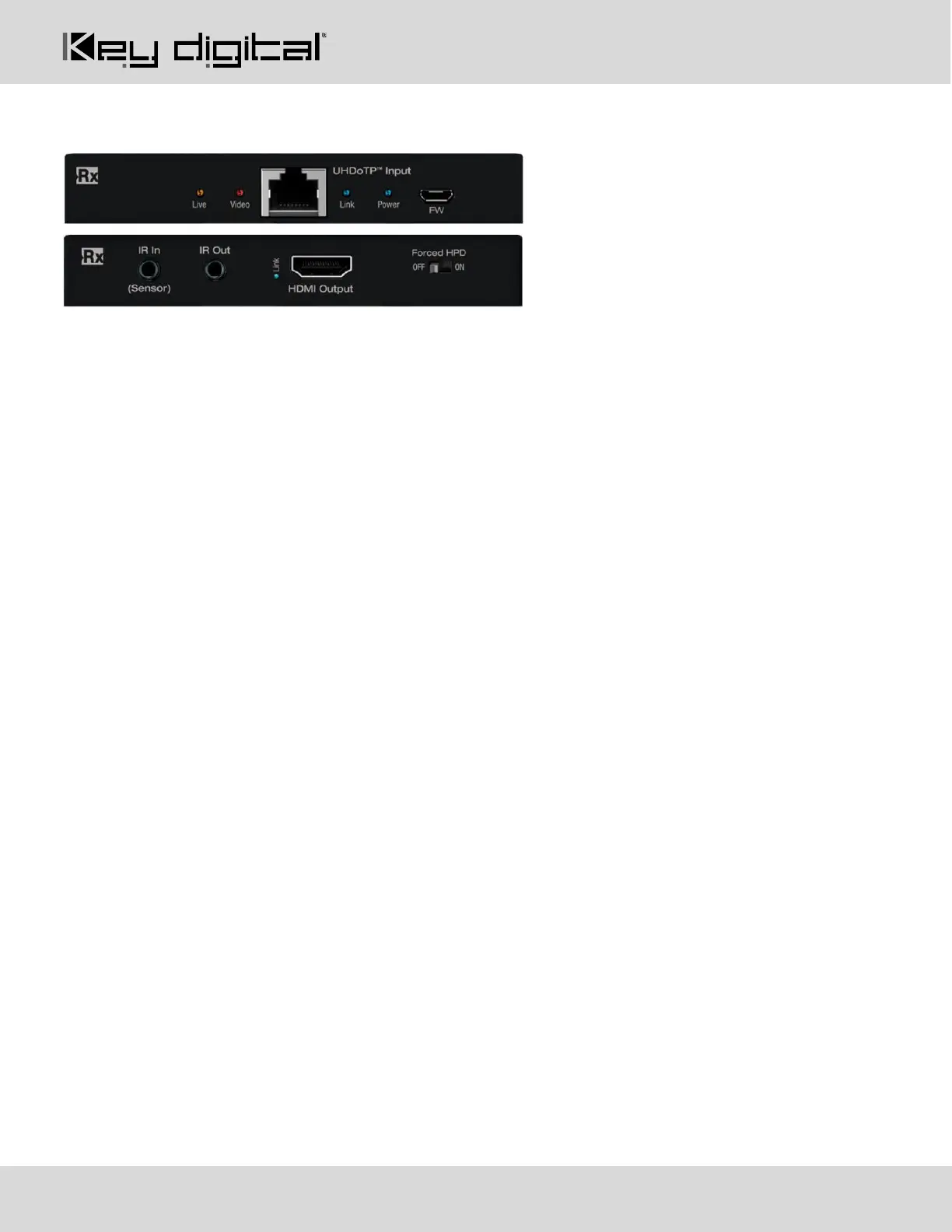
KD-EXMLVRx Connections, LEDs, and Slide-Switches
HDMI Output: Using an HDMI cable, connect your HDMI displays.
• Supports up to UHD/4K @ 30fps [4:4:4], 8 bit color, 10.2Gbps maximum bandwidth
• Compliant with HDMI 2.0, HDCP 2.x and previous
• Supports surround audio formats including Dolby ®, DTS™ (formats up to 5.1 / 6.1)
• Does not support HDR, CEC, ARC, or 3D
• Output resolution of 4K @ 30fps, 1080p @ 60fps, or 720p @ 60fps may be selected per output using
KDMS Pro software or by sending command via TCP/IP or RS-232
• Source selection and down-convert settings are mirrored on UHDoTP and HDMI output connections of
the same port number.
• For Display Port monitors use active HDMI to DP converter
UHDoTP Input: Connect a CAT5e/6 cable to the Main unit’s UHDoTP Output port using 568-B termination.
• Supports up to UHD/4K @ 30fps [4:4:4], 8 bit color, 10.2Gbps maximum bandwidth
• Compliant with HDMI 2.0, HDCP 2.x and previous
• Distance performance:
o UHD/4K: Up to 115ft (35m) using CAT5e/6, up to 40m (131ft) using CAT6A STP
o 1080p: UP to 164 ft (50m) using CAT5e/6, up to 60m (197ft) using CAT6A STP
• Supports Dolby®, DTS™ (5.1 / 6.1 formats max)
• Does not support HDR, CEC, ARC, or 3D
• Output resolution of 4K @ 30fps, 1080p @ 60 fps, or 720p @ 60fps may be selected per output using
KDMS Pro software or by sending command via TCP/IP or RS-232
• Provides 12V Power over CAT to KD-EXMLVRx
• Important Notes:
o Minimum CAT5e/6 cable length required: 17ft (5m)
o Not compatible with HDBaseT or third-party Rx. Connecting to incompatible Rx may cause
damage and result in void of warranty.
IR Out:
• Connect the included IR emitter to control your display / projector.
• Pinout: Tip = IR in/out signal, Sleeve = Ground
• If the respective IR In/Out port on KD-MLV4x4Pro has been set to IR Output, this port is no longer active



 To Next Page