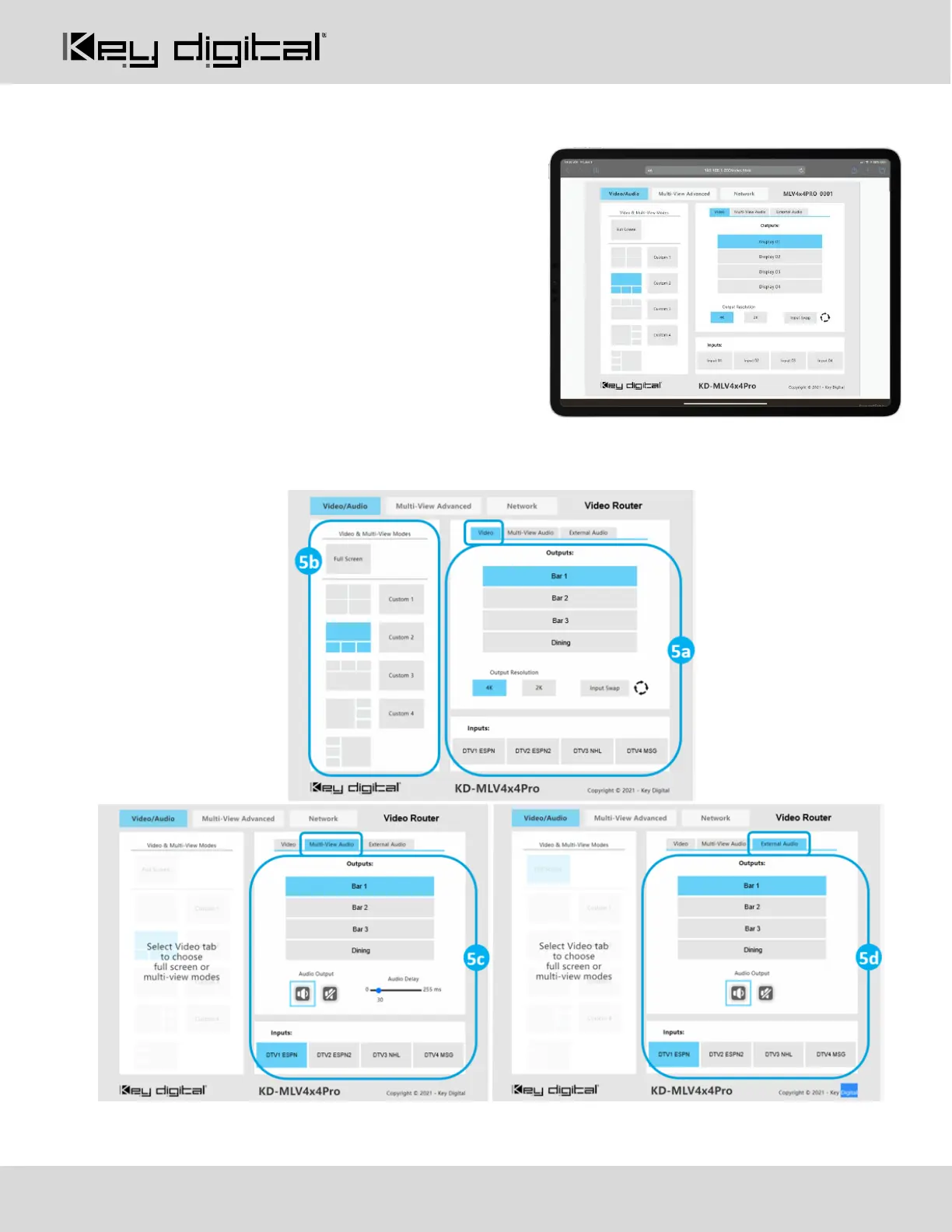
Option 3: Control via web UI
Access KD-MLV4x4Pro’s web UI from any phone, tablet, or
PC. The web UI shows the input, output, and unit name, for a
user-friendly experience.
1. Connect and Configure your KD- MLV4x4Pro as
described in the Connect & Configure sections
2. Ensure the PC, phone, or tablet are on the network
with KD- MLV4x4Pro
3. Enter IP Address of KD-MLV4x4Pro unit into the web
browser search bar
4. Enter the password. Default password is “admin”
5. Use the web UI to control video routing (5a) and select
multi-view for each output (5b), choose audio sources in multi-view mode (5c) or for independent audio
routing (5d).



 To Next Page