Additional configuration steps for control by KD-App and KDMS Pro
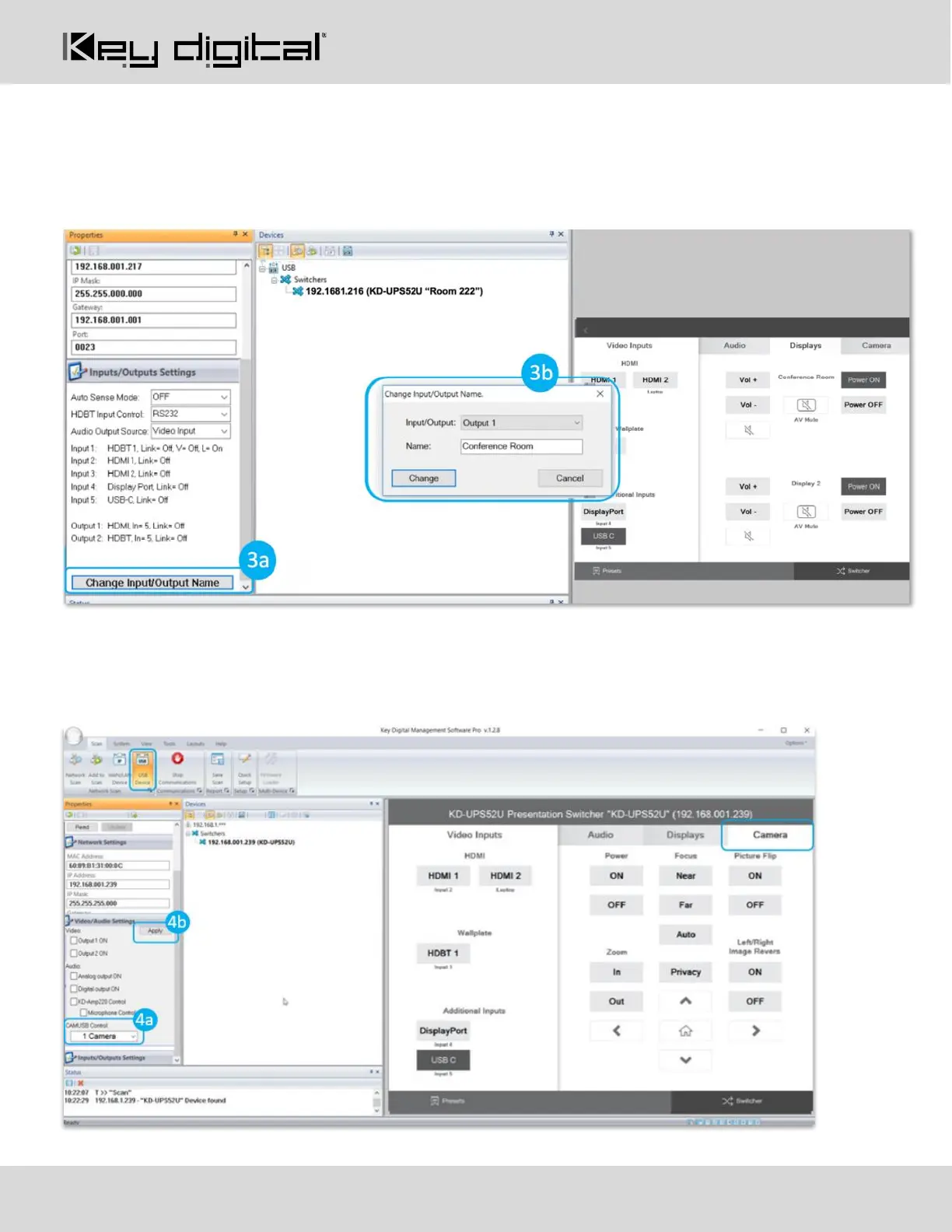
9. Set the desired Input/Output names by entering the Input/Output Settings section of the properties
window, and selecting the Change Input/Output Name button (fig. 3a), selecting the desired input/output
and entering the name (fig. 3b)
10. If utilizing KD-CamUSB integration control mode, choose the quantity of cameras needed to control (fig
4a). Press Apply (fig 4b)
a. Note: Controlling more than two cameras will require the use of active third-party RS-232 signal
distribution. Maximum of seven cameras is supported.


 To Next Page