Control
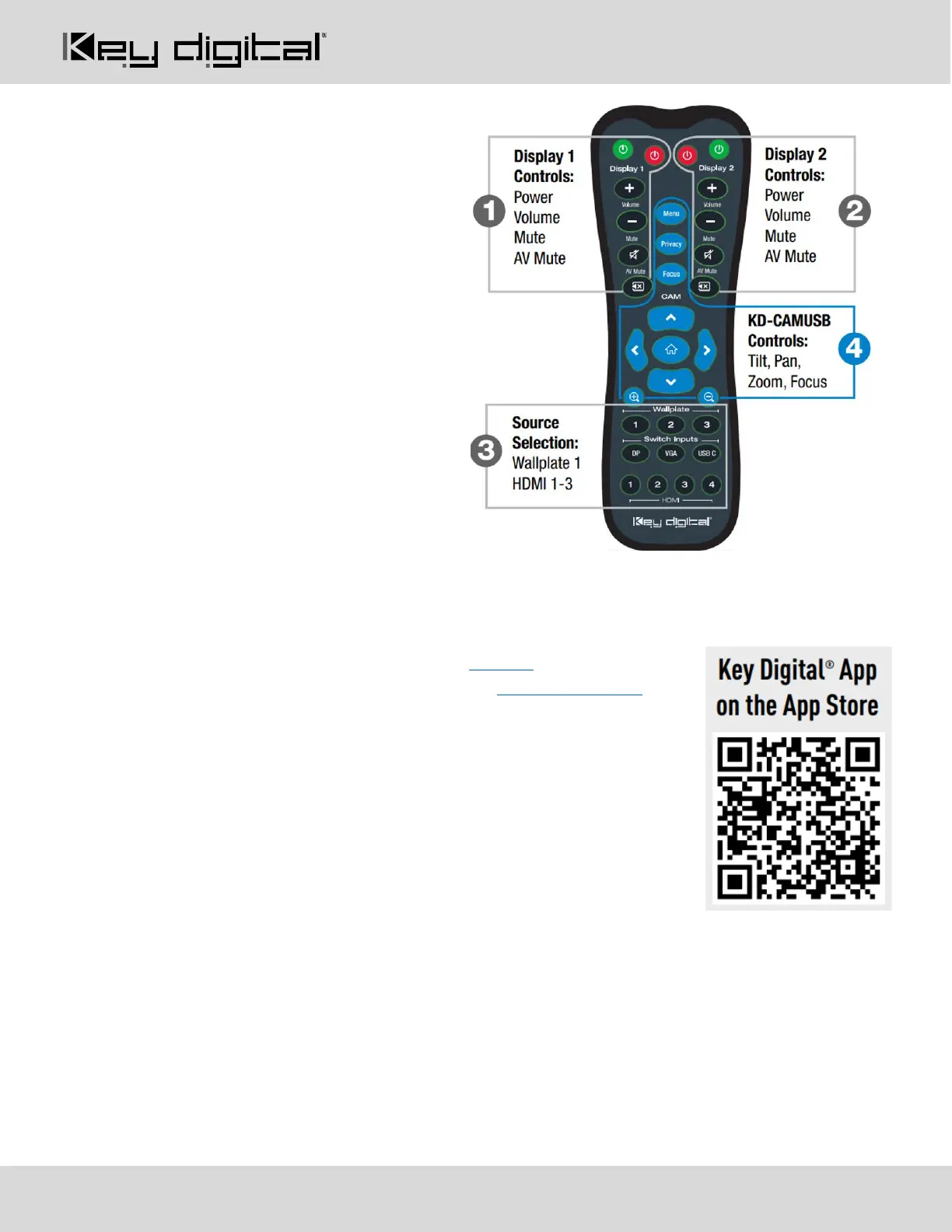
Option 1: Control via Remote Control
1. Output 1 display/projector control via CEC
2. Output 2 display/projector control via CEC
3. Input selection of KD-PS42 connected
sources
4. KD-CamUSB (sold separately) IR control
Option 2: Control via KD-App, KDMS Pro™
KD-PS42 is controllable by Key Digital’s user-friendly iOS App (downloadable in
the App Store) or Key Digital® Management Software™ (downloadable here).
1. Connect and Configure your KD-PS42 as described in this Connect &
Configure sections
2. Download and open KD-App and/or KDMS™
3. Ensure the iOS device and/or PC computer are on the same network with
KD-PS42
4. Perform a network scan in the KD-App/KDMS™
5. Select and control the selected KD-PS42


 To Next Page