HX3.5 Mainboard 5
HX3 Apps and Tools
The Menu Panel chapter describes how you can fully control the HX3 system via a menu panel
connected to the HX3.5 mainboard. However, there are other, more comfortable options: Use the
Panel in the HX3.5 Manager for operation via PC or notebook. Use TouchOSC for operation via
tablet or smartphone.
HX3.5 Manager
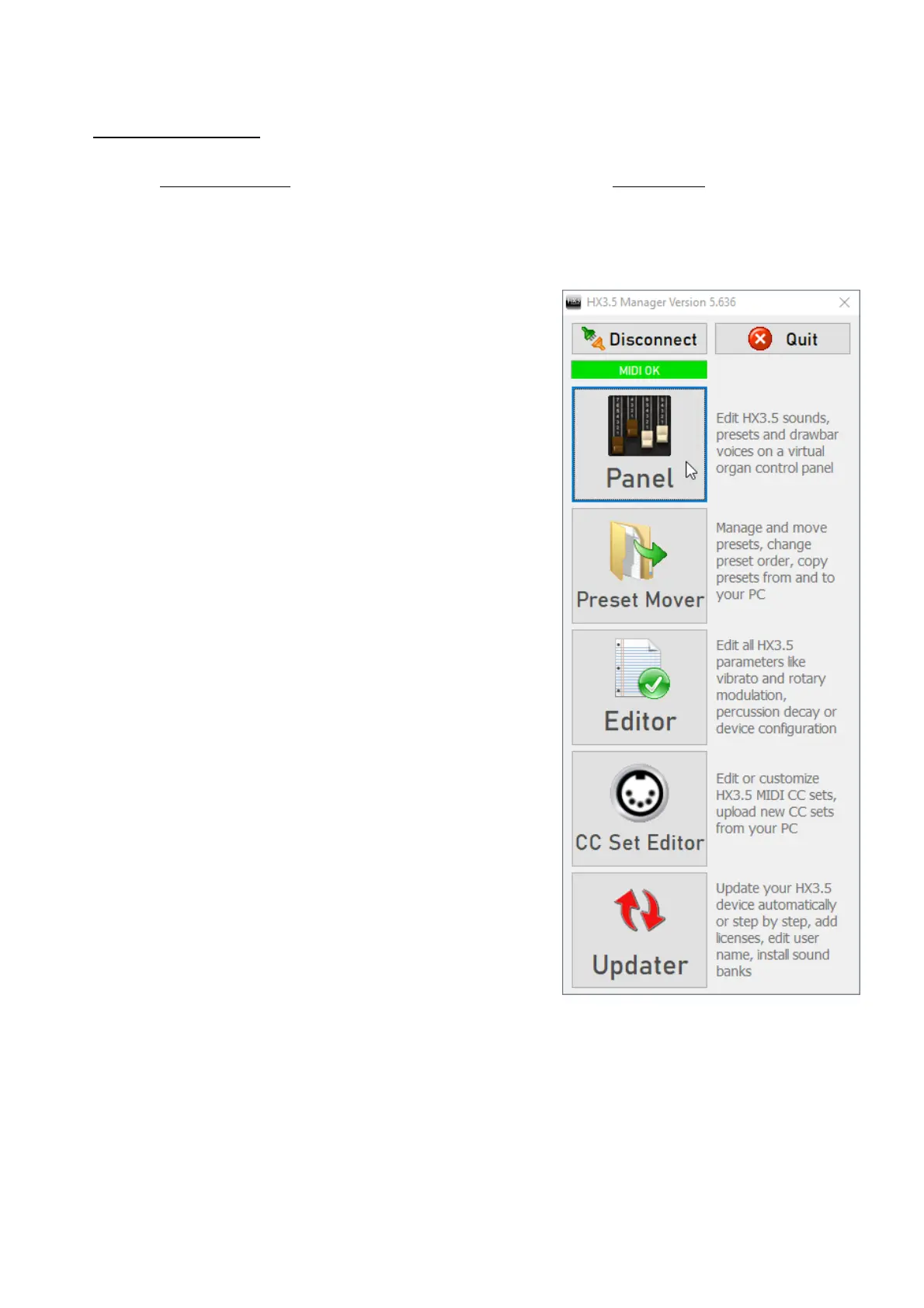
The HX3.5 Manager supports the use of your HX3 device
with a variety of functions:
The Panel contains switches and drawbars for your HX3
device. In the panel window you can adjust sounds and
effects, create, name and save presets. When the panel is
open, you can recall presets live using the function keys on
your PC keyboard.
The Preset Mover makes it easy to manage presets. It lets
you try out, move, and rename presets. You can transfer
presets from a file to the HX3 device or save them to a file.
The Editor lets you set up the HX3.5 for all conceivable
hardware configurations, gives you access to all available
parameters, and lets you fine-tune sounds and effects.
With the CC Set Editor you can edit the MIDI CC Sets of
the HX3, create CC Sets or load them from a file from your
PC. This allows you to get the most out of your keyboard
controller, even if none of the included CC Sets fit right
away.
The Updater updates the operating software of your HX3
device completely in an automatic process or individual
selected parts. Use the Updater also to activate an
Extended License or to change the username.
TouchOSC for HX3.5
Control your HX3 device via tablet or smartphone with the TouchOSC app from Hexler, which you
can get for a few euros in the Apple App Store or Google Play. For wireless connection of iOS or
Android mobile devices we offer a WLAN interface. iOS devices can also communicate with
TouchOSC via MIDI over USB.



 To Next Page