HX3.5 Mainboard 9
Menu Panel
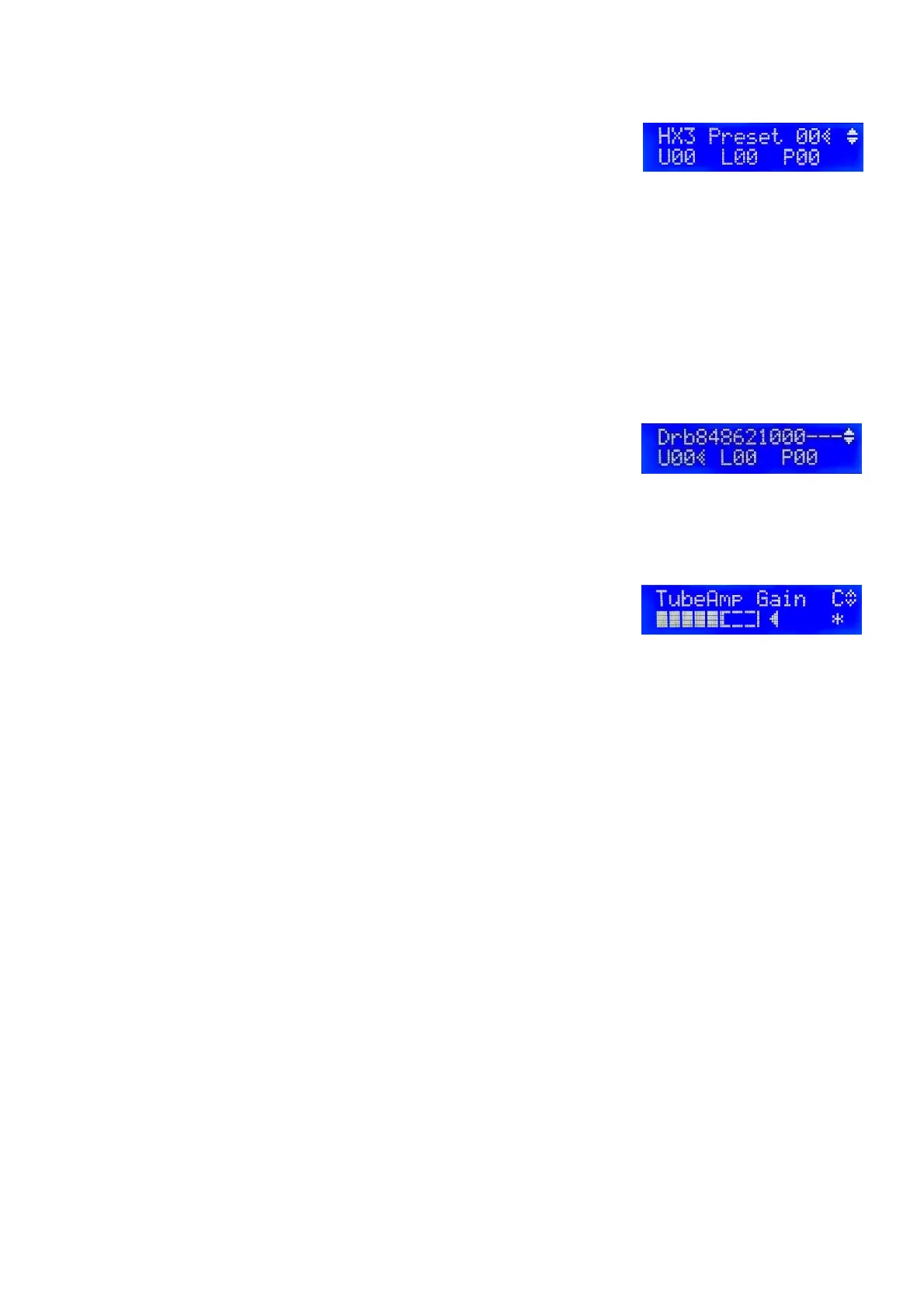
On power on, the Preset/Drawbar Menu is present. Pressing the
rotary knob twice briefly will let you return to the home position from
any other menu position.
Turn the rotary knob to scroll through the menu. A hatched arrow indicates the menu position.
Press the rotary knob once to edit a parameter value. A white arrow indicates the selected
entry that may be altered. Turn the rotary knob to change that value. Press the rotary know once
again to continue scrolling through the menu.
In the preset/drawbar menu the rotary knob selects the Presets 0 … 99. Presets consist of
drawbar settings and optionally tab switch settings (percussion, vibrato etc., including rotary
Run/Fast/Slow), volume and 122 tube amp gain as well as all other effects.
Scroll downwards (= turn the rotary knob clockwise) to the drawbar
presets (Voices) for Upper manual, Lower manual, and Pedal. The
top display line shows the drawbar positions as numbers from 0 – 8.
Scroll down one more step to get to the Master Volume setting. Master Volume adjusts the
overall volume for all outputs. Higher values are recommended for the best signal to noise ratio.
Scroll down to the TubeAmp Gain setting. TubeAmp Gain sets the
internal tube amp simulation.
A star appears at the bottom right of the display, if a parameter value has been changed and
differs from the stored preset. To store values as Preset, keep the encoder knob pressed until the
prompt “Save to Preset #XX” appears on the display. (“XX” representing the current preset
number). Alter the number as desired and press the knob once again to have all settings stored.
Parameter values tagged by the letter C are part of a single preset. Values tagged by D apply to
all presets and are stored as defaults. The assignment can be changed in the editor of the HX3.5
manager with parameter #1498 or in the panel.
Values tagged by U, L, or P are part of the current voice for upper, lower, or pedal. These are
saved as Voice (Drawbar settings only) if you save them while one of these markers is displayed.



 To Next Page