EasyManua.ls Logo

Keychron K10 Pro - Key Function Descriptions; Layer 3 (Windows + Fn); Key Description Table

Keychron K10 Pro
81 pages
Print Icon
To Next Page IconTo Next Page
To Previous Page IconTo Previous Page
Loading...
11
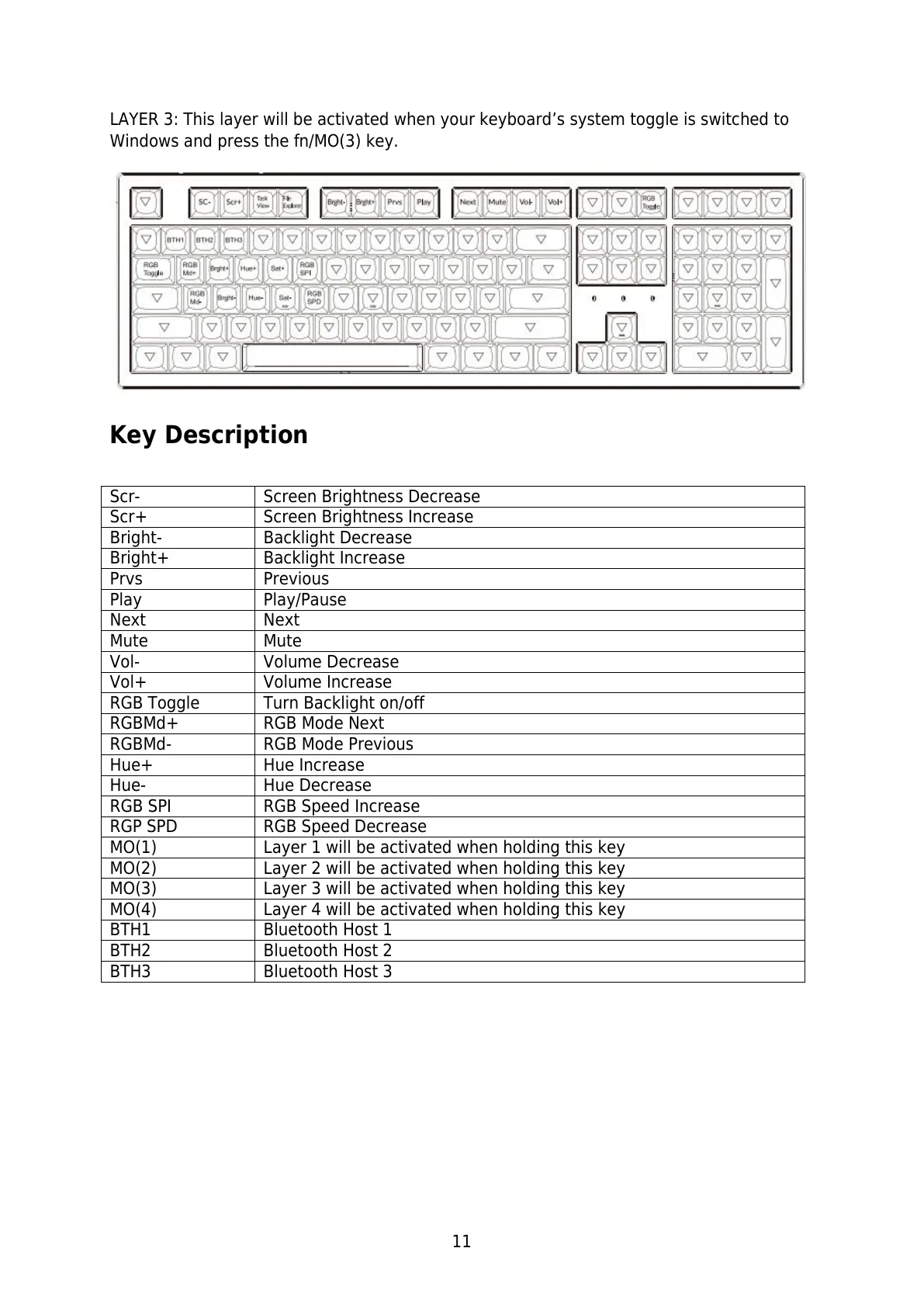
LAYER 3: This layer will be activated when your keyboards system toggle is switched to
Windows and press the fn/MO(3) key.
Key Description
Scr-
Screen Brightness Decrease
Scr+
Screen Brightness Increase
Bright-
Backlight Decrease
Bright+
Backlight Increase
Prvs
Previous
Play
Play/Pause
Next
Next
Mute
Mute
Vol-
Volume Decrease
Vol+
Volume Increase
RGB Toggle
Turn Backlight on/off
RGBMd+
RGB Mode Next
RGBMd-
RGB Mode Previous
Hue+
Hue Increase
Hue-
Hue Decrease
RGB SPI
RGB Speed Increase
RGP SPD
RGB Speed Decrease
MO(1)
Layer 1 will be activated when holding this key
MO(2)
Layer 2 will be activated when holding this key
MO(3)
Layer 3 will be activated when holding this key
MO(4)
Layer 4 will be activated when holding this key
BTH1
Bluetooth Host 1
BTH2
Bluetooth Host 2
BTH3
Bluetooth Host 3

Related product manuals