7
Activate Siri/Cortana
Warranty
The keyboard is highly customizable and easy to be rebuild. If anything goes wrong with
any of the keyboard components of keyboard during the warranty period, we will only
replace the defective parts of the keyboard, not the whole keyboard.
For Siri on Mac Go to System preferences > Siri > select
„Hold Command Space“ option.
*Siri key only works on macOS and does not work on iOS
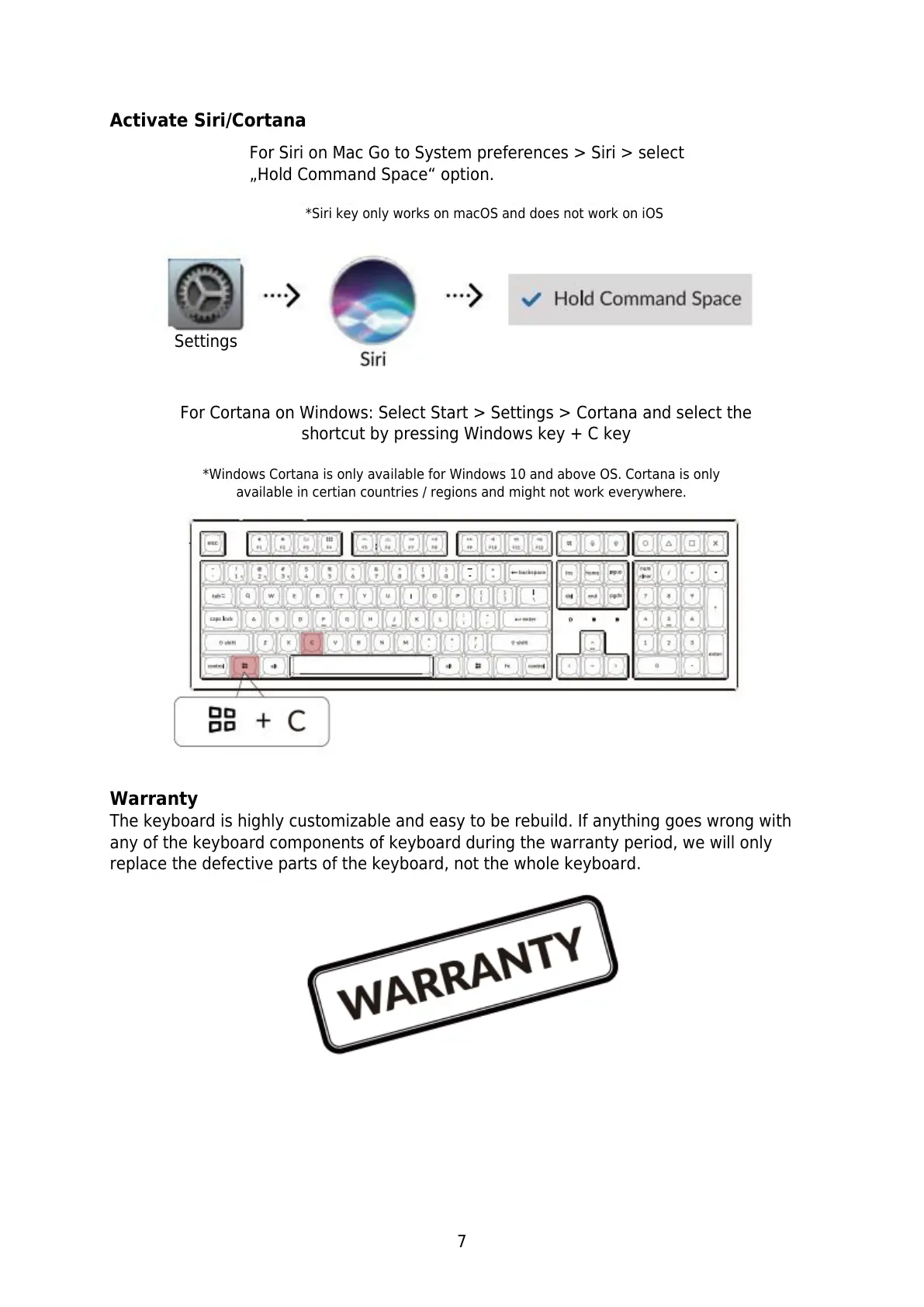
For Cortana on Windows: Select Start > Settings > Cortana and select the
shortcut by pressing Windows key + C key
*Windows Cortana is only available for Windows 10 and above OS. Cortana is only
available in certian countries / regions and might not work everywhere.


 To Next Page