2) Read the JoyStick Value
Description:
The sensor’s pin X, Y are for analog sensor, so directly read the measured analog value. Pin Z is a digital button,
first should set the pin to Input status and then read the measured value 1 (pressed down) or 0 (not press). Check
out the value printed on the serial monitor.
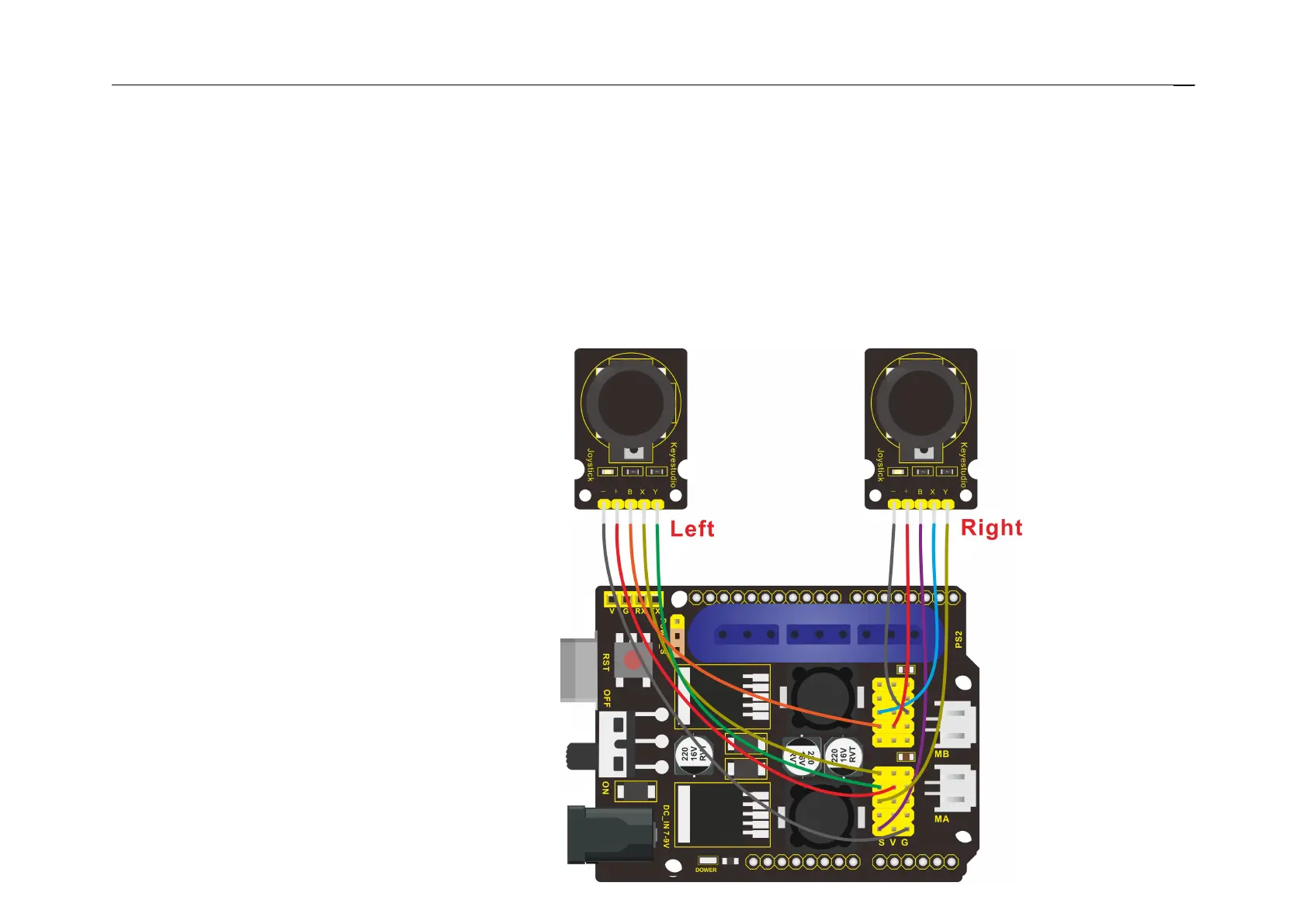
Hookup Guide:



 To Next Page