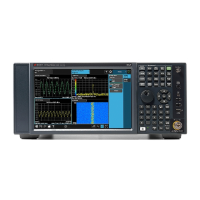
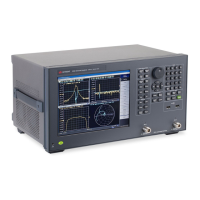
Product Declassification and Security Product Name: Network Analyzer
Model Number(s): E5061B/E5063A
Page 15 of 16
User and Remote Interface Security Measures
Screen and Annotation Blanking
The frequency-blanking feature is available. This function provides three security levels:
“OFF” during normal operation;
“Low” deletes frequency information from the display, but can be turned “OFF” by front panel
operation;
and
“High” deletes frequency information from the display, and cannot be turned “OFF” except
rebooting.
The operator can perform the following keystrokes to control this frequency-blanking feature,
[System] > Service Menu > Security Level > None | Low | High,
or set the levels by the following SCPI command:
:SYSTem:SECurity:LEVel {NONE|LOW|HIGH}
Note:
Any SCPI/COM commands that read the frequency data are not influenced by this function. All
commands can read frequency data regardless of the security level.
USB Mass Storage Device Security
E5061B Windows XP
Users can disable any USB-compatible external mass storage devices in order to ensure
confidentiality.
The following procedure shows how to disable a USB Mass Storage Device.
1. [Save/Recall] > Explorer….
2. Double-click “DisableUsbStorage.exe” from D”\Agilent\Service.
3. Click OK in the SUCCEEDED message window that appears. If any USB mass storage device is
connected to the E5061B/E5063A under this condition, the Hardware Wizard will start, but the
USB mass storage device will not work.
The following procedure shows how to enable a USB Mass Storage Device.
1. [Save/Recall] > Explorer….
2. Double-click “EnableUsbStorage.exe” from D”\Agilent\Service.
3. Click OK in the SUCCEEDED message window that appears.
Note: If you do not want any USB mass storage device to ever be enabled at any time, delete
EnableUsbStorage.exe from the E5061B/E5063A after DisableUsbStorage.exe has been completed.
These two programs will not be recovered automatically by applying the firmware update or other
such action. Before deleting any of these programs, you should make a backup copy to a recording
medium such as a floppy disk and store it separately.
Note: If the program fails to run, it is possible that you have not logged in as a user in the
Administrators Group. When you want to execute any of the above programs, make sure to log in as
a user in the Administrators Group.













 To Next Page