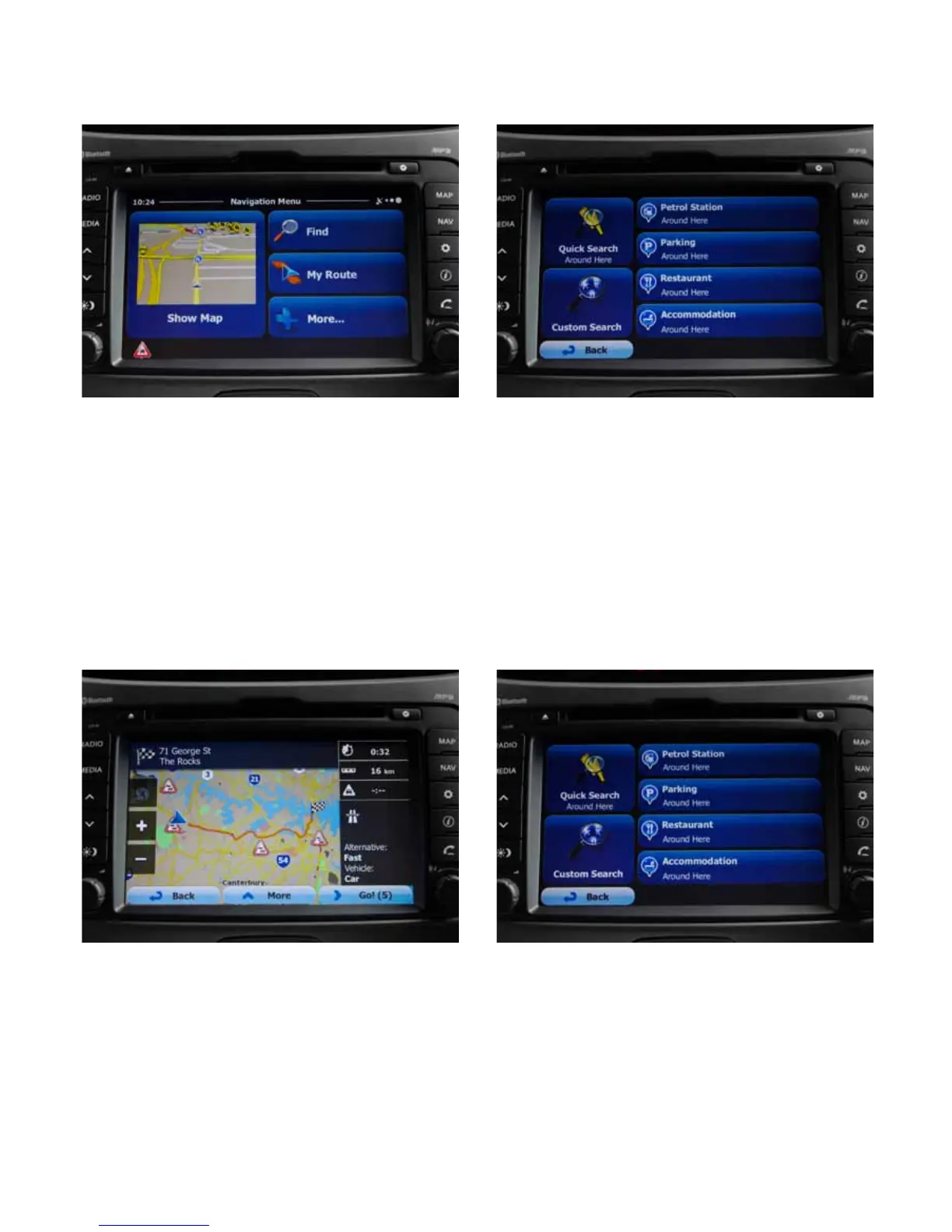
Navigation Guide:
Selecting Destination:
• Press Nav button to get access the Navigation Menu
Screen
• Press Find tab
• Press Find Address tab to enter address
• Compete each address eld (Town / Street / Number
or intersection)
• Review & conrm destination by touching Next
• Review & conrm route by selecting GO or waiting
10 seconds
• Commence travel to your destination
Selecting POI (Points of Interest):
• Press Nav button to get access the Navigation Menu
Screen
• Press Find tab
• Press Find Places
• Select from the quick search menu (Petrol Stations /
Parking / Restaurant / Accommodation)
• For a wider selection of POIs, select the Custom
Search tab
Setting Favourites:
• Press Nav button to get access the Navigation Menu
Screen
• Press Find tab to enter address
• Press History tab on Navigation Menu to access past
destinations
• Select the past destination that you wish to add to
favourites
• On overview screen select the More tab
• Select the Add to favourites tab
• You may save as a dierent name by typing a desired
name. Select Done to save
Cancelling a route:
• Select the Nav button
• Select My Route tab
• Conrm by selecting Cancel route tab



 To Next Page