OPTIMA FEATURES & FUNCTIONS GUIDE
22
*IF EQUIPPED
AUDIO SYSTEMS
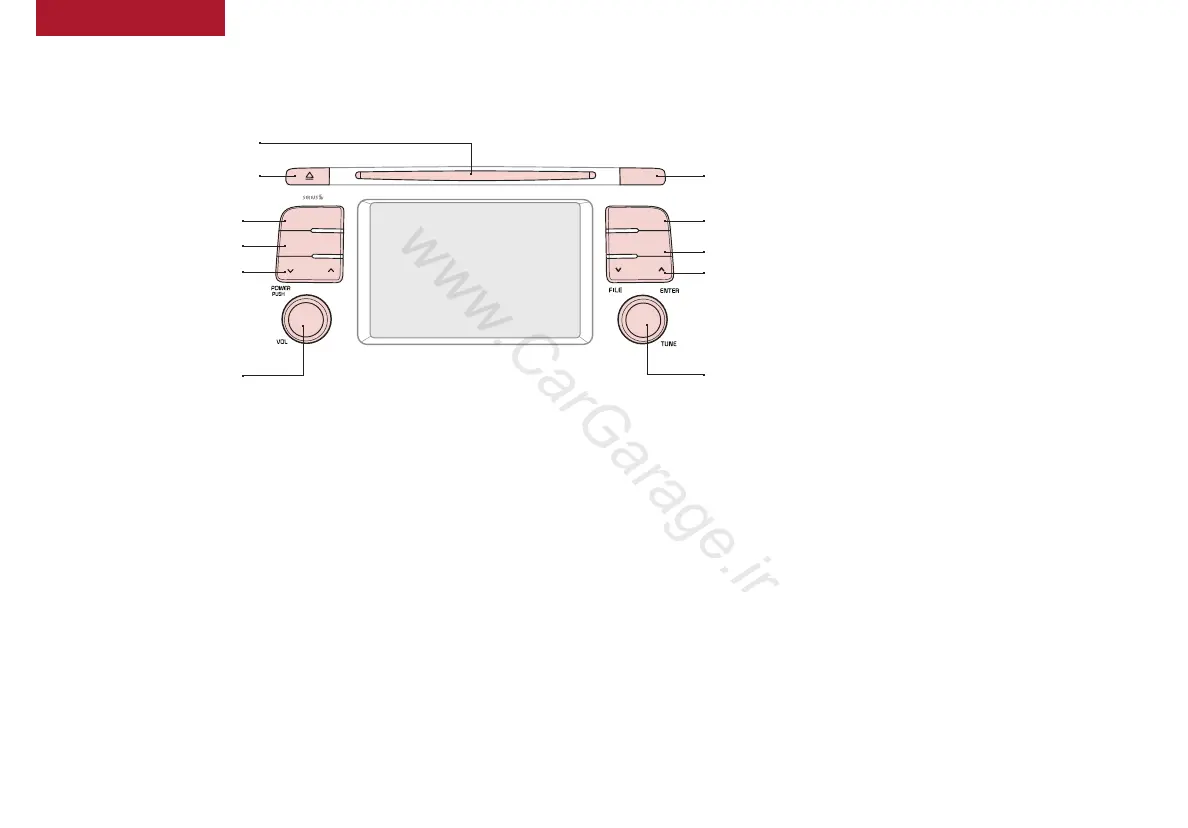
Press to turn display ON/OFF
DISP
SCAN
RADIO
MEDIA
PHONE
SEEK
TRACK
SETUP
CLOCK
CAT
FOLDER
Press to scan stations. Songs will play
for 10 seconds. To cancel SCAN play,
press again. Press to enter Setup mode
Press to enter Clock settings mode
Press to move Up/Down one
Category/File folder
Rotate to change Radio/SiriusXM
®
Station/
Media
tracks/songs/files. Press to select
Press to Power ON/OFF. Rotate
to adjust volume
Press to select previous/next
Radio/SiriusXM
®
stations/Media
tracks/songs/files. Press and
hold to move quickly through
stations/ tracks/songs/files
Press to enter PHONE mode
Press to select FM/AM/
SiriusXM
®
/Media modes
Press to eject CD
Insert CD
Audio System Setup Options
Press the SETUP key, then using the touchscreen, press the menu item to enter
(Display, Sound, Clock/Calendar, Phone, System). Adjust the available settings for
each equipped audio system setup option by pressing the onscreen buttons/arrows.
Audio system setup options may include the following:
• Display Setup – Adjusting the
Brightness, Mode Popup, Media
Display
• Sound Setup – Sound Settings,
Speed-Dependent Volume, Voice
Recognition Volume, Touchscreen Beep
• Clock/Calendar Setup – Clock
Settings, Calendar settings, Time
Format, Clock Display
• Phone Setup – Pair Phone, Paired
Phone List, Contacts Download,
Auto Download, Outgoing Volume,
Bluetooth
®
System off
• System Setup – Memory
Information, Prompt Feedback,
Language
Your vehicle’s audio system
may differ from that in
the illustration. See your
Owner’s Manual for more
details. For further audio
system operations, refer to
page 23-25.
Sound Settings:
To adjust the Standard Audio Systems sound settings:
1. Press the SETUP key on the audio control unit or the on-
screen MENU button, when in MEDIA mode.
2. Select the on-screen SOUND button
3. Select the menu item (Sound Setting, Speed Dependent
Volume, Voice Recognition Volume, Touch Screen Beep)
4. Using the touchscreen, press arrows to adjust the settings
5. Press the return arrow to save and exit
Standard Audio System*
– FM/AM/SiriusXM
®
/Media (CD, USB, iPod
®
, Aux, My Music,
Bluetooth
®
Audio)*
REMINDER: To help minimize driver distraction, some audio system
functionalities have been modified while the vehicle is in Drive, Reverse
or moved out of Park.















 To Next Page