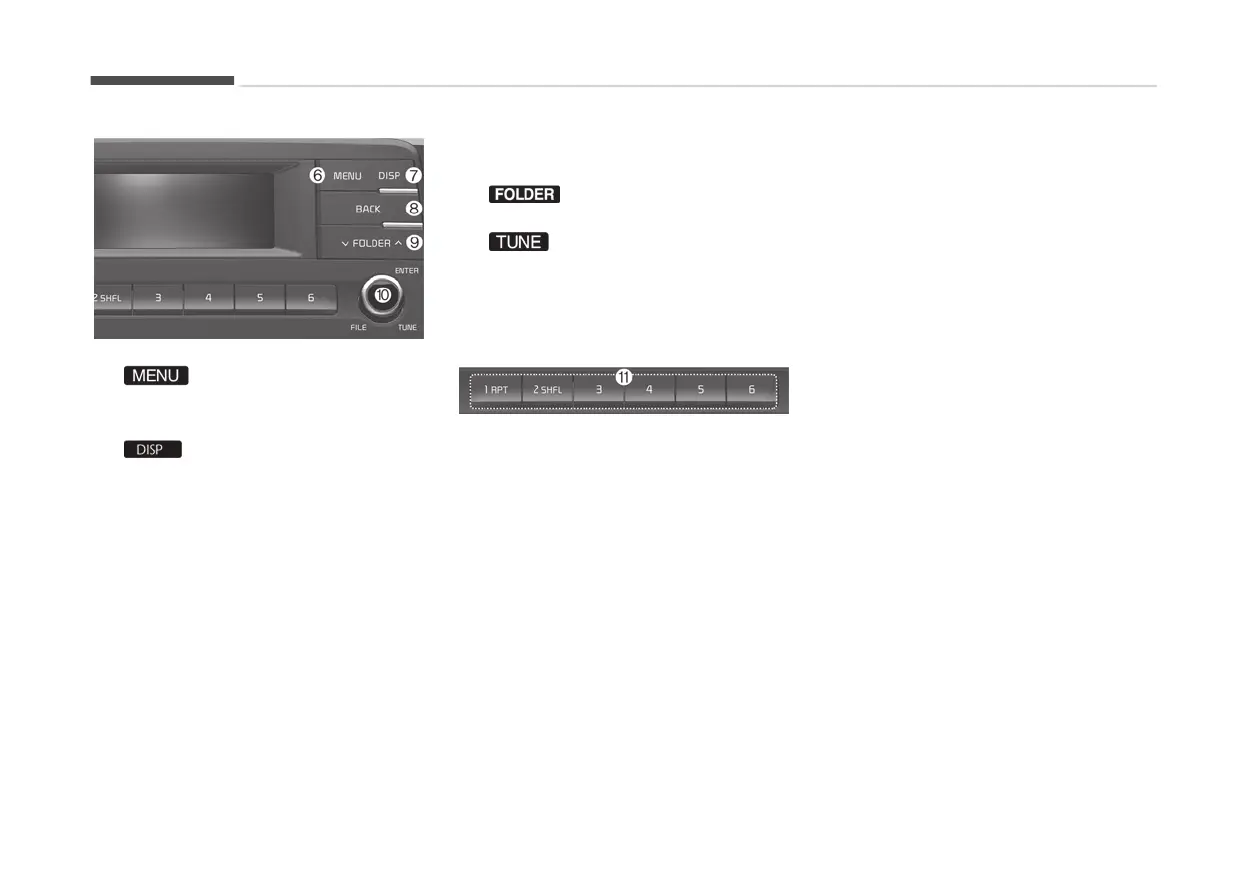
6.
• Displays
menus ýor the current
mode.
7.
• Turns oýý the screen.
• Each time the button is pressed,
it sets the Screen æýý ➟ æn ➟
æýý.
8.
BACK
• Moves to previous screen.
9.
• USB mode: Searches ýolders.
10. knob
• Radio mode: Chanþes ýrequency
by turninþ the knob leýt/riþht.
• Media mode: Searches
sonþs(ýiles) by turninþ the knob
leýt/riþht.
11. [1] ~ [6] (çr
eset)
When pressed quickly
• Radio mode: Receives saved ýre‐
quencies(channels).
• Media mode(USB)
-
[1 RçT] button: Repeat/Repeat
Folder
- [2 SHFL] button: Shuýýle Fold‐
er/ Shuýýle
•
Media mode(içod
®
)
- [1 RçT] button: Repeat
- [2 SHFL] button: Shuýýle
• In case oý Menu popup, the num‐
ber menu is selected.
When pressed and held
• Radio mode: Saves ýrequencies
(channels).
Audio system
5-08













 To Next Page