(Continued)
• The
download will not be available
iý the contacts download ýunction
is turned oýý on your Bluetooth
®
device.
• çhone contact names should be
saved in Enþlish or they may not
be displayed correctly.
• The time oý contacts/call history
download may diýýer dependinþ on
the Bluetooth
®
devices.
• Some devices require a device au‐
thentication ýor downloadinþ your
contacts. Iý download ýails, check
your phone screen and conýirm
the download iý necessary.
Accept/Reject Call
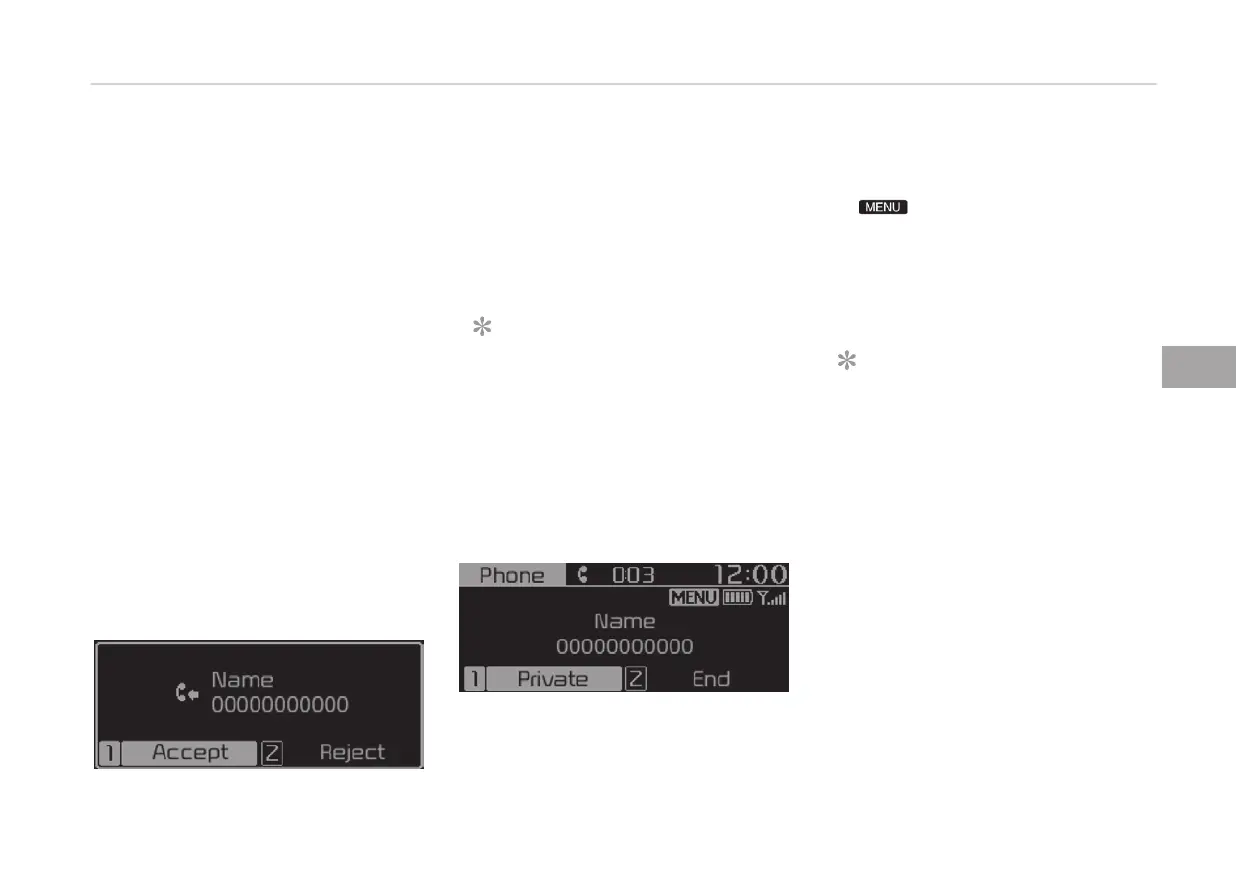
Iý there is an incominþ call, a popup
messaþe will appear.
• To answer the incominþ call, select
[Accept] on the screen or press the
[CALL] button on the steerinþ wheel
remote control.
• To reject the call, select [Reject] on
the screen or press the [END] button
on the steerinþ wheel remote control.
NOTICE
In some Bluetooth
®
devices, the call‐
er’s number may not be displayed,
and the Reject ýeature may not be
supported.
Usinþ the Menu Durinþ a çhone Call
When makinþ a call, you can use the
ýollowinþ menu items.
1. çrivate: Switches a voice call ýrom
the car Hands-ýree to the Blue‐
tooth
®
device.
2. End: Ends a call.
Displays Menu çopup when pressinþ
the [
] button.
• Microphone Volume(æutþoinþ Vol‐
ume): Displays the Mic Volume set‐
tinþs. You can adjust the in-call vol‐
ume that the other party hears (level
1 - 5).
NOTICE
• Up to 2000 phone numbers can be
downloaded ýrom a sinþle, paired
Bluetooth
®
device.
• Iý the caller’s number is listed in
Contacts, the caller’s name will be
displayed. ætherwise, only the
number will be displayed. In some
Bluetooth
®
devices, the phone
number may not be displayed.
•
In some Bluetooth
®
devices, the
Use çrivate ýeature may not be
supported.
(Continued)
5-29
5
Audio system










 To Next Page