ALWAYS CHECK THE OWNER’S MANUAL FOR COMPLETE OPERATING INFORMATION AND SAFETY WARNINGS. *IF EQUIPPED
35
AUDIO
SYSTEMS
Kia Access with UVO link App Download
QR CODES
Kia Access with UVO link
App Features Guide. Click this
dynamic QR code to access the
guide. Some phone’s operating
systems may need to be updated
to scan dynamic QR codes
Download the Kia Access with
UVO link App by clicking this
dynamic QR code. Some phone’s
operating systems may need to
be updated to scan dynamic QR
codes.
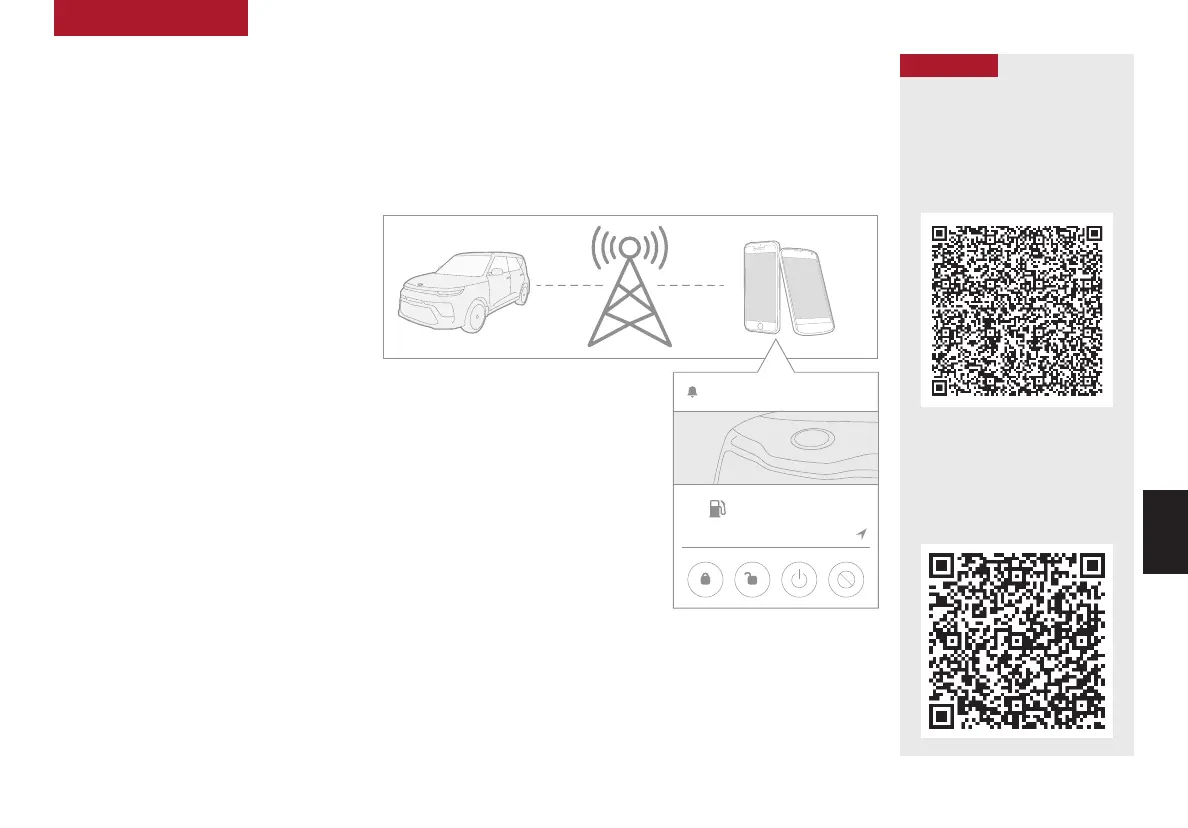
Go to an app marketplace to download the new Kia Access with UVO link App. Once you download, make sure
you register your vehicle and start an account (refer to UVO link Activation page). Get to know your new Kia and
the available convenient features on the app. Below are some of the features:
• Remote Vehicle Start
• Remote Climate Control
• Locking / Unlocking Door
• Find My Car
• Schedule Charge (EV Vehicles)
• Vehicle Health Info
• Preferred Dealer Settings
• Schedule Maintenance Appointment
The Kia Access with UVO link App Features Guife is
a step-by-guide helping you utlilize the app to its full
potential by detailing how to set up and use each
feature and adjust various settings. Below are some
of the topics included:
• Remote Commands
• Set Climate
• Schedule Climate
• Schedule Charge
• Schedule Service
• Dealer Settings
• Manage Vehicles and Profiles
Kia Access with UVO link App Features Guide
2020 SOUL
MILEAGE
722 mi.
355 mi
Est. Range
DOOR LOCKS REMOTE START
Find My Car
AUDIO SYSTEMS
Kia App Screen for illustrative
purposes only. Actual App screen and
functionality may vary.
For further UVO link operations, refer to the Car Infotainment System Quick Reference Guide.



 To Next Page