17
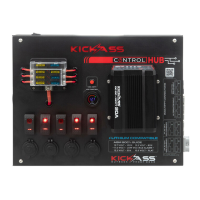
Step 3: Using the spanner, remove the bolt and washer off both the positive (red) and
negative (black) terminal posts on the rear of the control hub.
Step 4: Attach the wire with the black
terminal cover to the negative (black)
terminal post and the wire with the red
terminal cover to the positive (red) terminal.
Replace the nut and washer and retighten
with a spanner. Note: Ensure the wires are
not connected to the battery
Note: Use cable ties to fix them in place
Step 5: Tuck cables neatly under the control hub and carefully close the lid, returning
the 4 screws to secure the control hub down


 To Next Page