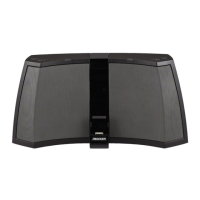
FEATURES
• iPodliPhone Dock-Works with any 4th Gen and newer
Pod/Phone
• Powerful 20-Watt Integrated Amplifier-Digital Signal Processing delivers rich, full-
range audio performance
• Enhanced Bass Response-tuned-port speaker enclosure
• Easy Set-up-simple front control panel with push-n-turn navigation knob
• Dual
Alarm-wake
to
Pod,
Radio, or Alarm
•
Ten
Display Brightness Levels
• 1/8" (3.5mm) Headphone Jack
• 24-Hour Time and Alarm Back-up-settings
are saved when power
is
removed
• Auxiliary Input-listen to other portable media players or computers
• 12 Radio Presets
• 5-120 Minute Sleep Timer-fall
asleep to iPod, Radio, or Aux-in
• 12 or 24 Hour Time Display
FRONT
PANEL CONTROLS
Tap to power on.
Hold to enter standby.
• Rotate to change
volume, scroll through
options, and change
settings.
....
.
....
- - Tap to enter/exit
setup.
I
Tap to play/pause.
Hold to put iPod to sleep.
"
"
"
....... next track /
fast forward /
radio station seek
I I I I
__
J
__
J_J
I
I
I
Hold to store current radio
station
in
memory
(4
locations
per FM1, FM2, and
AM).
Tap to recall the station.
/
/
/
/
/
previous track /
rewind /
radio station seek
Tap to choose
an
audio source:
• DOCK
(iPod)
•
FM1
• FM2
•
AM
•
AUX
(rear
auxiliary input)
Tap to turn alarm on/off. •
__
Hold to adjust alarm settings.
3


 To Next Page