QUICKSTART I
Setting
an
alarm
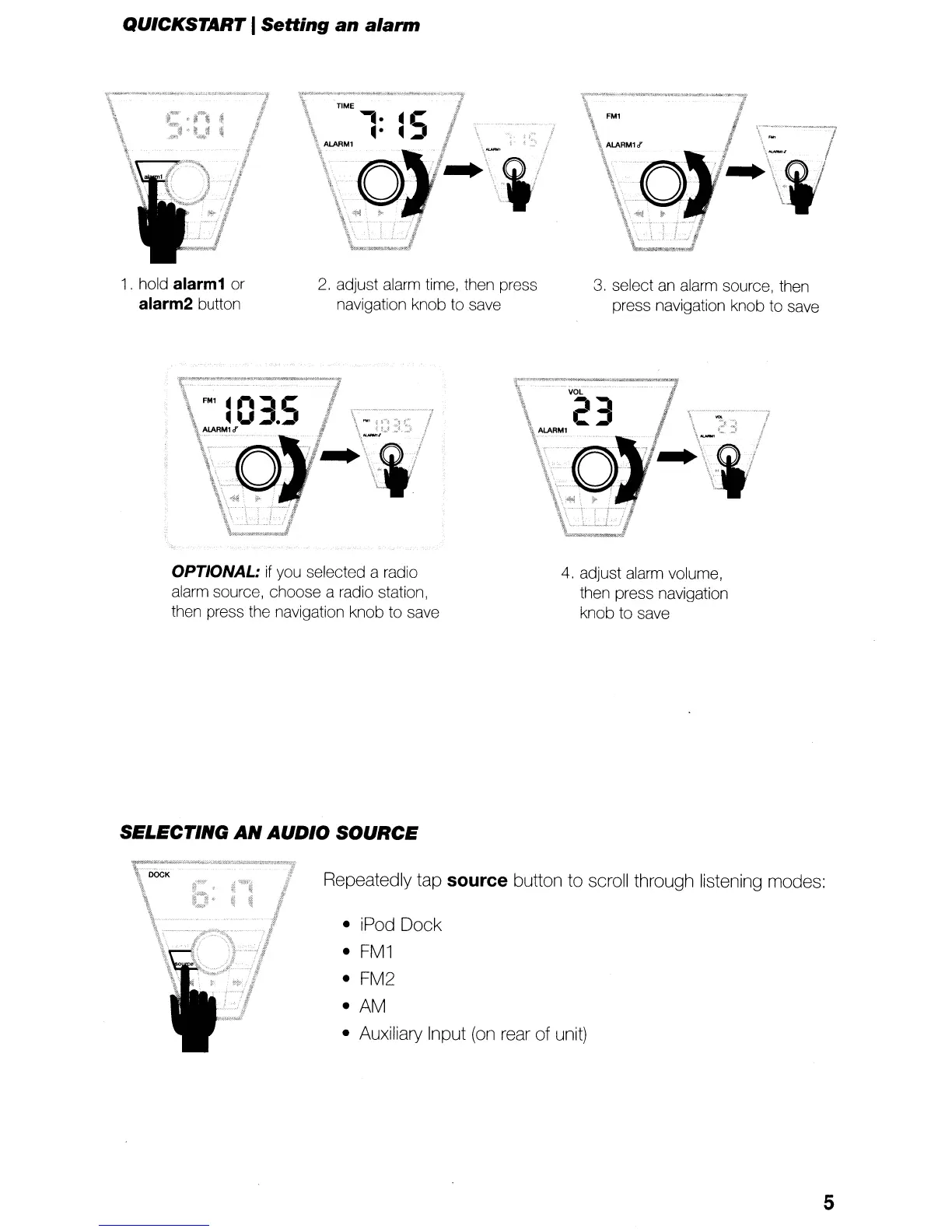
1. hold alarm1 or
alarm2 button
2.
adjust alarm time, then press
navigation knob to save
3.
select
an
alarm source, then
press navigation knob to save
OPTIONAL:
if
you selected a radio
alarm source, choose a radio station,
then press the navigation knob to save
SELECTING
AN
AUDIO
SOURCE
4.
adjust alarm volume,
then press navigation
knob
to
save
Repeatedly tap source button to scroll through listening modes:
• iPod Dock
•
FM1
• FM2
•
AM
• Auxiliary Input
(on
rear of unit)
5


 To Next Page