4
Operation
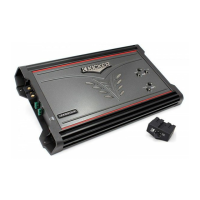
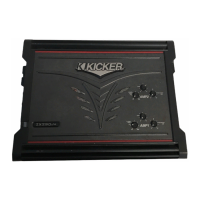
Your Kicker
MXA
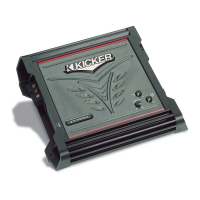
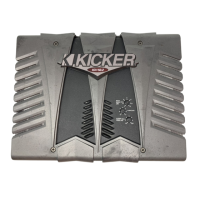
series amplifier has six rotary controls and three switches on the top panel. Before
turning on the system for the first time, remove the sealed top panel (protects the controls from water
damage) by removing the
two
phillips screws. See Figure
1.
Then turn the six rotary controls on the
top
of
the amplifier
to
the
full counter-clockwise position.
1.
CrossoverSwitch
The crossover switches on the
top
panel are for setting the internal crossovers.
In
the OFF position the amplifier passes a full-range signal
to
the speakers. Use the
LO
position when
connected
to
a subwoofer. The
HI
position should be selected when connected
to
speakers, which you
do
not want
to
receive any sub-bass information. Never change the crossover "OFF/HI/LO" switch
setting with the audio system on!
2.
InputGainControl
The input gain control
is
not
a volume control. It matches the output
of
the
source unit
to
the input level
of
the amplifier. Turn the source unit up
to
about
3/4
volume
(if
the
source
unit goes
to
30, turn it
to
25).
Next, slowly turn (clockwise) the gain on the amplifier up until
you
can
hear audible distortion, then turn it
down
a little. Adjust AMP 1, then proceed
to
AMP
2.
3.
BassBoostControl
The bass
boost
control
is
designed
to
give you increased output 0 -
18dB
at
40
Hz. The setting
for
this control is subjective. If you turn it up, you must go back and adjust the input
gain control
to
avoid clipping the amplifier.
4.
CrossoverControl
The setting for this control
is
subjective; 80Hz
is
a good place to start.
Two
Kicker
Coax
Speakers
wired
in series
to
a single channel.
Figure
5
Wiring
two
Kicker
Speakers
to
a
single
channel
Modern high performance coaxial and component speakers have a lower DC Resistance than
what
used
to
be
available. The Kicker speakers are rated at four ohms and work with any source unit
or
amplifier designed
to
operate at a four ohm load. If you want
to
use
two
Kicker coax or
component
speakers on each channel of your amplifier wire the speakers
in
series, as shown
in
Figure 5. This will
improve the
sound
quality, lower the total harmonic distortion and lessen the thermal load at
the
source
unit or amplifier. This may prevent an amplifier from shutting down, due to over-current protection
circuitry.
TroubleShooting
If
your amplifier
does
not
appear to be working, check the obvious things first such as blown fuses,
poor
or
incorrect
wiring connections, incorrect setting of crossover switch and gain controls, etc. There is one
LED
on
the
top
of
your
Kicker MX series amplifier. When the LED is green this indicates the amplifier
is
turned on and no trouble exists. If the
LED is red, this indicates that the protection circuitry (SORl) is engaged.
o LED Green.
no
output?
With a Volt Ohm Meter
(VOM)
check the following:
1)
+12 volt power terminal (should
read +
12V
to
+16V)
2)
Remote turn-on terminal (should read +12V
to
+16V)
3)
Check for reversed
power
and
ground connections
4)
Ground terminal, for proper conductivity.
o LED Green,
no
output?
Check the following:
1)
RCA connections
2)
Test speaker outputs with a
"known"
good
speaker.
3)
Substitute source unit with a "known"
good
source unit.
4)
Check
for a signal
in
the RCA cable feeding
the amplifier
with
the
"AC" test position selected on the YOM meter.
MX.4AMPLIFIER



 To Next Page